Processor Upgrades
Unlock the full potential of your computer with our range of processor upgrades. Whether you're looking to boost your system's performance for gaming, work, or everyday tasks, upgrading your processor can make a significant difference. Explore a variety of options tailored to meet the needs of both casual users and tech enthusiasts. Elevate your computing experience with enhanced speed, efficiency, and multitasking capabilities by choosing the right processor upgrade for your device. Dive into our selection and find the perfect match to take your machine to the next level.
This product is not available
Check out the following recommendations.




Processor Upgrades
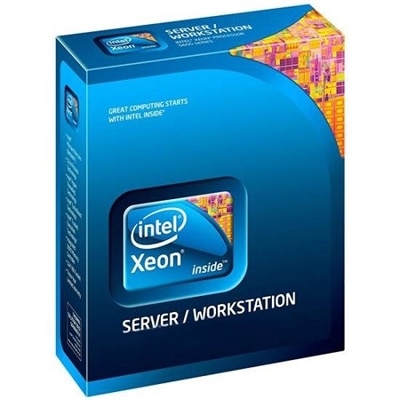
Processor upgrades can give a compatible desktop a more responsive, capable feel, whether the computer is used for everyday work, gaming, photo organization, school projects, streaming, or demanding creative applications. A newer processor can help programs open more smoothly, shorten export and rendering times, improve multitasking, and support higher performance when several applications are active at once. For someone who spends a workday moving between browser tabs, video meetings, spreadsheets, and communication tools, the difference may appear as fewer pauses and a steadier rhythm from morning through the end of the day. Gamers may appreciate stronger frame rates and more consistent performance when paired with a suitable graphics solution, while creators working with high-resolution photos or video can benefit from additional processing cores and improved efficiency. Processor upgrades can also be thoughtful gifts for a computer enthusiast, a student building a desktop for coursework, or a family member whose older system still has a dependable foundation but struggles with newer software. Before choosing an upgrade, identify the desktop’s existing processor, motherboard, memory, power supply, cooling solution, and operating system requirements. Processor compatibility depends on more than physical size: the new chip must match the motherboard socket and supported chipset, and the board’s firmware may need an update before the replacement can start successfully. Consult the motherboard manufacturer’s compatibility list and firmware notes, then compare the processor’s power requirements with the capacity of the existing power supply and the capabilities of the cooler. If the motherboard cannot support the desired processor, a motherboard replacement may be necessary, which can also affect memory compatibility, operating system activation, and the available expansion features. For broader options across computing performance, explore Computer Speed Upgrades.
A careful compatibility check helps turn a promising upgrade into a practical one. Record the exact motherboard model and firmware version, then verify whether the board supports the processor without requiring a particular firmware release. When possible, update the firmware while the original processor is still installed, following the motherboard maker’s instructions and using stable power during the process. Back up important files before changing hardware, shut down the computer completely, disconnect the power cable and connected accessories, and allow the system to cool before opening the case. A clean, well-lit workspace makes the process easier; a small tray for screws, an antistatic wrist strap or grounded work surface, and lint-free materials can prevent avoidable interruptions. Remove the side panel carefully and note the cooler’s cable connection before disconnecting it. Thermal compound can harden over time, so gently warming the system through normal use before shutdown may make the cooler easier to release. Twist the cooler slightly rather than pulling forcefully, helping separate it from the old thermal compound without putting unnecessary pressure on the processor socket. After removing the cooler, lift the socket retention mechanism, take out the old processor by its edges, and avoid touching the delicate contact points on the chip or motherboard. Align the new processor according to the marked orientation on the socket; never force it into place. Once it rests evenly, secure the retention mechanism, clean away old thermal compound with an appropriate lint-free wipe and cleaning solution, and apply a small, even amount of fresh compound if the cooler does not already have it applied. Too much compound can spread beyond the intended area, while too little may reduce heat transfer. Reattach the cooler evenly, tighten its fasteners in a balanced pattern, reconnect the fan or pump cable, and check that no wires obstruct the fan blades. A cooler designed for the processor’s thermal output is essential, particularly for long rendering sessions, extended gaming, or other workloads that keep the processor busy.
After the installation, reconnect the power cable and peripherals, then start the desktop and enter the firmware settings if needed to confirm that the processor is recognized. Check the reported temperature, memory settings, fan behavior, and storage devices before loading the operating system. If the computer does not start, turn it off and review the processor orientation, cooler connection, memory seating, power connectors, and firmware support rather than repeatedly attempting to boot. Once the system loads, install required chipset and processor-related software, apply operating system updates, and use a trusted monitoring utility to observe temperatures and clock behavior under ordinary workloads. A short test with browsing, a video call, file compression, or a creative application can reveal whether the system remains stable; more demanding testing should be introduced gradually while watching temperatures and fan noise. Performance depends on the complete computer, so a faster processor may not resolve a graphics limitation, insufficient memory, slow storage, or thermal throttling. Matching the processor with enough memory, a capable cooling solution, and a power supply that provides appropriate headroom helps preserve smooth performance over time. Keep the original processor and any removed hardware until the upgraded system has been tested and important files are backed up. For anyone who prefers assistance with delicate hardware work, professional installation can provide added confidence and help protect the motherboard, socket, and cooler. With the right match and a measured installation, a processor upgrade can extend the useful life of a desktop and make familiar tasks feel more fluid during work, study, creative projects, and leisure through the changing seasons.
FAQs:
Before upgrading your processor, verify that your motherboard supports the new CPU in terms of socket type and chipset compatibility. It’s also important to check if a BIOS update is required for the new processor. Additionally, consider the power requirements and whether your cooling solution is sufficient for the upgraded CPU.
Processor upgrades are especially beneficial for users who run demanding applications, such as content creators, engineers, gamers, and professionals working with large datasets. Students and remote workers can also see significant improvements in multitasking and overall system responsiveness.
In some cases, a processor upgrade may require additional components such as a new cooling system, updated thermal paste, or even faster memory to fully support the new CPU. It’s a good idea to review your system’s specifications and ensure all supporting hardware is compatible.
Not all Dell Latitude laptops have processors that can be upgraded, as some models use soldered CPUs that are not replaceable. However, certain models like the Dell Latitude E6430 have a socketed CPU, making upgrades such as the i7-3940XM possible with the right preparation and compatibility checks.
A processor upgrade can lead to faster application launches, smoother multitasking, improved gaming performance, and quicker completion of intensive tasks like video rendering or data analysis. This can make your overall computing experience more efficient and enjoyable.