$550.00
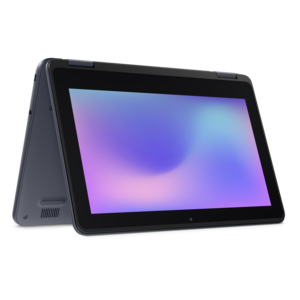
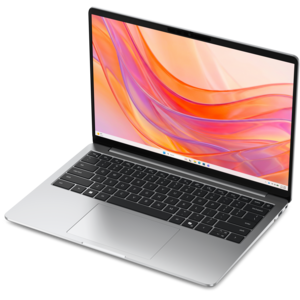
A durable, serviceable Chromebook designed specifically for education environments.
Laptops for online classes provide the flexibility and convenience students need to excel in virtual learning environments. Whether attending live lectures, collaborating on group projects, or completing assignments from anywhere, the right laptop can make all the difference. Explore a wide selection of laptops for online classes designed to support productivity, keep you connected, and help you stay organized throughout your academic journey.
A durable, serviceable Chromebook designed specifically for education environments.
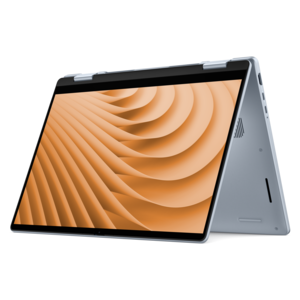
A durable, serviceable laptop or 2-in-1 designed specifically for demanding education environments.
A portable laptop with a sleek design, 16:10 display, and AI PC options for productivity anywhere.
A durable, serviceable Chromebook designed specifically for education environments.
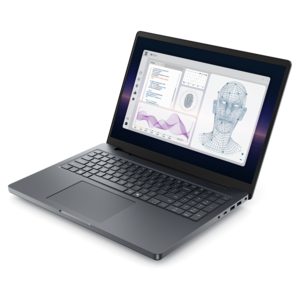
A durable, serviceable laptop designed specifically for demanding education environments.
A remarkably thin laptop powered by AMD Ryzen AI PRO 400 Series processors for professional performance.
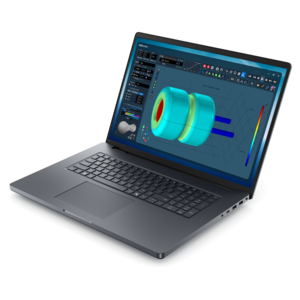
A powerful productivity laptop with scalable performance and advanced on-device AI capabilities.
A thin, lightweight laptop crafted from eco-friendly materials with Series 3 Intel Core processors for productivity.
A powerful professional laptop delivering productivity, scalability, ease of use, and advanced on-device AI.
A modern laptop powered by AMD Ryzen™ processors for effortless productivity and captivating entertainment.
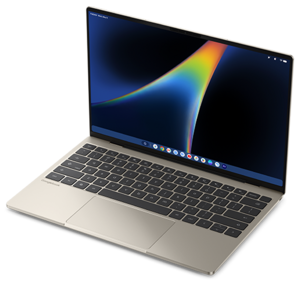
A razor-thin, featherlight laptop designed for intelligent productivity with Gemini-powered features.
A thin, lightweight laptop crafted with eco-friendly materials and powered by AMD Ryzen 200 Series processors.
A thin, lightweight laptop made with eco-friendly materials and Series 3 Intel Core processors for productivity.
A sleek, portable laptop with an expansive 16:10 display for reliable productivity anywhere.
A slim, lightweight laptop with Intel® Core™ processors and graphics for productive work anywhere.
A laptop featuring an FHD camera, enlarged ergonomic keyboard, and AMD Ryzen™ processors for everyday productivity.
A lightweight AI-powered laptop designed for creative professionals and small businesses.
A versatile 2-in-1 laptop designed for AI experiences and seamless multitasking on the go.
An AI-ready laptop with a spacious display, designed for creators and developers seeking high performance.
A sleek laptop powered by the latest AMD Ryzen™ AI 400 Series processors for demanding users.
A durable, modular laptop with robust security, a spacious display, and optional built-in AI for workdays.
A versatile 2-in-1 laptop with AI experiences, all-day battery life, and seamless multitasking.
A lightweight AI-powered laptop with Intel Arc graphics, ideal for creative professionals and small businesses.
A durable modular laptop with a 16:10 display, numeric keypad, robust security, and built-in AI options.
Laptops for online classes bring lectures, assignments, research, and conversations with classmates into one portable workspace. A well-suited laptop supports the everyday rhythm of remote learning: joining a morning discussion, reviewing a recorded explanation, drafting an essay, and submitting homework before an evening deadline. For many students, the most useful features are a readable display, a comfortable keyboard, a clear webcam, dependable wireless connectivity, and enough performance to keep coursework moving while several applications are open. An undergraduate reading journal articles may spend hours switching between documents and browser tabs, while an adult completing a professional certificate might join live sessions after work. Younger learners may need a straightforward setup that travels easily between a desk and a shared family space. These different routines make intended use more important than any single specification. For browser-based lessons, word processing, and video meetings, 8GB of memory can serve as a practical starting point; 16GB provides more room for multitasking, larger documents, and more demanding applications. A solid-state drive helps the computer start promptly and open applications responsively, while a capacity of 256GB or more offers room for many everyday assignments and downloaded course materials. Recorded lectures, creative projects, and large datasets can require considerably more space. Processor requirements also vary: general coursework places different demands on a laptop than engineering simulations, video editing, or three-dimensional design. Compatibility with required course software, testing applications, and accessibility tools matters just as much as raw performance. Some programs require a particular operating system or hardware capability, so a laptop that works smoothly for one subject may not suit another. Students comparing portable learning setups with other computer formats can explore Best Computers For Online Classes for a broader view of computers suited to coursework. The right fit leaves enough flexibility for the tasks that happen around class, too, whether that means organizing readings, working through practice problems, or collaborating on a presentation.
Screen size and physical comfort shape how a laptop feels during a full week of online learning. A compact display can make the computer easier to carry between home, a library, and campus, while a larger screen gives documents, spreadsheets, and shared presentations more breathing room. Around 13 to 14 inches often suits students who prioritize portability; 15- to 16-inch displays can feel more comfortable for side-by-side windows, though overall dimensions and weight vary by design. Full HD resolution or higher generally provides useful clarity for text and classroom content, and an antiglare finish can reduce distracting reflections near a window or under overhead lights. Brightness, text scaling, and viewing angles also affect readability, particularly when a lesson stretches into an extended study session. A comfortable keyboard with well-spaced keys makes a difference when taking rapid notes or writing a lengthy paper, while a responsive touchpad supports precise navigation through learning platforms. For subjects built around diagrams, calculations, or annotation, a touchscreen or convertible design may be useful, especially when compatible pen input is supported. Live participation brings another set of considerations. A 1080p webcam can deliver a clearer picture than a lower-resolution camera, although lighting and connection quality still influence what classmates see. Built-in microphones should capture speech clearly enough for discussions, and headphones with a microphone can help when siblings, roommates, or nearby conversations compete for attention. Camera placement matters as well: a laptop positioned at a comfortable viewing height usually creates a more natural angle than one resting low on a lap. Reliable Wi-Fi hardware supports online learning, but call quality also depends on the internet connection, distance from the router, and other activity on the household network. Physical ports deserve attention because a headset, external monitor, mouse, or wired internet adapter may be part of the daily setup. A USB-C connector does not automatically support every charging or display function; the laptop’s specifications determine which connections work.
Portability is especially useful when an online classroom has to fit around the rest of the day. A lightweight laptop can move from a quiet bedroom to a kitchen table without turning each transition into a major rearrangement, while a sturdy chassis and well-supported hinge help it withstand regular opening, closing, and carrying. Aluminum and other metal enclosures can provide a firm feel, while well-built plastic designs may offer a lighter alternative; material alone does not establish durability. Hinge construction, assembly quality, and careful handling all contribute to how well a computer holds up. A padded sleeve or fitted bag protects against everyday scuffs during travel, and keeping pens, keys, and charging plugs away from the screen helps prevent pressure damage. Battery endurance matters when an outlet is inconvenient or a study session moves between locations. Enough charge for several hours of real coursework is more useful than a headline battery figure alone, since video calls, high screen brightness, and demanding applications can shorten runtime considerably. The charging adapter’s size and weight also affect how portable the complete setup feels. At home, a firm surface keeps ventilation openings clear, while an external keyboard, mouse, and raised screen can make longer sessions more comfortable. Routine care is simple but worthwhile: a soft cloth suitable for the display, cleaning methods recommended by the manufacturer, and a little distance from drinks help keep the laptop ready for daily use. Software updates, secure sign-in, and regular backups protect the continuity of coursework as well as personal information. A saved copy of an essay or project can prevent a technical problem from becoming a missed deadline. For a graduation gift or the start of a new academic program, a laptop is most useful when its operating system, portability, and capabilities match the recipient’s actual classes. Whether learning happens entirely from home or alternates with campus visits, a thoughtfully matched laptop supports focused study, clear communication, and the practical work of completing assignments day after day.
Add the products you would like to compare, and quickly determine which is best for your needs.