$3418.00
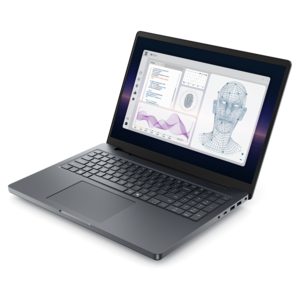
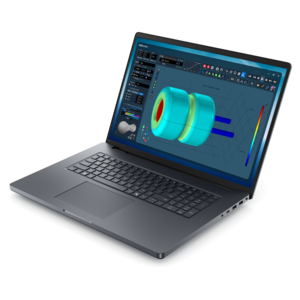
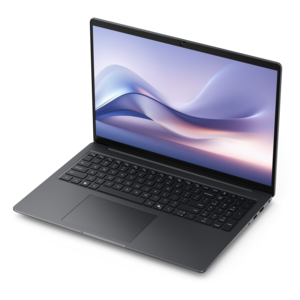
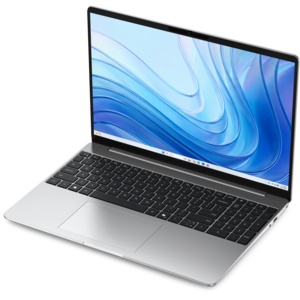
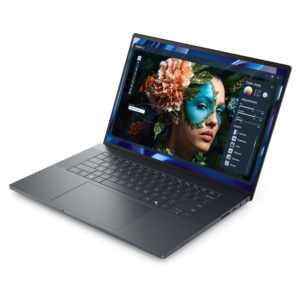
A sleek, lightweight laptop with Intel Core Ultra processors, NVIDIA graphics, and advanced on-device AI.
Laptops with Thunderbolt ports offer enhanced connectivity and versatility for users who demand fast data transfer and seamless integration with a wide range of devices. Whether you’re a creative professional, a business user, or someone who values efficient workflows, these laptops provide the flexibility to connect to external displays, storage solutions, and other peripherals with ease. Explore a selection of laptops with Thunderbolt ports designed to support your productivity and entertainment needs, all while delivering reliable performance in a sleek, portable form factor.
A sleek, lightweight laptop with Intel Core Ultra processors, NVIDIA graphics, and advanced on-device AI.
Laptops with Thunderbolt ports are designed for people who want a flexible, high-speed connection between a computer and the devices around it. Thunderbolt technology uses the reversible USB-C connector, but it offers capabilities that can go beyond standard USB-C connections, including high-bandwidth data transfer, video output and power delivery through one compact port. Depending on the laptop and the connected equipment, Thunderbolt 4 can support data rates of up to 40 Gbps, while newer Thunderbolt 5 systems can offer even greater bandwidth for demanding workflows. That extra capacity can make a noticeable difference when moving large project folders, working with high-resolution media, connecting professional accessories or building a streamlined desk setup. A single cable can connect a compatible laptop to a dock, where one connection may provide power, displays, wired peripherals and other everyday accessories. This helps reduce cable clutter at home, in a classroom or at a shared workspace. When comparing laptops with Thunderbolt ports, check the exact Thunderbolt generation, port count and supported features rather than assuming every USB-C port provides the same performance. Product specifications can also clarify whether a port supports charging, display output or a particular number of external monitors. Thunderbolt 4 generally provides a consistent baseline for compatible devices, while Thunderbolt 5 may be suited to newer, more demanding setups that call for additional bandwidth. Compatibility remains important: the laptop, cable, dock, monitor and other accessories should all support the features you plan to use. A certified, appropriately rated cable can help you get the expected results, especially when connecting multiple devices or high-resolution displays.
The right laptop with Thunderbolt connectivity depends on how the computer will fit into everyday routines. For office productivity, a compact laptop paired with a Thunderbolt dock can turn a small work surface into a comfortable workstation with a larger monitor, full-size keyboard, mouse, headset and wired network connection. At the end of the day, disconnecting one cable can make it easier to move from a desk to a meeting, a kitchen table or a nearby study area. Creative professionals may value the ability to attach color-accurate monitors and high-speed accessories while keeping the laptop itself portable enough for a studio, classroom or client visit. People who edit photos, produce video, create music or work with large design files should consider the processor, memory, graphics capabilities and display quality alongside the port specification. Thunderbolt can help connect the right accessories, but it does not replace the need for hardware that matches the workload. Users who spend much of the day in documents, spreadsheets, browser tabs and video calls may prefer a lighter system with strong battery life, a comfortable keyboard and a clear webcam. Students can benefit from a laptop that works independently on campus and then connects to a monitor or other accessories when they return home. For frequent travelers, dimensions, weight, charging options and durability may matter more than having the highest available bandwidth. Gamers and enthusiasts should review graphics hardware, cooling design, screen refresh rate and performance controls, then consider Thunderbolt as an added way to connect displays and compatible peripherals. Port placement also deserves attention. Ports on both sides can be convenient in tight spaces, while two or more Thunderbolt ports may make it easier to charge the laptop and connect accessories without constantly rearranging cables. During the cooler months, a dependable laptop can move naturally between a home office, a study nook and a living-room workspace, and a well-chosen Thunderbolt setup can keep each location ready with fewer connections to manage.
Before choosing a laptop with Thunderbolt ports, create a short list of the devices you already own and the ones you may add later. Note the connector type, required power, display resolution and expected transfer speed for each accessory. A dock can be a practical choice for a permanent desk, but verify that it supports the laptop’s charging requirements and the number of displays you want to use. Some laptops can drive several external displays through a compatible dock or direct connections, while others may have limits based on graphics hardware, operating system support or the specific port configuration. If a large monitor is part of the plan, check whether the laptop and dock support the desired resolution and refresh rate, including whether a single display or multiple displays will be connected. Power delivery is another useful consideration. A compatible Thunderbolt connection may let a dock charge the laptop while providing access to monitors and accessories, but the dock’s wattage should be sufficient for the system, particularly when the laptop is under a heavy workload. Battery capacity, processor performance, memory and display brightness also influence the experience away from a desk. For a gift, this category can suit a student setting up a first serious study space, a remote worker improving a home office or a creative hobbyist who wants room to expand. A thoughtful selection should reflect the recipient’s habits: a commuter may appreciate a slim design and long battery life, while someone who works at a fixed desk may place greater value on multiple ports, display support and charging convenience. It is also worth considering laptops with USB-C more broadly, since USB-C is the physical connector used by Thunderbolt and can support a range of charging, display and accessory functions depending on the device. You can compare related options in Laptops With USB C. By reviewing the complete specifications and matching the laptop to the intended workspace, accessories and daily workload, shoppers can choose Thunderbolt connectivity that feels useful from the first setup and remains adaptable as their needs change.
Add the products you would like to compare, and quickly determine which is best for your needs.