$99.99
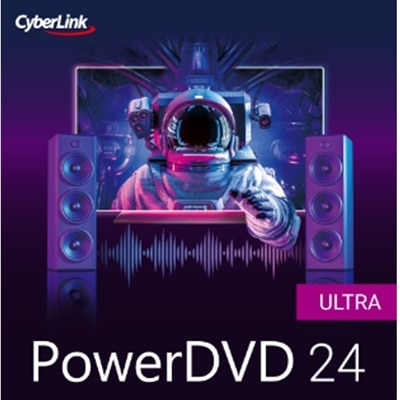
An advanced media software offering 8K HDR playback, Blu-ray support, karaoke tools, and seamless Windows compatibility.
Discover a wide selection of media player software downloads designed to enhance your digital entertainment experience. Whether you’re looking to enjoy music, stream videos, or manage your media library, these solutions offer versatile options for every user. Explore reliable software that supports seamless playback and easy organization, making it simple to enjoy your favorite content on your preferred devices. Find the right media player software downloads to match your needs and elevate your everyday computing.
An advanced media software offering 8K HDR playback, Blu-ray support, karaoke tools, and seamless Windows compatibility.
A comprehensive multimedia suite offering 25+ applications for editing, burning, and securing digital media.
A universal media center for organizing, archiving, and playing music, photos, videos, and more.
When choosing media player software downloads, it’s important to consider how these tools fit into your everyday routines, whether you’re at home, on the go, or setting up a workspace. Media player software has evolved to support a wide range of file formats and playback needs, making it easy to enjoy movies, music, podcasts, and even personal video collections across devices. For many, the ideal media player is one that combines a straightforward interface with robust compatibility, ensuring smooth playback of everything from high-resolution video files to curated music playlists. As the weather shifts and routines change, having reliable software that keeps up with your entertainment or productivity needs can make a noticeable difference. Students returning from break, professionals updating their home offices, or families gathering for movie nights all benefit from seamless, high-quality media playback. For anyone gifting a new laptop or desktop, adding a trusted media player download can be a thoughtful touch, helping recipients set up their systems for both work and relaxation.
Media player software is not just about playing files—it’s about creating a personalized media experience. Some users appreciate advanced features like customizable playback settings, subtitle support, or the ability to organize large libraries of content. Others simply want a lightweight, efficient player that launches quickly and handles any file type without fuss. Whether you’re digitizing old home videos, streaming music while working, or sharing slideshows during family gatherings, the right software can enhance every moment. Compatibility with accessories like external speakers, high-resolution monitors, or wireless headphones can further elevate the experience. Those who travel frequently or switch between devices may value cross-platform options, while users with specific accessibility needs can look for software with intuitive controls and clear navigation. If your setup runs on Windows, you’ll find a dedicated selection of Media Player Software For Windows 10 that is optimized for performance and security, making it easier to enjoy your favorite content without interruptions. With so many options available, finding the best fit means considering your unique preferences, devices, and the way you like to experience media—whether that’s a quiet evening indoors, a lively summer get-together, or a productive afternoon at your desk.
Add the products you would like to compare, and quickly determine which is best for your needs.