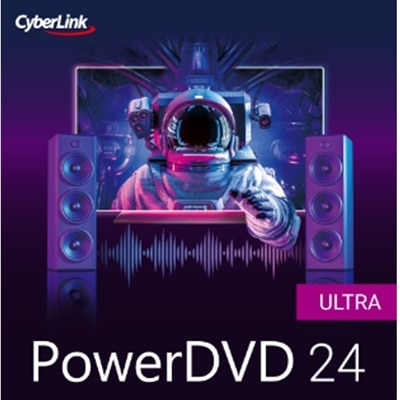
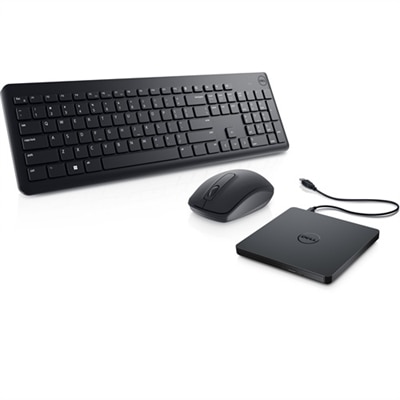
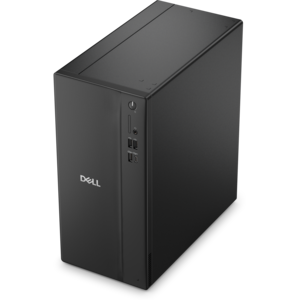
Media Player Software for PC
Media player software for PC offers a streamlined way to enjoy your favorite music, movies, and digital content directly from your desktop or laptop. Designed for smooth compatibility with a wide range of file formats, these applications help you organize and access your entertainment library with ease. Whether you're looking to enhance your audio experience or watch high-definition videos, media player software for PC provides the flexibility and control needed for everyday use. Explore options that fit seamlessly into your workflow and elevate how you interact with multimedia on your computer.
This product is not available
Check out the following recommendations.




Media Player Software For PC
Media player software for PC is software that opens, plays, and organizes digital audio and video on a desktop or laptop. Its everyday purpose is straightforward: making a saved movie, recorded lecture, music album, or family video easy to enjoy without unnecessary steps. The right fit depends on the files being played, the computer doing the work, and the controls that matter to the person watching or listening. Broad format support is useful for mixed collections, particularly when older recordings sit alongside newer high-resolution videos. Common extensions such as MP4, MKV, MOV, MP3, and FLAC provide clues about a file, but an extension alone does not guarantee playback. Video containers, including MP4 and MKV, can hold different combinations of video, audio, and subtitles; the player also needs support for the codecs used to encode those tracks. Built-in support for common codecs can reduce the need for separate components, although no player should be assumed to open every file. For a household with years of birthday clips and vacation footage, that flexibility can mean less time troubleshooting and more time finding the recording everyone remembers. For someone who primarily listens to music while working, reliable playlists, clear album information, and convenient keyboard controls may matter more than advanced video settings. A straightforward interface suits casual viewing, while configurable shortcuts, audio track selection, and subtitle adjustments give frequent users greater control. Library tools can help organize a sprawling collection by artist, album, genre, or folder, provided the files contain useful metadata. Other players emphasize opening individual files quickly rather than maintaining a catalog. Neither approach is inherently better: a neatly tagged music collection and a folder of one-time presentation recordings call for different experiences. Resume playback, recent-file lists, and playlist management are practical distinctions, especially when a long interview or evening movie is watched in several sittings rather than all at once.
Compatibility and performance shape how comfortable media playback feels over time. Operating system requirements, processor support, memory use, and graphics capabilities all deserve attention, particularly on an older laptop or a compact desktop that also handles everyday work. Lightweight media player software generally emphasizes responsive controls and modest resource use, while more elaborate interfaces and processing features can place additional demands on a computer. High-resolution video introduces another layer of requirements: smooth 4K playback depends on the codec, bitrate, hardware decoding support, and the capabilities of the computer, not simply a resolution listed in the software description. Hardware acceleration can shift supported decoding work to the graphics hardware and may reduce processor load or battery use, though results vary by device and file. On a laptop used during a flight, efficient local playback and dependable offline operation can be more useful than a large collection of visual effects. At a desk, someone watching a detailed demonstration on a large monitor may put greater value on sharp scaling, precise seeking, and stable full-screen playback. HDR video also requires a compatible display and a properly configured playback chain; software support alone does not guarantee the intended brightness or color. Audio deserves similar care. Support for stereo, multichannel tracks, or lossless recordings should match the headphones, speakers, and connection being used, and playback software cannot restore detail absent from the original recording. Subtitle support is especially helpful for foreign-language films, quiet viewing, and accessibility. Adjustable text size, contrast, placement, and timing can make captions easier to follow, while switching between embedded and separate subtitle tracks helps accommodate different files. Playback speed controls can make a recorded training session easier to review, particularly when speech remains intelligible as the speed changes. Fine-grained seeking and repeat controls are useful for revisiting a short explanation, rehearsing a musical passage, or examining a movement in a personal practice recording without repeatedly searching through an entire video.
Long-term usefulness comes from dependable maintenance, sensible privacy settings, and features that match actual habits. Media player software does not have physical materials to maintain, but it does need ongoing compatibility and security attention as operating systems and media formats evolve. A maintained application with clear update information is a stronger foundation for regular use than one whose support status is uncertain. Installation requirements should be understandable, including whether the software needs an account, an internet connection for activation, or additional components for particular functions. Local file playback and online streaming are distinct capabilities: a player that handles saved videos well does not necessarily support subscription streaming services or protected downloads. Disc playback can also depend on the disc format, a compatible optical drive, and any required licensed decoding components. Those distinctions matter when the intended use includes a shelf of older discs rather than a folder of digital recordings. For software intended for offline use, it is helpful to confirm that essential playback controls remain functional without an active connection. Clear permissions and configurable history settings are worthwhile considerations on a shared family computer, where recent-file lists may reveal what another person has watched. Backing up original media files protects the collection independently of the player, and well-organized folders make changing applications less disruptive. Students reviewing recorded lessons, musicians listening closely to practice sessions, and families revisiting home videos may all use the same category of software for very different reasons. Someone setting up a computer for a relative may prioritize readable controls and predictable behavior, while an experienced user may prefer detailed audio settings and customizable navigation. The Media Player Software Downloads page offers a related place to explore this software category. Across these uses, the most meaningful features are the ones that remove friction from everyday listening and viewing: files that open reliably, controls that respond clearly, subtitles that stay readable, and playback that suits the computer without demanding constant adjustment.
FAQs:
When choosing media player software for your PC, consider features such as support for a wide range of audio and video formats, customizable playback options, playlist management, subtitle support, streaming capabilities, and compatibility with your operating system.
Yes, most modern media player software for PCs can handle both audio and video files. They typically support popular formats like MP3, WAV, MP4, AVI, MKV, and more.
Many media player programs allow you to load external subtitle files or automatically detect embedded subtitles within video files. Look for players that support common subtitle formats such as SRT or ASS.
Some media players come with built-in codecs that enable playback of a wide variety of file types without extra downloads. However, if your chosen player does not support a specific format natively, you may need to install additional codec packs.
Many advanced media players offer streaming capabilities, allowing you to watch online videos or listen to internet radio directly through the application by entering URLs or connecting to streaming services.