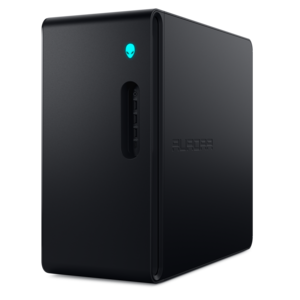
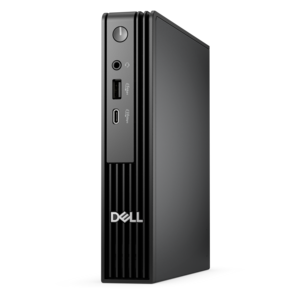
Mini Desktops For Gaming
Mini desktops for gaming deliver powerful performance in a compact footprint, making them an ideal choice for gamers seeking space-saving solutions without compromising on capability. Designed to fit seamlessly into any setup, these versatile systems offer the flexibility to play your favorite titles and multitask with ease. Explore a wide selection of mini desktops for gaming that combine sleek design with impressive potential, perfect for elevating your gaming experience while maximizing your workspace.
This product is not available
Check out the following recommendations.


Mini Desktops For Gaming
Mini desktops for gaming bring the essentials of a full-size gaming computer into a compact chassis that can fit neatly beside a monitor, on a shelf or in a media area. Their small footprint makes them a practical choice for bedrooms, apartments, dorm rooms, shared workspaces and living rooms where every inch matters. Despite their size, many mini gaming desktops include multi-core processors, fast solid-state drives, ample memory and either integrated graphics or a dedicated graphics card. The right configuration depends on the games you play and the experience you want. Lightweight competitive games, classic titles, simulation games and many popular esports games can run well on integrated graphics, particularly at 1080p resolution with sensible settings. A mini desktop with a dedicated graphics card is better suited to visually demanding adventure games, open-world games, racing titles and newer releases that benefit from higher frame rates, detailed textures, realistic lighting and advanced effects. Processor performance matters for more than launching games: it helps with game physics, artificial intelligence, background applications and smooth multitasking. Memory also affects how comfortably a computer handles a game alongside voice chat, a browser, music or streaming software. For a responsive everyday experience, look for a configuration with enough memory and a solid-state drive that provides quick startup and shorter loading times. Display output is another important detail, especially if you plan to use a high-resolution monitor or more than one screen. Check the available ports and confirm that they support the resolution and refresh rate you prefer. A compact computer can create a remarkably clean setup, but its dimensions should not be the only deciding factor. Compare the full specifications, operating system, graphics capability, upgrade options and included connectivity before choosing a model.
When comparing mini desktops for gaming, begin with the kind of play that fills most of your time. A casual player may value quiet operation, simple setup and a compact design more than maximum graphics performance. Someone who spends long evenings exploring expansive worlds or competing online may prefer a stronger processor, a dedicated graphics card and enough cooling capacity to sustain performance during extended sessions. Frame rate and resolution work together: a higher frame rate can make aiming, movement and camera control feel more fluid, while a higher resolution can make scenery and text look sharper. The best balance varies by game, monitor and personal preference. If you already own a display, keyboard, mouse, headset or controller, make sure the computer has the connections needed for your existing accessories. If you are building a new setup, a mini desktop can serve as the starting point for a streamlined arrangement with a monitor, compact keyboard and wireless mouse. Some users place one behind a display to keep the desk open, while others connect one to a television for a console-style experience from a couch. Heat and airflow deserve attention in either arrangement. Keep vents clear, avoid pressing the chassis against soft surfaces and leave enough room around the computer for air to circulate. A well-placed mini desktop can remain comfortable during everyday use and gaming, while a cramped position may limit cooling and contribute to fan noise. Check the dimensions carefully if the computer must fit into a particular cubby or travel between rooms. Portability is one of the more appealing advantages of this form factor: it is easier to move for a gaming night, a school project or a temporary change of workspace than a large tower. For more ways to compare compact computer configurations, explore Mini PC Desktops.
A mini desktop for gaming can suit a wide range of people, from a first-time PC gamer to an experienced player who wants capable performance without a dominant tower on the floor. It can also be a thoughtful gift for someone setting up a first gaming space, moving into a smaller home or balancing entertainment with schoolwork and creative projects. Parents and gift-givers can appreciate the flexible design because the same computer may support homework, video calls, photo organization, streaming and gaming rather than serving a single purpose. Before giving one as a gift, consider whether the recipient already has a monitor and peripherals, since a desktop computer typically works best as part of a complete setup. A monitor with a comfortable size and refresh rate, a responsive mouse, a keyboard suited to the recipient’s preferences and a headset for clear game audio can make the experience feel finished from the first session. For personal use, think about how the computer will fit into the room as well as how it will perform inside a game. A compact chassis can leave space for notebooks, speakers or a second display, and a restrained design may blend more naturally into a shared room than a large gaming tower. If you plan to play demanding titles for several years, prioritize graphics capability and upgrade flexibility where available. If your library consists mostly of lighter games, integrated graphics may provide a practical balance of performance, efficiency and simplicity. Consider wireless connectivity, wired network access, audio ports and the number of USB connections you need for controllers and other accessories. It is also worth checking the warranty and support options, along with the computer’s dimensions and power requirements. During the cooler months, a mini desktop can become the center of an inviting indoor setup, with a bright monitor, comfortable chair and easy access to your favorite games. Whether it sits on a compact desk or connects to a larger screen, the right mini gaming desktop offers a focused way to play, work and enjoy digital entertainment without allowing the computer itself to take over the room.
FAQs:
When choosing a mini gaming PC, prioritize dedicated graphics cards, a modern multi-core processor, at least 16GB of RAM, and fast SSD storage. Connectivity options such as multiple USB ports, HDMI or DisplayPort outputs, and high-speed networking like Wi-Fi 6E or Ethernet are also essential for a smooth gaming experience. Efficient cooling systems and upgradability for components like RAM and storage can further enhance performance and longevity.
Yes, many modern mini gaming desktops are equipped with powerful dedicated GPUs and advanced CPUs, allowing them to run the latest AAA titles at high settings. As long as the system meets or exceeds the recommended requirements for the games you want to play, a gaming mini PC can deliver impressive graphics and smooth frame rates.
Absolutely. Mini desktops designed for gaming often feature high-performance components that make them ideal for demanding tasks such as video editing, 3D rendering, programming, and multitasking. Their compact size also makes them a great fit for home offices or creative workspaces.
Mini gaming PCs use specialized cooling solutions, often adapted from high-end laptops, to manage heat in compact spaces. While they may not offer the same airflow as larger towers, these systems are engineered to keep temperatures under control during intensive gaming sessions, ensuring stable performance and hardware longevity.
Mini gaming desktops are ideal for gamers with limited space, such as students in dorm rooms, apartment dwellers, or anyone seeking a minimalist setup. They also make excellent gifts for tech enthusiasts who appreciate both performance and portability, as well as professionals needing a powerful yet unobtrusive system for both work and play.