$999.99
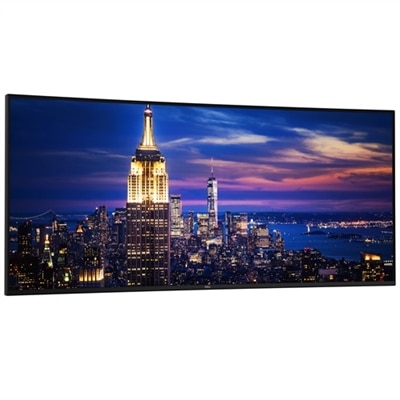
A 32-inch curved QD-OLED monitor offering 4K resolution and 240Hz refresh rate for immersive gaming.
Monitors for creators and gamers are designed to elevate every visual experience, whether you’re editing high-resolution content or diving into immersive gameplay. Explore a wide selection of displays crafted to deliver vibrant colors, sharp details, and smooth performance. Find the perfect monitor to match your creative ambitions or gaming goals and take your setup to the next level.
A 32-inch curved QD-OLED monitor offering 4K resolution and 240Hz refresh rate for immersive gaming.
A 27" monitor with 4K QD-OLED, 240Hz refresh rate, Dolby Vision, and NVIDIA G-SYNC technology.
A 27-inch monitor offering 2560 x 1440 resolution at 120Hz for enhanced productivity and eye comfort.
A 40-inch curved monitor with a 5K display, 120Hz refresh rate, and Thunderbolt hub connectivity.
A QD-OLED gaming monitor offering QHD resolution and a blazing 360Hz refresh rate for immersive gameplay.
An immersive 49-inch dual QHD monitor with IPS Black panel and eco-friendly, arsenic-free glass.
A 42.5'' 4K monitor with multi-PC connectivity and four unique FHD partitions for enhanced productivity.
A 27-inch 4K monitor with 120Hz refresh rate, dual speakers, and eye comfort technology.
A 34-inch curved monitor with 3440 x 1440 resolution and 120Hz refresh rate for enhanced comfort.
A 27-inch 4K USB-C monitor with 120Hz refresh rate, dual speakers, and eye comfort technology.
A 27-inch QHD monitor with Thunderbolt 4 connectivity, offering superior eye comfort and productivity.
A 31.5-inch 4K monitor with 120Hz refresh rate, dual 5W speakers, and eye comfort technology.
A 37.5-inch WQHD+ curved monitor with IPS Black panel and 21:9 aspect ratio for immersive viewing.
A 34-inch WQHD curved monitor with USB-C, 120Hz refresh rate, and dual 5W speakers for immersive entertainment.
An ultrawide QD-OLED gaming monitor with 240Hz refresh rate, AlienFX lighting, and anti-reflective display.
A 27" monitor with enhanced IPS Black, 3000:1 contrast, and eye comfort technology for vivid visuals.
A 27" QHD gaming monitor with Fast IPS panel, vivid color, and smooth visuals at 180Hz.
An advanced 31.5" 4K monitor with IPS Black, 3000:1 contrast, and enhanced eye comfort technology.
An ultrawide curved monitor offering vivid colors, smooth visuals, and a 21:9 aspect ratio.
An ultrawide black gaming monitor with QD-OLED technology, 280Hz refresh rate, and vibrant color performance.
A 23.8-inch QHD monitor with extensive connectivity and TUV-certified eye comfort technology.
An ultrawide 6K platinum silver monitor offering superior clarity, multitasking features, and advanced eye comfort technology.
An ultrawide 6K platinum silver monitor offering superior clarity, multitasking features, and advanced eye comfort technology.
A curved QHD gaming monitor with vivid colors, smooth visuals, and anti-glare technology.
Monitors for creators and gamers are designed to bring detail, motion and color together in one versatile workspace. A creator may spend hours refining a photograph, arranging a video timeline, shaping a 3D scene or reviewing fine design elements, while a gamer may rely on the same display to follow fast movement, read subtle shadows and react quickly to changing action. Choosing the right monitor starts with understanding how resolution, screen size and pixel density work together. A 4K monitor provides 3,840 x 2,160 pixels, giving images, text and game environments a crisp, spacious appearance. On a larger screen, that additional resolution can help preserve clarity across a broad canvas, while a smaller display may offer a denser image that makes fine details look especially clean. A 27-inch monitor can suit a compact desk or a setup where the screen sits relatively close, while a 32-inch display gives creative applications, reference windows and game interfaces more room to breathe. Curved screens can help keep the edges of a wide display within a natural field of view, creating an immersive feel for games and making side-by-side work more comfortable. Flat panels remain a practical choice for layouts that depend on straight lines and consistent geometry. Whether the monitor will sit in a dedicated gaming area, a home office or a shared family workspace, consider viewing distance, desk depth and the amount of room needed for a keyboard, mouse, drawing device or other accessories. Adjustable height, tilt, swivel and pivot support can also make a meaningful difference during long sessions, helping align the screen with the user’s posture instead of requiring the user to adapt to a fixed position.
For competitive gaming and other fast-moving content, refresh rate and response time deserve close attention. A higher refresh rate, such as 144 Hz or 240 Hz, allows the display to update the image more often, which can make camera movement, scrolling and rapid gameplay appear smoother than on a standard 60 Hz screen. A low response time helps reduce visible ghosting or motion blur when objects move quickly across the panel. These specifications work best when paired with a capable computer and a game that can produce enough frames to take advantage of them, so it is useful to consider the graphics performance of the connected system as part of the purchase. Adaptive synchronization can help coordinate the monitor’s refresh behavior with the computer’s frame output, reducing distracting tearing and uneven motion. Creators should give equal attention to color performance. Look for wide color coverage, dependable factory calibration and support for color spaces such as sRGB and DCI-P3 when working with photography, video, animation or digital artwork. A monitor with at least 99% sRGB coverage can be a strong fit for everyday web and design work, while broader DCI-P3 coverage can support richer workflows for contemporary video and visual content. High dynamic range can add brighter highlights and deeper shadow detail when the display and content support it, and OLED or other advanced panel technologies may deliver particularly deep contrast. IPS panels are often valued for consistent viewing angles and balanced color, while OLED-based panels can produce striking contrast and fast pixel response. For anyone moving between spreadsheets, creative software, streaming content and games, a monitor that combines accurate color with a fast refresh rate can reduce the need to compromise between productivity and play. Developers working with interfaces, visual assets and extended windows may also appreciate a large, high-resolution display; Alienware Monitors For Developers can be explored as a related category for development-focused setups.
Connections and everyday usability are just as important as the headline specifications. Check that the monitor includes the ports needed for the intended computer and accessories, such as HDMI, DisplayPort or USB-C, and confirm whether USB-C supports video, data or power delivery if a simplified single-cable setup is preferred. A built-in USB hub can keep a keyboard, mouse, storage accessory or other device within easy reach, while audio passthrough or integrated speakers may help reduce desk clutter. Picture-by-picture and picture-in-picture features can be useful for comparing footage, monitoring a second computer or keeping reference material visible beside a primary project. A matte finish may help limit reflections near windows or lamps, and low blue light settings or flicker-reduced operation can make an extended work session feel more comfortable, though good room lighting and regular breaks remain important. Creators may use these displays for editing family photos, producing short films, illustrating, streaming, composing music or building virtual environments. Gamers can use them for competitive titles, open-world adventures, simulation experiences and cooperative play, with a fast refresh rate adding fluidity and a wide color range making landscapes and effects more vivid. These monitors can also make thoughtful gifts for a student learning design, a relative upgrading a first home office or a friend assembling a new gaming and creation setup. When selecting a display for someone else, consider the size of their desk, the computer they already use, the applications they enjoy and whether they prefer immersive gaming, precise creative work or a balanced combination of both. A well-matched monitor can become the visual center of a workspace, turning a crowded timeline into an organized canvas, making small interface details easier to see and giving every game, project and idea a clearer place on the screen.
Add the products you would like to compare, and quickly determine which is best for your needs.