Network Ready All In One Printers
Network ready all in one printers offer a seamless solution for busy homes and offices looking to streamline their printing, scanning, and copying tasks. Designed for efficient connectivity and easy integration into existing networks, these versatile devices help keep workflows moving smoothly. Discover a wide selection of network ready all in one printers that combine convenience and performance to meet the demands of modern workspaces.
This product is not available
Check out the following recommendations.
Related Products
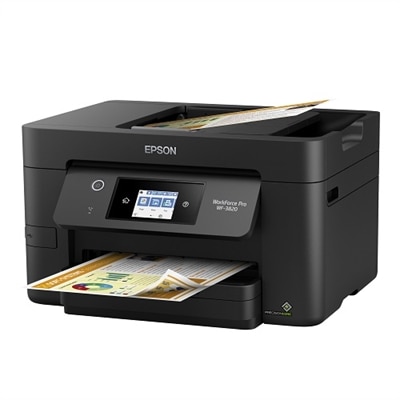
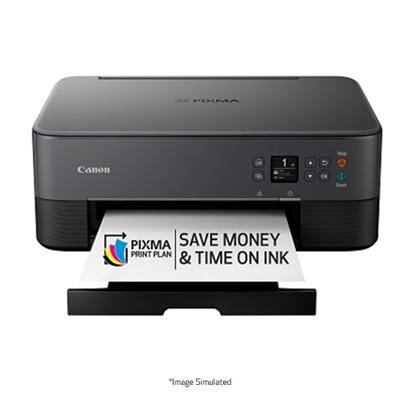
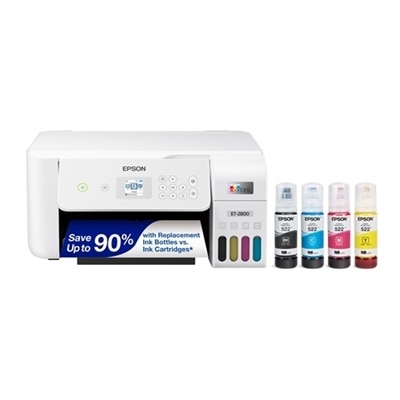
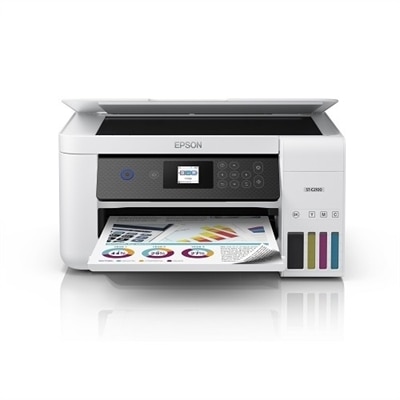
Network Ready All In One Printers
Network ready all-in-one printers bring several everyday office tasks together in a single device, with printing, scanning, copying and, on some models, faxing supported from one central location. Built-in Wi-Fi makes it easy for authorized computers, phones and tablets to send jobs without a direct cable, while Ethernet provides a dependable wired connection for a workstation, shared office or home network. This combination is useful in spaces where several people need access to the same printer, from a family learning area to a small business with employees working at nearby desks. A network-ready printer can sit on a shelf, counter or dedicated stand rather than beside one particular computer, helping keep frequently used documents within reach without adding extra equipment to each workspace. When comparing options, consider the number of people who may print, the type of documents they create and the amount of space available. A compact unit may fit naturally in a home office beside a laptop and monitor, while a larger model with a more substantial paper tray may be better suited to a busy shared workspace. Check that the printer supports the operating systems and mobile devices used in the household or office, and look for straightforward setup features such as guided wireless configuration, mobile printing support and a clear control panel. Dual-band Wi-Fi can help a compatible printer communicate smoothly on modern networks, while Gigabit Ethernet may be a practical choice when consistent wired performance matters. Network compatibility is only part of the experience; placement also matters. Keep the printer close enough to the wireless router for a reliable signal, or plan for a suitable Ethernet cable if it will use a wired connection. Leave room to open the scanner lid, load paper and replace supplies without having to move surrounding equipment.
The right printing technology depends on the work expected from the machine. Laser all-in-one printers are often a strong fit for households, classrooms and offices that produce many pages of text, forms, invoices or reports, with crisp output and a design suited to recurring workloads. Inkjet all-in-one printers can be appealing when color photos, charts, illustrations, school projects or mixed media documents are part of the routine. Some inkjet models are designed around high-capacity ink systems that can help reduce interruptions during regular color printing, while standard cartridge-based options may suit lighter or less predictable use. For shoppers focused on wireless color printing in a compact footprint, the selection of Wireless All In One Inkjet Printers provides another category to consider. Page yield information, replacement supply availability and the estimated cost per page can be just as important as the initial hardware choice, especially for an office that prints frequently. A monthly duty cycle can offer useful context, but it should be treated as a ceiling rather than a target; choosing a printer with comfortable capacity above the usual workload may support smoother operation and longer service life. Paper handling features also make a noticeable difference. An automatic document feeder, often called an ADF, can scan or copy a stack of pages without requiring each sheet to be placed on the glass individually. Automatic duplex printing can produce two-sided documents with less manual intervention, helping conserve paper and giving reports, handouts and forms a more finished appearance. If scanning is central to the workflow, review the feeder capacity, scan resolution and whether the device supports two-sided scanning in a single pass. A larger input tray may be helpful for a busy office, while separate trays or manual-feed options can accommodate envelopes, labels and specialty paper when supported. Color accuracy, text sharpness, print speed and first-page-out time are also worth weighing against the way documents are actually used, since a printer optimized for occasional snapshots may not feel as responsive during a long administrative task.
Network-ready all-in-one printers can support a wide range of users, including remote workers, students, home organizers, independent professionals, reception areas and small teams that share documents throughout the day. A remote worker might scan signed paperwork, print shipping labels and prepare presentation materials without switching between separate devices. A student can use one unit for research notes, worksheets and project graphics, while a household can keep insurance records, travel documents, receipts and important forms organized in digital and printed formats. In a small business, a shared printer with an ADF and duplex capability can simplify routine tasks such as copying identification documents, scanning invoices and producing multi-page packets. These features can also make an all-in-one printer a thoughtful practical gift for someone setting up a first home office, refreshing a study area or starting a small creative venture, particularly when space is limited and one device needs to handle several responsibilities. Before choosing, review the network security tools available, including password-protected administration, encrypted communication, user access controls and firmware update support. Office administrators may benefit from centralized monitoring or fleet management tools that show supply levels, device status and usage across multiple printers, while a home user may prefer a simpler interface with clear notifications. Check the recommended paper types and sizes, the maximum print resolution, the scanner bed dimensions and the dimensions of the unit with its trays extended. Noise level and energy-saving modes can matter when the printer shares a room with a desk, bedroom or living area, especially during the quieter parts of the day. A dependable network connection, accessible controls and supplies that are easy to obtain can turn a printer from a rarely used appliance into a reliable part of the daily workflow. During the warmer and cooler seasons alike, a well-matched network-ready all-in-one printer can help keep household records, schoolwork and business paperwork moving from screen to page and back again.
FAQs:
Network-ready all-in-one printers offer the ability to print, scan, copy, and often fax from multiple devices over Wi-Fi or Ethernet. This makes them ideal for homes and offices where several users need to share the same printer without direct connections, streamlining productivity and reducing the need for multiple devices.
Yes, most modern network printers support wireless printing from smartphones and tablets through mobile printing solutions such as AirPrint, Mopria, or proprietary manufacturer apps. This allows you to print documents, photos, and emails directly from your mobile device without needing a computer.
For busy households, consider features like automatic duplex (double-sided) printing, an automatic document feeder for scanning or copying multiple pages, wireless connectivity, and support for mobile printing. These features help save time and make it easier for everyone in the home to use the printer efficiently.
Ink tank systems use refillable ink bottles instead of traditional cartridges, which significantly reduces the cost per page and the frequency of refills. This makes them especially beneficial for users who print large volumes regularly, offering both convenience and long-term savings.
A built-in fax machine remains valuable for certain businesses and professionals who need to securely send or receive signed documents, contracts, or sensitive information. While digital communication is common, faxing is still required in sectors like healthcare, legal, and government.