$94.99
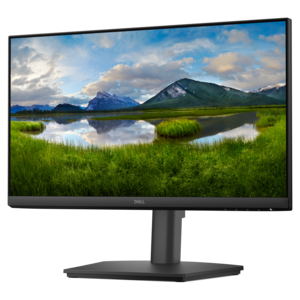
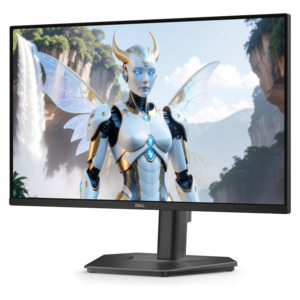
A fast IPS FHD monitor with 240Hz refresh rate, adjustable stand and TÜV Rheinland eye comfort.
Elevate your workspace with office setup accessories designed to enhance productivity and comfort. Whether you're creating a new home office or upgrading your current environment, the right accessories can make a significant difference in your daily routine. Discover a wide selection of office setup accessories that help organize, streamline, and personalize your workspace for optimal efficiency. Find everything you need to support your workflow and create an inspiring office atmosphere.
A fast IPS FHD monitor with 240Hz refresh rate, adjustable stand and TÜV Rheinland eye comfort.
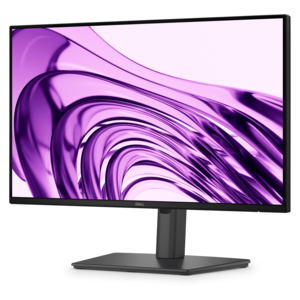
A height-adjustable monitor certified by TÜV Rheinland® for 3-star eye comfort and everyday productivity.
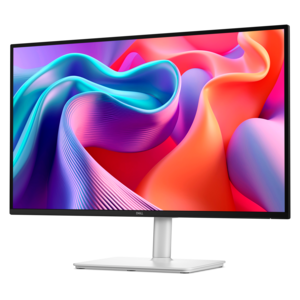
A productivity-focused FHD monitor with extensive connectivity, high refresh rate, and TÜV-certified four-star eye comfort.
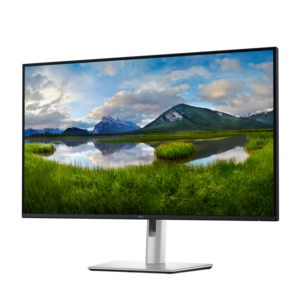
A QHD monitor with 144Hz refresh, built-in speakers, and TÜV 4-star eye-comfort certification.
A professional docking station delivering 130W power and versatile connectivity for streamlined productivity.
Office setup accessories bring the working parts of a desk together, from the position of a screen and keyboard to the path of a charging cable. The category includes monitor stands and arms, laptop risers, keyboards, mice, desk mats, docking stations, webcams, headsets, and cable organizers, each serving a different part of the workday. A compact workspace beside a living room window may need accessories that leave room for a notebook and tuck away after hours, while a dedicated home office may accommodate two displays, a full-size keyboard, and a permanent video meeting setup. The most useful combinations reflect those everyday routines rather than a particular look. Someone who moves between rooms benefits from lightweight, easy-to-disconnect accessories; someone who spends hours reviewing documents may place more value on stable screen positioning and comfortable input devices. Physical fit matters as much as appearance. A monitor stand needs enough surface area and weight capacity for the display, while an adjustable arm must match the screen’s mounting pattern and remain within its supported weight range. Desk thickness, edge shape, and the space behind the desktop also affect whether a clamp-mounted accessory will fit. On a shallow desk, a large stand can crowd the keyboard, whereas a compatible arm may free up usable space beneath the screen. Laptop risers can create a similar separation between viewing height and typing height when paired with an external keyboard and mouse. Accessories with adjustable height, tilt, or reach allow the workspace to accommodate different users and tasks, although no single arrangement suits every body or desk. Related Ergonomic Office Accessories offer additional ways to support a comfortable working position. Together, these details make office accessories relevant to remote employees, students, creative professionals, and anyone turning a small corner into a dependable place to work. They can also make practical gifts for a graduate or someone starting a new role, especially when the recipient’s desk dimensions, device connections, and working preferences are known.
The way office setup accessories feel in daily use often comes down to materials, proportions, and small construction details. Metal supports can provide rigidity for heavier equipment, while molded plastic accessories can keep a portable setup lighter. Wood surfaces add warmth and visible grain, and fabric-covered desk mats soften the feel of the desktop beneath the hands. Material alone does not determine durability: joint construction, hinge tension, edge finishing, and the quality of the feet or mounting hardware also influence how an accessory holds up. A stand that stays steady during typing and a desk mat that lies flat without sliding contribute more to everyday comfort than a finish chosen only for appearance. Keyboard size affects the surrounding layout, too. A full-size format provides a dedicated number pad for frequent spreadsheet work, while a compact layout leaves more room to position a mouse close to the keyboard. Mouse shape, button placement, and sensitivity preferences vary with hand size and intended use, making fit a personal consideration rather than a universal specification. Headsets bring another set of tactile details: headband adjustment, ear cushion material, weight, and microphone placement can become noticeable during a morning of back-to-back calls. For shared spaces, a headset may help keep conversations contained, while speakers suit rooms where audio will not interrupt others. A webcam’s mounting method and field of view influence how easily it fits above a display and how much of the room appears on camera. Lighting accessories can make a desk easier to use for reading and handwritten notes, with adjustable brightness and direction offering flexibility as daylight changes. Care requirements deserve attention across these materials. Fabric may collect dust, soft coatings can react poorly to harsh cleaners, and wood finishes may be sensitive to standing moisture. Manufacturer-recommended cleaning methods help protect surfaces and electronics; removable, washable components should only be washed when their care instructions permit it. Replaceable cushions, detachable cables, and accessible adjustment hardware can also make routine upkeep more manageable over time.
Connectivity and cable organization give an office setup its practical backbone, especially when a laptop serves as the main computer. A docking station or hub can bring several connections into one location, but compatibility depends on more than whether a plug fits. The computer’s port capabilities, operating system, display requirements, and charging needs all affect what a connected accessory can support. USB-C connections, for example, do not automatically provide the same video output, data transfer speed, or power delivery on every device. For a desk with multiple screens, supported resolution, refresh rate, and display count are important distinctions. Cable length is equally tangible: a cable that barely reaches can pull against a connector, while excessive slack can spill across the desktop or catch beneath a chair. Reusable ties, clips, sleeves, and under-desk trays help separate frequently handled leads from cables that stay connected. Their usefulness depends on the mounting surface and the amount of adjustment needed. Adhesive clips need a compatible, clean surface, magnetic holders need a suitable metal surface, and clamp-on organizers need enough clearance around the desk edge. Height-adjustable desks also require sufficient cable slack throughout their full range of movement. Organization should leave connectors accessible and keep cords away from moving parts without blocking equipment ventilation. The result can be a desktop with a clear writing area, a charging cable within reach, and fewer interruptions when switching from focused work to a call. Wireless keyboards, mice, and headsets can reduce visible cables, though charging routines, battery requirements, and receiver compatibility remain part of ownership. For hybrid work, compact dimensions and protective carrying options help accessories travel between a home desk and a shared workspace. For a permanent setup, sturdy mounts and consistent placement can make each morning feel familiar. The strongest office accessory combinations balance comfort, connection needs, care, and available desk space, supporting the actual rhythm of the day without making the workspace harder to maintain.
Add the products you would like to compare, and quickly determine which is best for your needs.