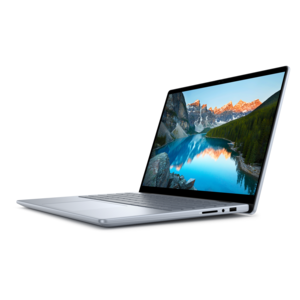
Photo Animation Software For PC
Elevate your creative projects with photo animation software for PC, designed to bring your images to life with dynamic movement and engaging effects. Whether you're a professional designer or a hobbyist exploring new possibilities, these intuitive tools make it easy to transform still photos into captivating animations. Discover a range of options that cater to various skill levels and project needs, helping you unlock the full potential of your visual storytelling on your PC.
This product is not available
Check out the following recommendations.




Photo Animation Software For PC
Photo animation software for PC turns still photographs into moving visual content, from a landscape with drifting clouds to a portrait with a subtle shift in perspective. Depending on the application, that movement may come from directional motion controls, layered images, animated effects, or a timeline that changes an element’s position over time. The result can be a short video, a repeating animation, or a sequence of images prepared for another creative project. Dedicated still-photo animation tools often emphasize selective movement: water ripples while the shoreline stays sharp, or steam rises above a cup without disturbing the table beneath it. Broader photo and video editing applications may combine animation with retouching, titles, transitions, and audio, making them useful for projects that extend beyond a single moving picture. Frame-by-frame animation tools serve a different purpose, giving artists control over individual drawings or image states rather than automatically adding movement to a photograph. Cinemagraph tools also deserve a distinction: a traditional cinemagraph usually begins with video and preserves motion in one area while holding the rest of the scene still. These approaches can produce similar-looking results, but their source files, editing controls, and creative possibilities differ. The best fit depends on the intended output, the starting material, and how much control the creator wants over the motion. A photographer might want a restrained loop for an online portfolio, while a small business owner might need animated product imagery with readable text. Teachers, students, family historians, and hobbyists can use the same general category of software for presentations, visual storytelling, and personal keepsakes. A scanned vacation photograph with a gentle camera move has a different character from an illustrated scene assembled in layers, yet both benefit from animation that supports the image rather than competing with it. For many projects, a small amount of carefully placed motion is enough to make a familiar photograph feel newly engaging.
The most useful features in photo animation software are often the ones that keep motion believable and editing manageable. Motion paths establish direction, while masks, anchor points, or protected regions can help keep faces, buildings, and other fixed details from stretching. Feathered mask edges make the transition between moving and stationary areas less abrupt, especially around hair, foliage, and uneven shorelines. Loop controls matter when an animation will repeat continuously: a visible jump at the restart can distract from an otherwise convincing effect. Some applications offer tools for smoothing that transition, although the result still depends on the image and the movement applied. Layer support is valuable for separating a foreground subject from its background, creating depth through parallax, or placing text independently of the photograph. A timeline with keyframes allows more deliberate control over timing, position, scale, and opacity. These features suit creators who need a title to appear after the motion begins or a virtual camera move to settle on a particular detail. Automatic subject selection and depth estimation can reduce repetitive work, but fine edges, reflections, and overlapping objects may still require manual adjustment. Source-image quality remains important. Sharp details, adequate resolution, and room around the main subject give an animation more flexibility, particularly when a crop or zoom reveals a smaller portion of the original. For projects that also need exposure correction, background cleanup, or careful cropping, Photo Editing For Windows provides a related category to explore alongside animation tools. Export options deserve equal attention because the finished file must suit its destination. Video formats can preserve smooth motion and support audio, while GIF files offer broad compatibility but have a limited color palette and can become large. Adjustable dimensions, frame rates, and compression settings help balance clarity with manageable file sizes. Support for landscape, square, and vertical compositions gives one project more flexibility across presentations, websites, and mobile viewing.
Compatibility and everyday usability shape the experience as much as creative features. Photo animation software for PC should match the computer’s operating system version, processor capabilities, memory, and graphics requirements. A lightweight application for short loops may place fewer demands on a laptop than a layered composition with high-resolution images, depth effects, and multiple animated elements. Hardware acceleration can improve previews or exports in supported applications, but its benefits depend on the program, the graphics hardware, and the effects in use. A responsive preview is particularly useful for judging whether a ripple moves too quickly or a foreground layer drifts unnaturally against the background. Screen space also affects comfort: a larger display can make timelines and detailed masks easier to inspect, while a portable computer suits creators who edit between classes, at home, or while traveling. A mouse or pen input may offer finer control than a touchpad for intricate masking, depending on the application’s input support. Beyond performance, a practical software fit includes a clear workspace, reliable undo controls, autosave, and editable project files that preserve the work behind the finished animation. Nondestructive editing helps protect the original photograph, and separate backups make it easier to revisit a project months later. Long-term usefulness depends partly on ongoing compatibility, supported file formats, and whether projects remain editable when moved to another computer. Licensing terms also matter for commercial content, shared household use, and any included music, templates, or graphic assets. Some intelligent features process images locally, while others may upload them for cloud processing, making privacy settings relevant for personal portraits or client work. For a creative gift, compatibility with the recipient’s PC and their preferred kind of photography matters more than the longest feature list. Someone who enjoys restoring family pictures may appreciate simple motion and clean exports; an experienced visual creator may value precise masking and layered control. Thoughtfully matched software makes room for both quick experiments and more considered work, with tools that support the photograph’s story and the creator’s intended audience.
FAQs:
When choosing photo animation software for PC, consider features such as motion anchoring, cinemagraph tools, 3D parallax effects, particle effects like rain or snow, and AI-powered automation. User-friendly interfaces, compatibility with your file formats, and the ability to export in various video or GIF formats are also important for a smooth creative workflow.
Photo to animation software is ideal for photographers, graphic designers, social media content creators, educators, and hobbyists. It’s also a great tool for anyone looking to add dynamic elements to presentations, websites, or digital scrapbooks, making static images more engaging and memorable.
Many photo animation software options are designed with beginners in mind, offering intuitive interfaces and guided tutorials. There are also advanced programs for professionals who need more control and customization. This range ensures that users at any skill level can find software suited to their needs.
With photo animation software, you can create a variety of effects, including subtle cinemagraphs, 3D parallax movements, animated skies, particle overlays such as rain or sparkles, and dynamic transitions. Some programs also support frame-by-frame animation for more traditional animated effects.
Photo animation software makes an excellent gift for creative individuals, students, or anyone who enjoys photography and digital art. It encourages exploration and creativity, allowing recipients to transform their favorite photos into captivating animated visuals.