$119.99
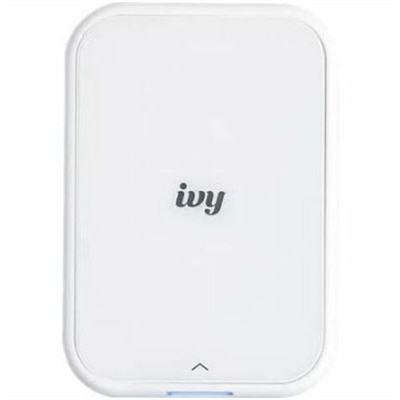
A portable, pure white zero-ink photo printer creating personalized stickers from your smartphone.
Portable printers for tablets offer a convenient solution for printing on the go, making it easy to bring your digital content to life wherever you are. Designed with mobility in mind, these compact devices seamlessly pair with your tablet, ensuring effortless printing whether you're at home, in the office, or traveling. Explore our selection of portable printers for tablets to find the perfect match for your mobile lifestyle and enjoy flexible, reliable printing whenever you need it.
A portable, pure white zero-ink photo printer creating personalized stickers from your smartphone.
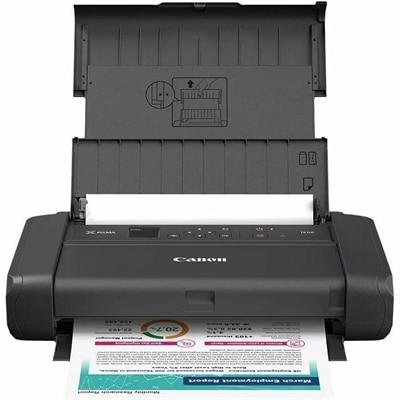
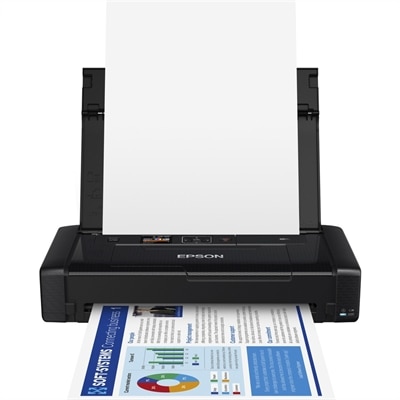
A portable wireless inkjet printer with five-color hybrid ink, borderless printing, OLED display, and optional battery.
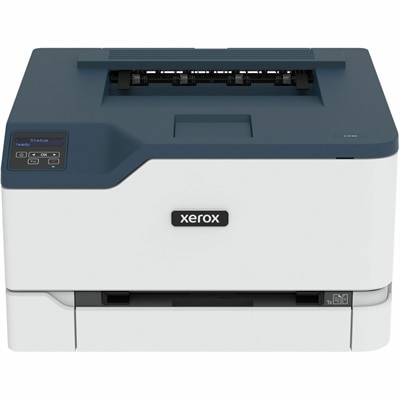
A fast color laser printer with automatic two-sided printing, wireless connectivity, 250-sheet capacity, and 24-ppm speeds.
Portable printers for tablets bring the convenience of paper output to places where a traditional desktop printer would feel impractical. A compact model can travel in a backpack, tote or work bag with a tablet, allowing users to print notes, forms, receipts, checklists, labels and other everyday documents without setting up a full computer station. Many options connect wirelessly through Bluetooth or Wi-Fi, while a companion mobile app or the tablet’s built-in print service helps manage paper size, page range, orientation and other basic settings. Before choosing a printer, check that it supports the operating system used by the tablet, whether that is iOS or Android, and confirm the connection method fits the intended routine. Bluetooth can be especially convenient for quick, nearby printing because it avoids a shared network, while Wi-Fi Direct can be useful when printing longer documents or connecting with several devices. Some portable printers can also work through a regular wireless network, which makes them suitable for a home office, classroom, shared workspace or small business where more than one person may need access. Compatibility is only one part of the experience. Consider the printer’s folded or travel dimensions, weight, battery life, charging connection and setup process. A lightweight inkless printer may slide beside a tablet in a slim bag, while a portable inkjet printer typically offers more flexibility but may take up additional room. A sturdy carrying case, spare paper and a reliable charging cable can make a noticeable difference when the printer is used away from a desk.
The biggest choice often comes down to printing technology. Inkless thermal printers use heat-sensitive paper rather than liquid ink, so they do not require cartridges and are less likely to leave spills or smudges in a travel bag. They are well suited to black-and-white text, short forms, packing lists, study notes, basic diagrams and other information where color is not essential. Thermal paper does need to be purchased in the correct size and format, and prints may be less suitable for long-term archival use depending on the paper quality and storage conditions. Portable inkjet models use traditional ink cartridges and can produce color documents, graphics and photos, making them a better match for users who want a broader range of output. They may also support common letter-size or A4 sheets, rather than only smaller specialty paper. Anyone comparing Portable Inkjet Printers with inkless alternatives should look at expected print volume, color requirements, ongoing supply costs and the amount of space available for paper. Battery-powered designs are helpful for mobile work, but battery capacity and recharge time can vary, so it is worth considering how many pages are likely to be printed between charging opportunities. Print speed matters when preparing several pages at once, while resolution is more important for small text, graphics and images. Also review the supported paper types, maximum page size and whether the printer can print borderless photos or handle heavier stock. A compact printer that matches the actual paper and color needs of its owner is generally more useful than one chosen only for its smallest dimensions.
Portable printers for tablets can suit a wide range of routines and recipients. A student may use one to print assignment outlines, reference material or handwritten notes captured on a tablet, especially when moving between a residence, library and classroom. A mobile professional can keep one nearby for forms, invoices, meeting handouts, travel documents or signatures when a conventional office printer is out of reach. Families may appreciate the ability to print activity sheets, packing lists, schedules and simple keepsakes during road trips or stays in temporary accommodations. Creative users can pair a tablet with a portable color printer to produce small photos, project references or visual reminders, while field workers and small business owners may value quick access to documentation at a job site, market stall or appointment. These printers can also make thoughtful gifts for someone setting up a flexible workspace, returning to school, traveling frequently or organizing a more paper-friendly home routine. During the cooler months, a compact printer can remain useful indoors for household planning, study sessions and craft projects, then travel easily when work or school moves elsewhere. Look for straightforward controls, clear mobile software, dependable wireless pairing and supplies that are easy to find. It is also sensible to confirm warranty coverage and read the setup requirements before purchase, particularly if the recipient is not comfortable troubleshooting wireless devices. With the right combination of portability, connectivity, paper support and print quality, a tablet-compatible printer can turn a lightweight mobile device into a practical workstation for creating physical copies wherever the day leads.
Add the products you would like to compare, and quickly determine which is best for your needs.