$1366.00
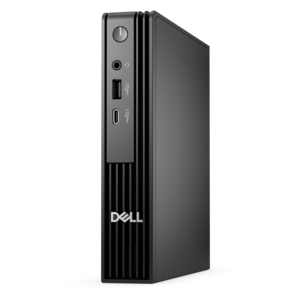
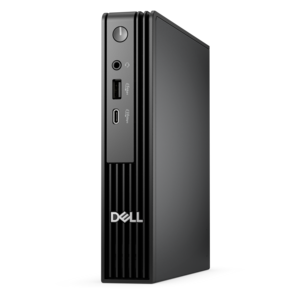
An ultracompact high-performance business desktop with AI PC options, robust security, and seamless manageability.
In today's fast-paced digital landscape, ensuring the integrity and protection of your company's data is paramount. Secure business networks are essential for safeguarding sensitive information and maintaining seamless communication across all departments. By investing in robust network solutions, businesses can protect themselves against cyber threats while optimizing their operational efficiency. Whether you're a small startup or a large enterprise, implementing secure business networks can provide peace of mind and help drive your organization towards success. Explore a range of options designed to meet the unique needs of your business and enhance your network security strategy today.
An ultracompact high-performance business desktop with AI PC options, robust security, and seamless manageability.
Secure business networks begin with dependable devices and a thoughtful approach to how people, applications and information move through a workplace. A small office, growing company, home-based business or distributed team may rely on laptops and desktops for customer records, financial work, communications, creative projects and daily operations, making each endpoint an important part of the security picture. When selecting devices for business use, consider support for current operating systems, built-in security features, fast updates, strong authentication and the ability to protect information if a device is lost or accessed by someone outside the organization. A business laptop may travel between a kitchen table, a shared workspace and a client site, while a desktop can provide a stable workstation for reception areas, accounting teams or content creators. Monitors and accessories also deserve attention: clear displays can help employees review alerts and account activity accurately, while comfortable keyboards, mice and docking accessories can support consistent work habits across office and remote settings. During the cooler months, when teams may spend more time indoors or work from a wider range of locations, reliable equipment and secure sign-in practices help keep routines steady. Businesses outfitting a new hire, replacing aging equipment or preparing a shared workspace can use this collection to compare form factors, performance, manageability and security needs before making a purchase.
A layered security plan is more effective than relying on any single control. Begin with firewall configuration that limits incoming and outgoing traffic according to documented business requirements, then review those rules regularly as applications, employees and work locations change. Network segmentation can separate guest access, employee devices and connected workplace equipment from sensitive files and business-critical services, reducing the potential impact of a compromised device. For people working away from the office, secure remote access should use modern VPN protection or a zero-trust approach rather than exposed ports or informal workarounds. Endpoint protection adds another essential layer through anti-malware tools, timely security updates, disk encryption and policies that help prevent unauthorized software or removable media from creating an opening. Multi-factor authentication should protect email, financial tools, administrative accounts and other services that contain valuable information; even if a password is exposed, an additional verification step can make account takeover considerably more difficult. Access control should follow the principle of least privilege, giving each employee only the permissions required for their role. A bookkeeper may need access to invoices but not personnel records, while a temporary contractor may need a limited project workspace rather than broad access to company resources. These distinctions are easier to maintain when businesses document who needs access, remove inactive accounts promptly and review permissions as responsibilities change. For more planning considerations, explore Business Network Security Solutions.
The right purchasing decisions also account for the people who will use and manage the equipment. A mobile employee may value a lightweight laptop, long battery life, a sturdy design and a privacy-conscious setup, while a designer, analyst or administrator may need a larger display, responsive performance and several ways to connect essential accessories. Small businesses often benefit from standardizing device configurations so updates, security policies and employee support are simpler to manage; larger or distributed teams may prioritize remote management capabilities, durable hardware and consistent authentication settings across locations. Before adding a device, confirm that it can meet the organization’s security requirements without creating unnecessary complexity. Use unique passwords, enable automatic updates where appropriate and establish a clear process for reporting lost equipment, suspicious messages or unexpected sign-in activity. Employees should know how to lock their screens, recognize unusual requests and contact the right person when something seems wrong. A practical setup might include an encrypted laptop for a field worker, a carefully restricted desktop for an office team and a monitor arrangement that makes it easier for an administrator to review logs without switching constantly between windows. Seasonal changes can bring travel, flexible schedules and temporary workspaces, so equipment that supports secure access and straightforward setup can be especially useful for onboarding, hybrid work and business continuity. By combining capable computers and accessories with firewall controls, segmentation, secure remote access, endpoint protection, multi-factor authentication and least-privilege access, organizations can create a more resilient everyday working environment while keeping security understandable for the people who rely on it.
Add the products you would like to compare, and quickly determine which is best for your needs.