$49.99
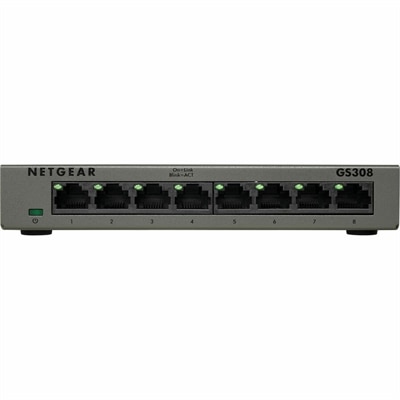
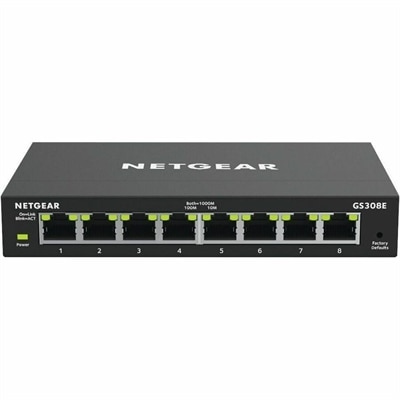
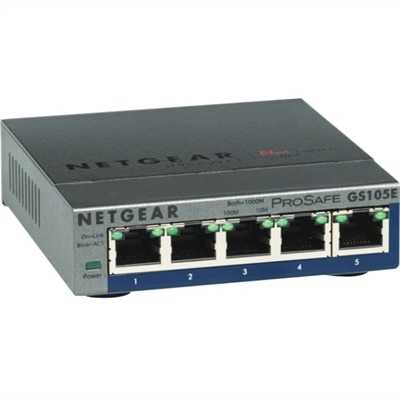
A 5-port Gigabit Ethernet switch featuring VLAN, QoS, IGMP snooping, link aggregation, and traffic monitoring.
In today's interconnected world, secure network management is the cornerstone of safeguarding your digital environment. As businesses and individuals rely increasingly on seamless connectivity, ensuring the protection and efficiency of your network infrastructure is more crucial than ever. Whether you're managing a small office or a large enterprise, implementing robust security measures helps protect sensitive data and maintain operational integrity. Explore solutions designed to enhance your network's resilience, streamline management processes, and provide peace of mind in an ever-evolving digital landscape.
A 5-port Gigabit Ethernet switch featuring VLAN, QoS, IGMP snooping, link aggregation, and traffic monitoring.
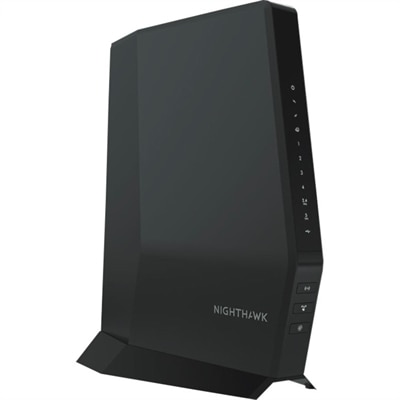
A Wi-Fi 6 cable modem router with DOCSIS 3.1, multi-Gigabit speeds, enhanced capacity, and reliable coverage.
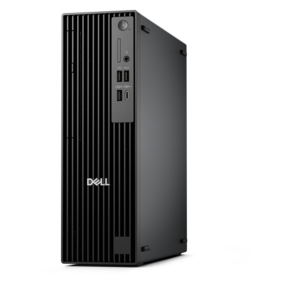
A compact, high-performance AI-ready desktop delivering secure, manageable performance for demanding business workloads.
Secure network management is the ongoing process of controlling access, monitoring connected devices, and maintaining protections that help prevent unauthorized activity. For laptops and desktops, that process starts at the endpoint: the computer someone opens at a kitchen table, carries into a client meeting, or uses throughout the day at an office desk. These devices connect people to documents, applications, and shared resources, making their security features and management capabilities important considerations alongside performance and portability. Computers that support centralized administration can help authorized administrators apply consistent settings, track device health, and coordinate updates without handling every machine individually. Compatibility depends on the operating system, hardware configuration, and management software, so the fit between a computer and an organization’s existing tools matters. Access controls help determine who can sign in and what information they can reach, while multifactor authentication adds verification beyond a password. Supported biometric sign-in methods can make everyday access more convenient, although their effectiveness depends on proper configuration and the policies surrounding them. Encryption helps protect information stored on a device; separate protections are needed for information moving between that device and an online destination. Neither measure replaces careful account management or regular maintenance. For a small business owner reviewing confidential documents, a remote employee accessing internal applications, or an administrator supporting computers across several offices, these capabilities contribute to a more manageable working environment. The broader context of Network Management includes device visibility, connection reliability, and coordinated administration, with security adding controls that protect access and information. A suitable endpoint brings those concerns together without overlooking the practical needs of its user. Clear displays, responsive performance, comfortable input devices, and dependable battery life still shape the daily experience. Security is most useful when it supports those routines, allowing people to work efficiently while giving administrators appropriate oversight of the computers entrusted to them.
Laptops and desktops intended for managed environments vary in how they support configuration, maintenance, and recovery. Hardware-backed security features can help protect sensitive credentials, while supported startup protections can help check that trusted software loads when a computer turns on. Device management capabilities may allow administrators to enforce screen-lock settings, deploy approved applications, check update status, and respond when a device no longer meets organizational requirements. Remote lock or erase functions, where supported and configured, can help address a missing computer, but they may depend on connectivity and should not be treated as a guarantee of recovery or data removal. These distinctions matter in ordinary situations: a laptop left behind after a business trip, a shared desktop used by different employees, or a computer reassigned when someone changes roles. Centralized control can make those transitions more consistent, especially when accounts, permissions, and device records remain current. A zero-trust approach evaluates identity and device condition rather than assuming a computer is trustworthy simply because it has connected before. Least-privilege access limits each account to the resources needed for its work, reducing unnecessary exposure if credentials are compromised. Monitoring complements these controls by collecting relevant activity and highlighting conditions that may require attention, such as repeated unsuccessful sign-ins or a device falling behind on required updates. Useful oversight depends on clear policies and timely follow-through, not merely on generating more alerts. For the person using the computer, enough memory and processing headroom can help maintain responsiveness while approved protection tools run in the background. For the organization managing it, operating system compatibility, documented support, and an appropriate maintenance lifecycle help determine whether that computer remains practical over time. An endpoint suited to secure network management balances these requirements: it accommodates everyday applications, supports the intended administrative controls, and leaves room for the maintenance that connected work requires. That balance is relevant to dedicated IT teams and smaller organizations relying on outside technical support.
Physical design and workspace fit also influence how well a computer supports secure, consistent use. A frequently carried laptop benefits from a manageable weight, a sturdy enclosure, and hinges designed for repeated opening and closing. Metal and reinforced polymer housings offer different combinations of rigidity, weight, and surface feel; material alone does not establish durability. Documented testing, service options, and care requirements provide more useful context than appearance alone. A desktop used at a fixed workstation has different priorities, including adequate ventilation, accessible connections, and a footprint that leaves room for comfortable work. In either format, unobstructed vents and cleaning methods appropriate to the manufacturer’s guidance help protect the equipment from avoidable wear. A padded sleeve can reduce scuffs during travel, while a compatible physical lock may discourage opportunistic removal without replacing digital safeguards. Monitors and accessories contribute to the surrounding workspace rather than providing network protection by themselves. A correctly fitted privacy filter can limit side-angle viewing of sensitive information in a shared office or public setting, though it does not encrypt data or prevent every form of observation. An external monitor can make documents easier to review, and a well-positioned keyboard and mouse can improve comfort during extended administrative work. Accessory compatibility includes connector type, power requirements, operating system support, and any software or firmware maintenance the accessory needs. For hybrid employees moving between home and office, a consistent workspace arrangement can reduce friction when reconnecting approved peripherals and returning to familiar applications. For shared work areas, individual sign-ins and automatic screen locking help separate one person’s session from the next. Long-term suitability also depends on keeping software current, preserving recoverable backups, and securely handling information when a computer is repaired, reassigned, or retired. No laptop, desktop, or accessory can make a connected environment secure on its own. The strongest fit is equipment whose capabilities align with the way it will be used, the controls that will govern it, and the people responsible for maintaining it throughout its working life.
Add the products you would like to compare, and quickly determine which is best for your needs.