$39.99
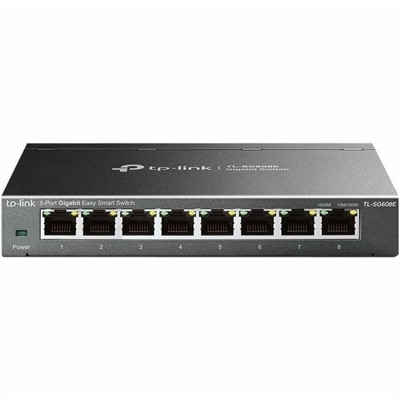
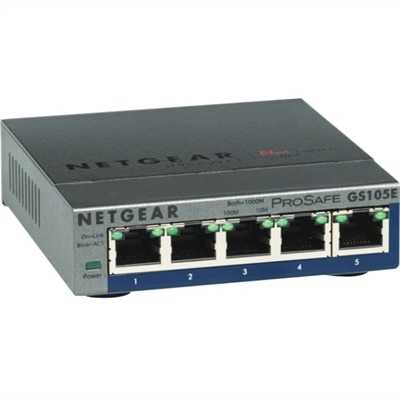
A managed Ethernet switch providing VLANs, QoS, and IGMP snooping for optimized SOHO network traffic.
Optimize your IT infrastructure with our comprehensive selection of network management solutions. Designed to streamline connectivity and enhance performance, these tools empower businesses to effectively monitor, control, and secure their networks. Whether you're managing a small office setup or a large enterprise environment, our diverse range of products ensures seamless integration and robust support for all your networking needs. Elevate your digital ecosystem with cutting-edge technology that keeps you connected and productive in today's fast-paced world.
A managed Ethernet switch providing VLANs, QoS, and IGMP snooping for optimized SOHO network traffic.
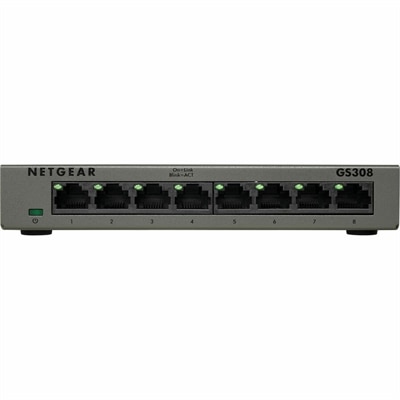
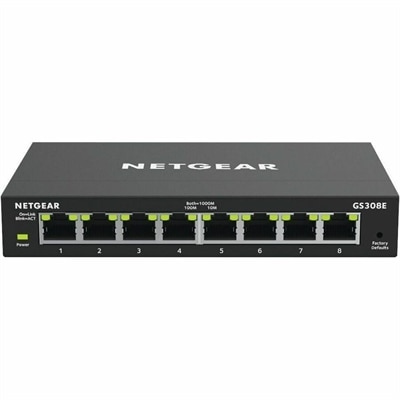
An 8-port Gigabit smart switch featuring durable metal construction, QoS, VLAN, IGMP Snooping, and fanless design.
A smart docking station offering up to 130W USB-C power delivery and remote management capabilities.
Network management brings together the tools, settings, and everyday practices that help a connected home, classroom, small office, or growing business run smoothly. It includes keeping track of connected computers and accessories, checking device health, managing access, applying updates, and responding when a connection becomes slow or unreliable. For people comparing products in this category, it helps to begin with the environment in which they will be used. A home user may need straightforward visibility into connected laptops, desktops, displays, and other accessories, while a busy office may benefit from equipment and software that make it easier to organize many users, maintain consistent settings, and identify problems before they interrupt work. A thoughtfully planned setup can make a noticeable difference: instead of walking from desk to desk when a connection drops, an administrator can review status information, narrow down the source of an issue, and guide the right fix. Look for products that suit the size of the environment, the number of people and devices involved, and the level of technical experience available. Clear controls, dependable compatibility, useful alerts, and support for routine maintenance can be just as important as raw performance. For a more structured wired setup, explore Managed Network Switches as part of a broader approach to organizing connected equipment.
The main functions of network management are often grouped into several related areas. Fault management helps locate and correct errors, whether the trouble comes from an unavailable device, a failed connection, or a setting that has changed unexpectedly. Configuration management focuses on setup and change tracking, making it easier to understand which devices are approved, how they are configured, and what changed before an issue appeared. Accounting management records usage and helps organizations understand how shared resources are being used, which can support planning for a new team member, a remodeled workspace, or a shift toward more flexible work. Performance management watches speed, availability, and congestion so slow areas can be identified rather than mistaken for a problem with an individual computer. Security management adds safeguards through permissions, authentication, access rules, and protective software, helping limit unwanted access while allowing authorized users to work efficiently. These functions overlap in practical ways. A small business owner might use monitoring to notice that a workstation is repeatedly losing connectivity, configuration records to confirm a recent change, and maintenance tools to install a needed update. A school or community organization may use provisioning to prepare several computers for new users, then rely on access controls and activity reports to keep shared equipment organized. The right products can support these tasks through understandable dashboards, dependable notifications, remote administration, and compatibility with the computers and accessories already in use.
When evaluating network management options, consider how much hands-on control the user wants and how the setup may grow over time. A compact environment may call for simple controls and guided setup, while a larger office may need centralized management, role-based permissions, detailed reporting, and automation for repetitive tasks. Automation can save valuable time by applying standard settings, checking device availability, or scheduling maintenance without requiring someone to repeat the same steps at every desk. Monitoring is equally useful when it turns technical information into practical guidance, such as a clear alert that identifies an unavailable device or an unusual increase in traffic. Compatibility deserves close attention, especially when users rely on a mixture of laptops, desktops, monitors, and accessories from different generations. Consider connection types, operating system support, management software requirements, security features, warranty coverage, and the availability of documentation before choosing. Products used in a home office may be selected for quiet operation and simple controls, while equipment supporting a professional team may be judged by durability, scalability, and the ability to help an administrator work from a distance. During the warmer and cooler parts of the year, people often shift between home and office routines, add temporary workspaces, or prepare shared equipment for new projects; a well-organized management setup can make those transitions less disruptive. Whether it supports a family, a remote worker, a classroom, or a growing company, network management is ultimately about creating a dependable digital environment where people can connect, collaborate, and get on with their work.
Add the products you would like to compare, and quickly determine which is best for your needs.