$2429.99
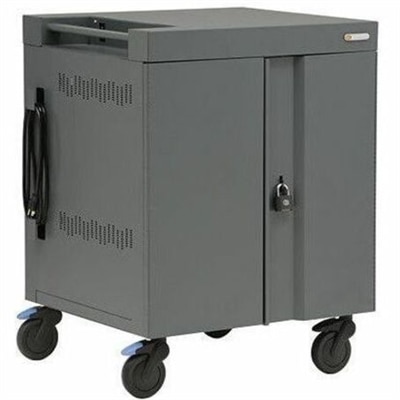
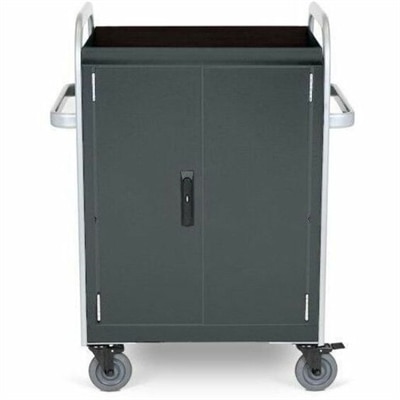
A network-ready charging cart stores and charges 32 devices with Ethernet connectivity and dual cooling fans.
Device management is essential for keeping your workspace organized and efficient. Whether you are working from home, in the office, or on the go, having the right tools helps streamline daily tasks and supports productivity. Explore a range of solutions designed to make managing your devices simple and convenient, ensuring seamless connectivity and ease of use across your technology setup. With device management, staying connected and in control becomes effortless.
A network-ready charging cart stores and charges 32 devices with Ethernet connectivity and dual cooling fans.
Device management is the use of software, policies, and support services to configure, maintain, and protect computers and other supported devices throughout their working life. It gives organizations a consistent way to prepare equipment for new users, distribute approved applications, apply updates, and retire devices when their work is complete. Mobile device management, often shortened to MDM, focuses on administering supported mobile devices and laptops, while broader endpoint management solutions may also cover desktops and additional device types. For a small business with a handful of laptops, that can mean fewer hours spent repeating the same setup at every desk. For a larger organization, it can mean giving employees in different locations a dependable starting point: the right applications, appropriate access, and security settings that reflect their responsibilities. A centralized administrative console brings supported management tasks into one workspace, where authorized staff can review device status, assign configurations, and identify equipment that needs attention. Devices typically receive instructions through a built-in management framework, an installed agent, or a combination of the two. Enrollment establishes the management relationship between the device and the organization; it may happen during initial setup, through an employee-led registration process, or through an automated deployment workflow on eligible equipment. Once enrolled, a device can receive policies and applications according to its assigned user, department, or intended purpose. A shared desktop at a reception counter may need a tightly controlled application set, while a traveling employee’s laptop may need more flexibility alongside stronger safeguards for business information. The practical value lies in making those differences manageable without treating every computer as a separate project. Device management software and related services are especially relevant to internal technology teams, office administrators, education organizations, and businesses supporting remote or hybrid work. The experience for the person using the device matters just as much as the administrative view: a well-matched solution supports a smooth first sign-in, predictable updates, and access to essential tools without unnecessary interruptions.
Compatibility and administrative scope are central considerations when comparing device management solutions. Support can vary by operating system, software version, device ownership, and enrollment method, so a solution that handles one group of laptops effectively may offer different controls for another. Application management may include installing required software, maintaining approved versions, removing unauthorized applications, or giving employees access to a curated application catalog. Configuration management can establish settings such as automatic screen locking and password requirements, while supported security controls may require encryption and report whether a device meets organizational policies. These capabilities are related but not interchangeable: a management platform can help enforce protective settings, yet it does not automatically replace every other security tool or guarantee that an incident cannot occur. Remote actions also deserve close attention. Depending on the device and its enrollment, authorized administrators may be able to lock it, remove organizational information, or initiate a full erase if it is lost, stolen, or being reassigned. Location reporting is not universal and may depend on platform capabilities, permissions, and device state. A laptop left in an airport lounge illustrates why those distinctions matter: the response depends on which controls were enabled beforehand and whether the device can receive the command. Personally owned devices introduce another important consideration. Where supported, work profiles or other separation mechanisms can keep managed business applications and information distinct from personal content. Clear explanations of what administrators can see, change, and remove help employees understand that boundary before enrollment. Device management also complements Network Management, although device-level controls have their own compatibility requirements and administrative responsibilities. Useful reporting should make everyday decisions easier, whether that means finding laptops with overdue updates, identifying failed application installations, or confirming that a departing employee’s device has been prepared for reassignment. Role-based administrative permissions and activity records can further support accountability by limiting sensitive actions to appropriate staff and recording changes for later review.
The best fit for everyday operations depends on how devices are used, how much support an organization needs, and how reliably the management approach can be maintained over time. A team working regular office hours may prefer updates scheduled outside its busiest periods, while employees moving between appointments may need maintenance windows that account for intermittent connections and short breaks between tasks. Many remote actions require a device to reconnect before they can complete, making clear status reporting more useful than an assumption that every instruction takes effect immediately. Deployment options, application testing, and phased update controls can help organizations introduce changes to a small group before extending them more broadly. That is particularly valuable when a familiar business application must continue working during a major system update. For organizations without dedicated technical staff, device management services may add assistance with enrollment, policy configuration, monitoring, and troubleshooting, depending on the service agreement. The scope of that assistance matters: initial setup, ongoing administration, and direct employee support are distinct responsibilities and may not all be included together. Long-term suitability also rests on documentation, supported software lifecycles, accessible reporting, and the ability to adapt as equipment and job roles change. Physical durability remains a separate hardware consideration, but management can support longer useful service by keeping compatible software current and helping administrators recognize recurring problems. It cannot repair a damaged charging port or prevent wear from daily travel; those situations still call for appropriate handling and hardware support. Employee transitions provide another practical measure of fit. A new hire should receive a device ready for the work ahead, a person changing roles should receive appropriate applications and permissions, and a returned computer should have organizational data handled according to established retention and removal policies. For shared workspaces, consistent configurations help the next user begin without inheriting the previous user’s settings or access. Across these scenarios, effective device management brings structure to routine work: fewer repeated setup tasks, clearer oversight, and a more consistent computing experience from the first day a device is assigned to the day it is responsibly retired.
Add the products you would like to compare, and quickly determine which is best for your needs.