$499.99
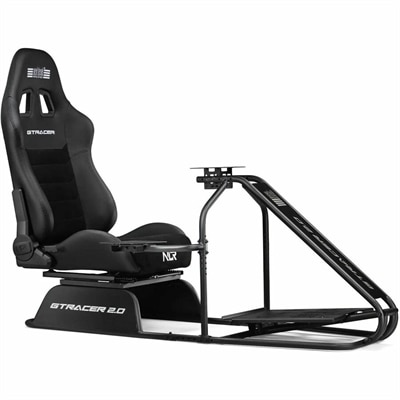
A durable GT-style cockpit with a wider seat, reinforced recliners, adjustable pedals, and 13Nm direct-drive support.
Sim racing equipment for beginners opens the door to a thrilling world of virtual motorsports, bringing realistic driving experiences right to your home setup. Whether you’re just starting to explore the excitement of sim racing or looking to upgrade your current gear, finding the right essentials is key to enhancing comfort and control behind the wheel. Discover options that make it easy to get started and help you build confidence as you develop your skills on the track. With the right sim racing equipment for beginners, every lap becomes an opportunity for fun and improvement.
A durable GT-style cockpit with a wider seat, reinforced recliners, adjustable pedals, and 13Nm direct-drive support.
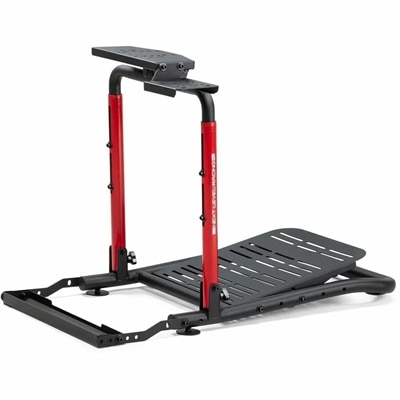
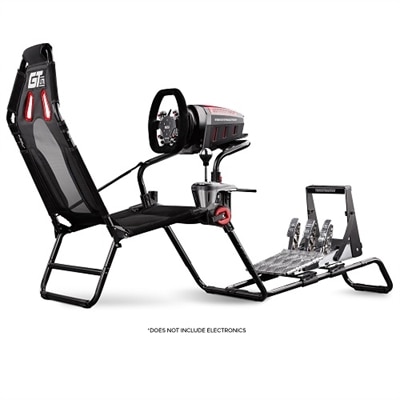
A foldable sim racing stand with adjustable positioning, chair cradle, and left-or-right gear shifter support.
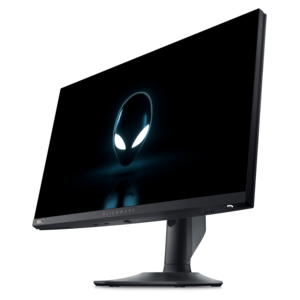
A high-performance IPS gaming monitor delivering ultra-smooth 500Hz refresh rates with AMD FreeSync Premium.
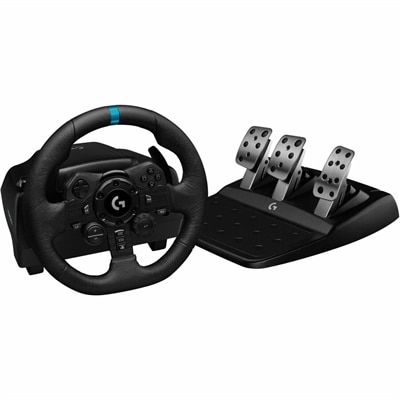
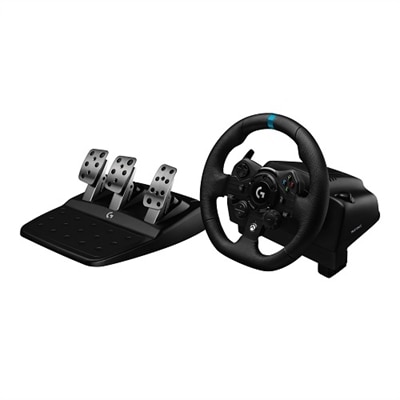
Sim racing equipment for beginners brings the physical rhythm of driving to a virtual track: turning into a corner, easing off the brake, and feeding in the accelerator as the road straightens. A typical wheel-based setup combines a steering wheel, a wheelbase that reads steering input and may generate force feedback, and pedals for acceleration and braking. It also needs a compatible gaming computer or console, racing software, a display, and a stable mounting surface. Some beginner configurations integrate the wheel and base into one unit, while others use separate components. Force feedback adds resistance and movement that can communicate changes in tire grip, bumps, and steering load, although the effect depends on the hardware and the simulation. Gear-driven mechanisms can produce a more noticeable mechanical feel, belt-driven systems often soften that sensation, and direct-drive systems connect the steering wheel directly to the motor for more immediate feedback. No single mechanism determines the whole experience; secure mounting, comfortable controls, and well-adjusted settings matter just as much during those first laps. Compatibility is especially important because a wheelbase, pedal set, and console do not necessarily work together simply because their connectors look similar. Supported platforms, connection requirements, software support, and mounting dimensions help define a setup that functions as a complete system. On a gaming computer, some peripherals can connect independently through USB, while console configurations often require accessories to connect through a supported wheelbase. For a beginner, the intended use may be relaxed weekend driving, practicing familiar circuits, or joining organized online races. Paddle shifters can cover many racing scenarios without a separate gear lever, and a clutch pedal is most relevant when the chosen cars and software support that style of driving. This makes a compact wheel-and-pedal arrangement a practical starting point, with room for additional controls as driving preferences become clearer. A stable foundation helps make practice repeatable: the same steering position, the same pedal placement, and fewer distractions when learning how a car responds.
The way sim racing equipment fits the room and the driver has a direct effect on comfort and control. A desk-mounted wheel can suit a shared workspace, provided the desktop is sturdy, the clamp fits its thickness, and the mounting area is free of drawers or supports that interfere with attachment. Stronger force feedback places greater demands on the surface beneath it; flexing furniture or a shifting clamp can obscure the very steering sensations the motor is meant to convey. A dedicated wheel stand separates the controls from a desk, while a cockpit adds a seat and fixed mounting points for a more consistent driving position. Foldable frames can help in multipurpose rooms, but their folded dimensions, weight, and adjustment mechanisms matter when the equipment needs to move after every session. Steel tubing and aluminum profiles are common structural materials, with stability depending on the overall design, joints, fasteners, and load requirements rather than material alone. Seating position deserves equal attention. Slightly bent elbows, relaxed shoulders, and knees that remain bent at full pedal travel help prevent the stretched-out posture that makes a longer race uncomfortable. A rolling office chair may move backward under braking, so keeping both the seat and pedals secure is part of the setup, not an afterthought. Pedal feel also changes how a beginner learns control. Position-sensing pedals measure pedal movement, while load-cell brakes primarily measure applied force; neither removes the need for a stable pedal platform and suitable resistance. The range of Sim Racing Pedals encompasses different layouts and sensing approaches, with pedal spacing, face angle, travel, and mounting compatibility all contributing to fit. A two-pedal layout supports many paddle-shift driving experiences, whereas a three-pedal layout adds a clutch for compatible manual configurations. Footwear, foot size, and the available space beneath a desk can make small differences in pedal dimensions surprisingly noticeable. For someone sharing the setup with another driver, accessible seat, wheel, and pedal adjustments are often more useful than a position that suits only one person.
A beginner sim racing setup also benefits from a display and computer arrangement that makes the track easy to read without crowding the driving position. A monitor placed at a comfortable viewing distance, with the image centered near the driver's natural sightline, can make braking markers and approaching corners easier to follow. Screen size, resolution, refresh rate, and the computer's graphics performance work together; a higher-resolution display asks more of the system, and consistently smooth motion can be more useful than visual detail that causes uneven performance. Multiple displays and virtual reality introduce additional space, compatibility, and performance considerations, but neither is necessary for a satisfying first setup. Headphones or speakers provide engine, tire, and surrounding traffic sounds, while a microphone can support communication during group sessions. Accessible keyboard and mouse placement remains useful for navigating menus without repeatedly climbing out of the seat. Cable routing matters in everyday use, too: power and USB cables need enough slack for adjustments without hanging near pedals, chair wheels, or moving frame parts. Durability comes from both construction and care. Frequently handled surfaces may include molded polymers, rubberized grips, leather, or suede-like coverings, each with different cleaning needs. A soft cloth and manufacturer-approved cleaning methods help protect finishes; excessive moisture, harsh cleaners, and repeated rubbing can damage some grip materials. Covered storage can reduce dust buildup between sessions, while clear ventilation openings help electronic components shed heat. Clamps, bolts, and adjustment points benefit from periodic inspection according to the manufacturer's directions, especially on equipment that is folded or moved regularly. Moderate force-feedback settings give new drivers space to learn steering cues without unnecessary strain, and short breaks help keep hands, shoulders, and legs comfortable. For a motorsport enthusiast, a driving-game fan, or someone building a shared home gaming space, beginner sim racing equipment can also make a thoughtful birthday or graduation gift when platform compatibility and room dimensions are known. The most useful arrangement is one that fits naturally into daily life: sturdy enough for deliberate braking, comfortable enough for another practice session, and straightforward enough that time is spent driving rather than repositioning hardware.
Add the products you would like to compare, and quickly determine which is best for your needs.