Small Business Network Equipment
Enhancing your small business network equipment can be a game-changer in boosting productivity and ensuring seamless connectivity. Whether you're setting up a new office or upgrading your existing infrastructure, the right networking solutions are essential for supporting your growing team and managing increasing data demands. Discover a range of reliable and scalable options designed to keep your business operations running smoothly, from routers and switches to access points and security devices. Empower your enterprise with cutting-edge technology that adapts to your needs, providing a solid foundation for success in today's fast-paced digital landscape.
This product is not available
Check out the following recommendations.
Small Business Network Equipment
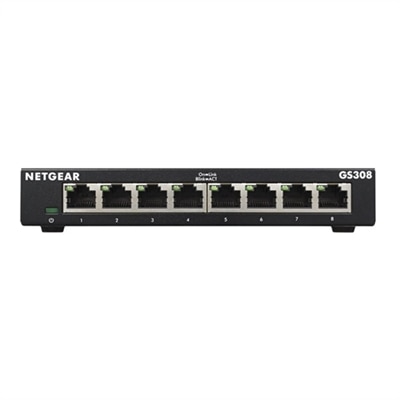
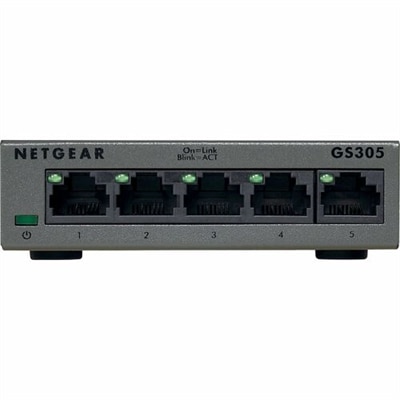
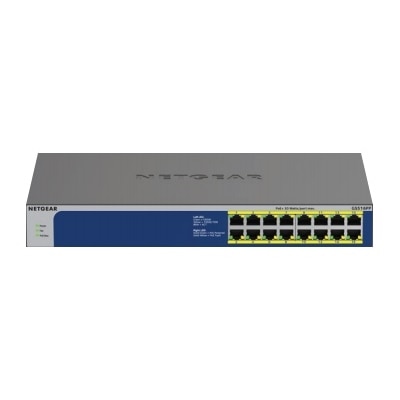
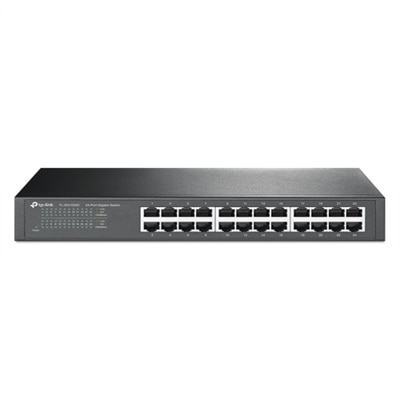
Small businesses depend on dependable digital connections for nearly every part of the workday, from sending invoices and joining video meetings to sharing files, using cloud applications and supporting customer service. The right connectivity equipment helps create a practical foundation for laptops, desktops, monitors, printers, phones and other workplace accessories without requiring a large technical staff to manage every detail. A small office may need a central device that directs internet traffic, wired expansion hardware that connects several desktop systems, wireless coverage equipment for mobile workers, and security controls that help separate trusted business activity from unwanted traffic. Each category serves a different purpose. A router connects the office to the internet service provider and directs information between local devices and outside services. A switch adds wired connections for workstations, printers and other Ethernet-enabled equipment, making it useful in reception areas, private offices, classrooms, retail counters and shared workspaces. A firewall examines incoming and outgoing traffic and can help block suspicious activity, while wireless access points extend dependable Wi-Fi across rooms where a single built-in signal may not reach consistently. For a small business, these components are less about building a complicated technical environment and more about making everyday work feel steady: a point-of-sale station stays connected, a designer can send a large project file, a team can move from a desk to a conference room without losing access, and a guest can use a separate connection without being placed alongside business systems. When comparing options, begin with the size and shape of the workplace rather than choosing based only on maximum specifications. Thick walls, multiple floors, long cable runs, older construction and crowded wireless areas can all affect performance. Count the equipment that needs a wired connection, consider how many employees may connect during the busiest part of the day, and allow room for growth as the business adds staff or relocates desks. A small professional office may have different needs from a storefront, studio, clinic or home-based business, even when each has a similar number of users.
Ease of management is especially important for owners and employees who have more pressing responsibilities than troubleshooting connectivity. Straightforward setup tools, clear status indicators, automatic updates and remote monitoring can make routine maintenance less disruptive. Managed equipment can provide more control over individual connections, guest access, traffic priorities and usage visibility, while simpler equipment may be a sensible fit for a compact office with uncomplicated needs. Security deserves equal attention. Look for features that support separate guest access, strong authentication, encrypted wireless connections, controlled administrative access and regular firmware updates. Changing default passwords, limiting administrator privileges and documenting the location of each device are small steps that can make future support much easier. Power protection is another practical consideration. A surge protector can help guard connected electronics against sudden electrical spikes, while battery backup equipment can provide time to save work and shut down gracefully during a brief outage. Place equipment where air can circulate freely, keep cables labeled and avoid tucking electronics behind furniture where heat can build up. A neat installation is easier to inspect when an employee reports a slow connection or an intermittent drop. Businesses reviewing broader solutions can also explore Enterprise Network Equipment for additional context when their connectivity requirements extend beyond a compact office setup. For many small businesses, the best purchasing decision balances capacity, security, manageability and future flexibility. A growing architecture firm may value fast wired connections for large design files; a neighborhood retailer may prioritize reliable wireless coverage and separated guest access; a consultant working from a home office may need a compact setup that is simple to maintain; and a community organization may focus on durable equipment that supports shared workstations and changing volunteers. Choose equipment that fits the way people actually work, leave space for a few additional devices, and keep a basic record of settings and warranty information. With thoughtful planning, dependable connectivity hardware can fade into the background where it belongs, allowing employees to concentrate on customers, projects and the steady rhythm of running a business through the changing seasons.
FAQs:
A typical small business network includes a business network router, switches, wireless access points, firewalls, and essential network accessories like Ethernet cables and power supplies. These components work together to provide secure, reliable connectivity for all your business devices.
To accommodate growth, choose scalable network equipment such as modular switches and additional wireless access points. Many routers for small business networks support easy expansion, allowing you to add more devices or increase coverage without replacing your entire setup.
A dedicated firewall helps protect your business network from unauthorized access, cyber threats, and malware. It acts as a barrier between your internal network and external risks, ensuring sensitive business information remains secure.
Business computer network accessories like Ethernet cables, surge protectors, and uninterruptible power supplies (UPS) are essential for maintaining reliable connectivity and protecting equipment from power surges or outages, especially during unpredictable weather.
Yes, wireless access points extend Wi-Fi coverage throughout larger or multi-room office environments, ensuring all employees have fast, reliable access to the network regardless of their location within the workspace.