Streaming Devices For HBO Max
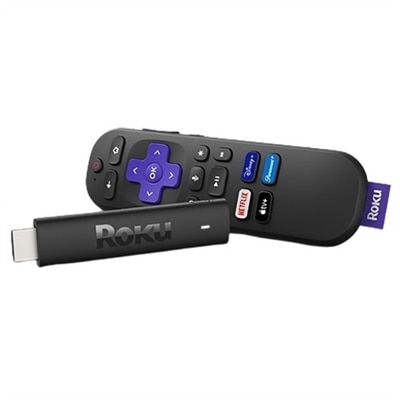
Streaming devices for HBO Max make it easy to enjoy your favorite shows, movies, and exclusive content from the comfort of your home. Whether you’re looking to upgrade your entertainment setup or searching for a user-friendly way to access streaming platforms, these devices offer seamless compatibility with HBO Max. Explore a range of options tailored to different preferences and spaces to find the right streaming device for your viewing experience.
This product is not available
Check out the following recommendations.




Streaming Devices For HBO Max
Streaming devices for HBO Max bring movies, documentaries, and favorite series into the spaces where everyday viewing happens, from a quiet desk after work to a comfortable corner set up for a weekend movie night. Laptops and desktops can serve as flexible streaming devices through a supported web browser, while monitors, headphones, speakers, and compatible accessories help shape the experience around the room and the viewer. The distinction between a playback device and a display matters: a conventional monitor shows video from a connected computer but does not necessarily run streaming apps on its own. For browser-based viewing, compatibility depends on the service’s current requirements, the operating system, and the browser version, rather than simply the age or appearance of the computer. Keeping software current helps maintain compatibility and security, although updates cannot make every older device supported. A reliable internet connection also matters, especially when several people at home are watching video or using other connected devices at once. Streaming quality can adjust as connection conditions change, so a high-resolution screen alone does not guarantee a sharper stream. The subscription tier, the selected title, the browser or app, and the connected hardware can all affect the picture and sound delivered. This makes everyday usability just as important as a specification sheet. Someone catching an episode between household tasks may appreciate a laptop that opens easily and moves from room to room, while a regular evening viewer may prefer a desktop paired with a generously sized monitor. A student using one computer for coursework and entertainment benefits from a setup that transitions smoothly between a document and full-screen video. For shared spaces, accessible volume controls and a screen positioned where both viewers can sit comfortably can make a bigger practical difference than features that rarely get used. The most useful setup fits the viewing routine without making each session feel like a technical project.
Screen size, resolution, finish, and placement all influence how comfortable streaming feels over the length of a film or several episodes. A compact laptop fits a small table and travels easily, while a larger display gives subtitles, faces, and background details more room. Resolution describes the screen’s pixel count, but contrast, brightness, and viewing angles also influence the picture. In a dim room, good contrast can help preserve the atmosphere of a shadowy scene; beside a bright window, screen reflections may be the more noticeable issue. Matte finishes help diffuse reflections, while glossy surfaces can show more distinct reflections of lamps and windows. Neither finish eliminates the need for thoughtful placement. A screen angled away from direct light is often easier to watch than one facing a sunny doorway. Many films use proportions wider than a typical computer display, so black bars above and below the image can be normal rather than a sign of a problem. For viewers who want a portable computer that can handle both daily tasks and entertainment, Laptops For Streaming offer a useful starting point for considering screen comfort, portability, and everyday versatility together. Battery performance deserves attention when viewing away from an outlet, since brightness, sound output, background activity, and wireless conditions affect how long a charge lasts. A lightweight chassis is easier to carry, but hinge stability and a base that sits securely on a table also contribute to daily comfort. Metal and plastic housings each have practical characteristics, and material alone does not establish durability; construction, handling, and care matter too. At a desk, an adjustable monitor stand can bring the picture to a comfortable height and reduce the need to lean forward. An external display also needs a compatible connection to the computer. Connector shape by itself does not confirm video support, and adapters or docks must support the intended display configuration. Protected streaming content may additionally require a compatible display connection, with supported resolution varying across the complete playback setup.
Sound and supporting accessories turn a capable computer into a viewing space that feels more personal and easier to use. Headphones suit late-night episodes, shared apartments, and rooms where dialogue would otherwise compete with household noise. Over-ear designs surround the ears, while in-ear designs sit closer to the ear canal; comfort depends on fit, weight, pressure, and the materials touching the skin. Soft cushions can feel comfortable initially, but breathability and clamping force become more noticeable during a long movie. Adjustable headbands and replaceable cushions, where supported, can help headphones remain useful as preferences and wear change. Wired headphones avoid battery charging, while wireless options give viewers more freedom to move, though battery life and audio delay vary by device and connection. Compact desktop speakers can make shared viewing more comfortable than crowding around a laptop’s built-in speakers, particularly when dialogue needs to remain clear at a moderate volume. Speakers also need a stable position with enough space for their connections and controls. Accessories are most useful when they solve a specific problem: a stand can raise a low screen, an appropriate cable can connect a computer to a monitor, and a sleeve can protect a laptop from scuffs during everyday transport. A protective sleeve is not a substitute for careful handling, especially around spills or pressure from other objects in a bag. Routine care supports durability across the setup. Screens benefit from gentle cleaning with a soft microfiber cloth according to the manufacturer’s directions, with liquids kept away from openings and cleaners never sprayed directly onto the display. Computers need unobstructed vents and a firm surface rather than a blanket or cushion that can trap heat. Cables should have enough slack to avoid pulling on ports, and headphone cushions should be cleaned only with methods appropriate for their materials. These categories can also make thoughtful gifts for a college student, a frequent traveler, or someone settling into a new home, provided the accessory matches the recipient’s computer, connections, and preferences. For HBO Max viewing, the result is a practical combination of supported playback, a comfortable picture, and sound suited to the space.
FAQs:
For the best experience with Max, look for streaming devices that support 4K Ultra HD, HDR, and Dolby Atmos if you have a compatible subscription and display. Devices with intuitive navigation, voice control, and customizable profiles can also enhance your viewing. Make sure the device is running the latest operating system to ensure smooth app performance and access to the newest features.
Yes, laptops are fully compatible with Max and can be a versatile option for streaming. Using a laptop allows you to watch content anywhere with an internet connection, and you can easily switch between browsing, chatting, or working while you stream. For recommendations on laptops optimized for streaming, visit our Laptops For Streaming page.
Gaming consoles such as PlayStation and Xbox are excellent choices for streaming Max. They offer high-quality video and audio output, support for multiple streaming apps, and easy navigation with familiar controllers. This makes them a great option for users who want a multi-purpose entertainment system.
For the best streaming experience, especially with 4K or HDR content, a stable high-speed internet connection is recommended. While standard definition content can function well on lower speeds, higher resolutions require faster connections to avoid buffering and maintain picture quality.
Streaming devices make thoughtful gifts for a variety of occasions, such as graduations, birthdays, or housewarmings. They are practical for anyone setting up a new living space, upgrading their entertainment system, or simply looking to enjoy the latest movies and shows on Max. Their ease of use and wide compatibility make them suitable for both tech enthusiasts and casual viewers.