$550.00
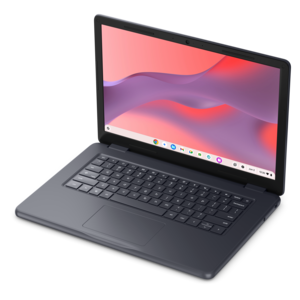
A durable, serviceable Chromebook designed specifically for education environments.
A durable, serviceable Chromebook designed specifically for education environments.
A durable, serviceable Chromebook designed for K–12 learning environments.
A durable, serviceable Chromebook laptop or 2-in-1 designed specifically for K-12 learning environments.
Touchscreen Chromebooks for students combine the familiar simplicity of a laptop with the direct, hands-on feel of a tablet. A student can use a keyboard and touchpad to write reports, manage browser tabs and enter information, then tap, swipe or pinch the display when reading an online textbook, reviewing a presentation or exploring an interactive lesson. This flexibility can be especially useful as school routines move between classrooms, study spaces and home desks during the cooler months. ChromeOS is designed around a streamlined, browser-based experience, making it well suited to web-based assignments, learning platforms, video calls, shared documents and research. Automatic updates and built-in security features can help keep the experience straightforward for families, while cloud-based tools make it easier to continue schoolwork from more than one location. When comparing touchscreen Chromebooks for students, consider the student’s grade level, daily workload and preferred way of working. Younger learners may benefit from a compact, easy-to-carry design with a responsive display and a keyboard that can withstand everyday handling. Older students who keep many research pages, documents and virtual classroom tools open may appreciate a faster processor, at least 8GB of RAM and enough file capacity for downloaded assignments and offline work. A model with 4GB of RAM can be suitable for basic browsing, writing and classroom activities, while more memory can provide a smoother experience when several apps or browser tabs are open at once.
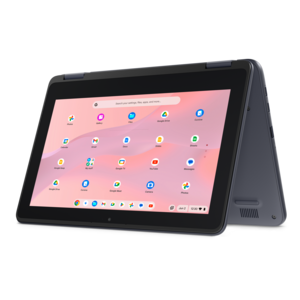
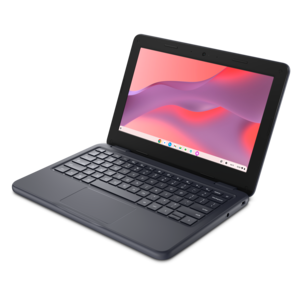
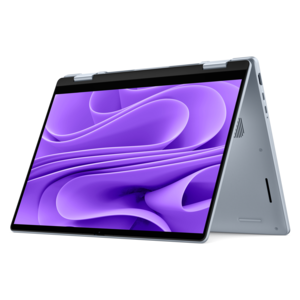
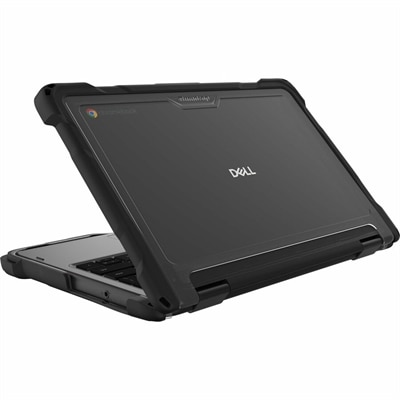
Display size and design also have a noticeable effect on how a student uses a Chromebook. Smaller screens can be comfortable for carrying from room to room and fitting into a backpack, while larger displays provide more space for side-by-side reading, writing and video lessons. Look for a clear display with comfortable viewing angles and touch response that recognizes taps and swipes without requiring repeated pressure. A traditional clamshell design is a practical choice for students who primarily type, browse and complete assignments, while a 2-in-1 convertible with a 360-degree hinge can fold into tablet mode for reading, drawing and handwritten notes. Tent mode can be useful for displaying a recipe during a project, sharing a presentation or making a video call without placing the keyboard on a desk. Younger students may get the most value from a ruggedized design with reinforced corners, rubber bumper edges and a spill-resistant keyboard, since a backpack can be set down quickly and lunchroom mishaps are part of real school life. A garaged or included stylus can add another useful way to annotate lessons, sketch diagrams or practice handwriting, provided the student is likely to use it and has a safe place to keep it. Battery life is another important consideration. A Chromebook that can make it through a full school day with less frequent charging gives students more freedom to move between classes and study areas. Weight, comfortable keyboard spacing, a responsive touchpad and a webcam with a built-in microphone are equally practical details for everyday learning.
Touchscreen Chromebooks for students can support a wide range of learners, from children completing their first digital assignments to college students organizing research, attending virtual classes and preparing presentations. They can also be a thoughtful gift for a student beginning a new grade, joining a hybrid learning program or building a dedicated workspace at home. Before choosing one, check the requirements of the school or learning platform, including compatibility with required applications, video meeting tools and accessories. Consider how the student will connect to the internet at home, at school or while traveling, and remember that some assignments may need to be completed offline when a reliable connection is unavailable. A comfortable case, protective sleeve, compact mouse or headphones can make the computer easier to carry and use, but the Chromebook itself should match the student’s habits first. A younger child who moves between rooms may need simple controls, a durable chassis and a screen that works well for tapping. A high school or college student may place greater value on a larger display, a backlit keyboard, stronger multitasking performance and a slim profile for commuting. Families preparing for online coursework can also explore Chromebooks For Online Classes to consider features that support video lessons, digital collaboration and independent study. With the right combination of display, hinge style, durability, battery life, memory and portability, a touchscreen Chromebook can become a dependable part of a student’s routine: open on a kitchen table for morning assignments, tucked into a backpack for the school day and ready for reading or review when evening study begins.
Add the products you would like to compare, and quickly determine which is best for your needs.