$1339.99
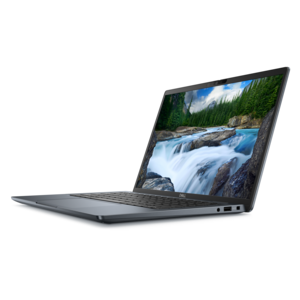
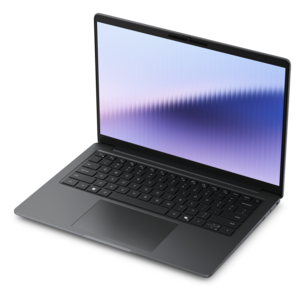
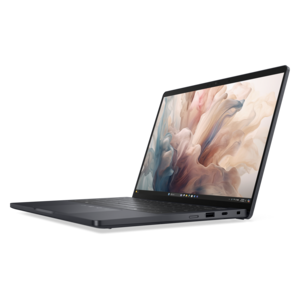
A versatile 2-in-1 laptop with AI experiences, all-day battery life, and seamless multitasking.
Touchscreen laptops for students offer a flexible and interactive way to tackle assignments, take notes, and stay productive in any learning environment. With responsive displays and intuitive controls, these devices help streamline studying, researching, and collaborating on projects. Explore a wide selection of touchscreen laptops designed to meet the diverse needs of students at every level.
A versatile 2-in-1 laptop with AI experiences, all-day battery life, and seamless multitasking.
A durable, serviceable Chromebook designed for K–12 learning environments.
A durable, serviceable laptop or 2-in-1 designed specifically for K-12 learning environments.
A versatile 2-in-1 laptop with multiple modes, Intel Core processors, and DDR5 memory for mobile creativity.
A sleek aluminum commercial AI PC with robust security, scalable performance, and flexible laptop-or-tablet versatility.
A versatile 2-in-1 laptop with built-in AI and a spacious display for creative work.
A thin 2-in-1 laptop combining versatility, portability, and performance with Series 3 Intel Core Ultra processors.
A thin 2-in-1 laptop powered by AMD Ryzen AI PRO 400 Series processors for versatile performance.
An AI-powered tablet with optional keyboard, active pen, advanced thermals, HDR cameras, and Intel Core Ultra.
A remarkably thin 2-in-1 laptop combining portability and performance with Series 3 Intel Core Ultra processors.
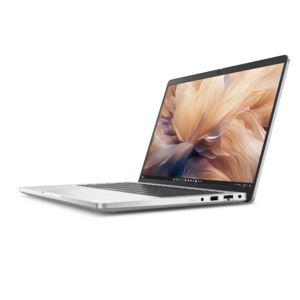
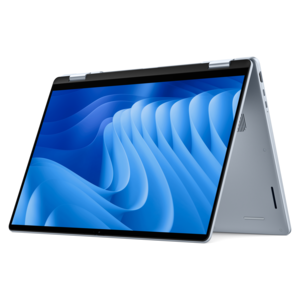
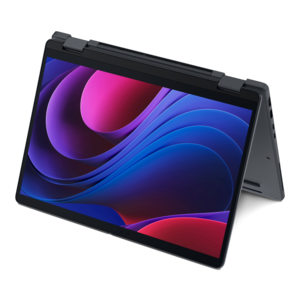
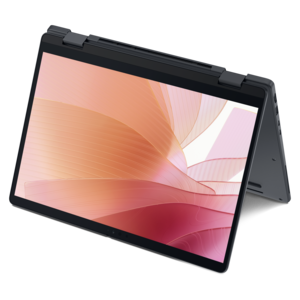
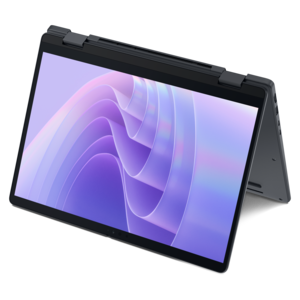
Touchscreen laptops for students bring a more natural, flexible way to learn, work and create. A finger tap can move through an online lesson, a swipe can review lecture slides, and a quick handwritten note can capture an idea before it disappears. For students moving between classrooms, libraries, residence halls and home study spaces, a touchscreen laptop can combine the convenience of a traditional computer with the immediacy of a tablet. Many models use a 360-degree hinge, allowing the display to fold into tent mode for watching a presentation, stand mode for following a recipe or tutorial, and tablet mode for reading, sketching and annotating. Others keep a conventional laptop design while adding touch input to make everyday navigation feel more direct. Students in nearly any field may appreciate this versatility: a literature major can mark up digital readings, an art student can draw with a compatible stylus, a business student can review spreadsheets with quick gestures, and a younger learner can use interactive educational software without relying entirely on a keyboard and mouse. These laptops can also make thoughtful gifts for students heading into a new school year, beginning college or moving into a first apartment, especially when portability and flexibility matter as much as performance. To explore more options by size, operating system and computing needs, browse the broader selection of Laptop For Students.
When comparing touchscreen laptops for students, begin with the way the computer will be used each day rather than focusing only on appearance. A student who primarily writes papers, joins video classes, browses research sites and manages cloud documents may be well served by an affordable model with a dependable processor, at least 8GB of memory and enough solid-state storage for applications, coursework and offline files. For heavier multitasking, look for 16GB of memory, a newer multi-core processor and a larger solid-state drive, particularly if the student works with programming tools, design applications, photo editing software or large research collections. Battery life is equally important. A computer that can last through several classes and a study session reduces the need to search for an open outlet, while fast charging can be helpful between lectures. Screen size involves a practical tradeoff: compact displays are easier to carry in a crowded backpack, while larger screens provide more room for split-screen research, timelines, spreadsheets and detailed creative work. Resolution, brightness and viewing angles deserve attention as well, especially for students who work in bright classrooms or spend long hours reading. A responsive touch display should recognize taps and gestures smoothly, while an optional active pen can add pressure-sensitive writing and drawing for diagrams, equations and margin notes. Check whether a stylus is included or purchased separately, and consider where it will be stored so it does not vanish beneath notebooks and charging cables.
The best fit also depends on the realities of student life outside the classroom. A sturdy chassis and a well-designed hinge can help a laptop withstand daily trips between a locker, backpack and kitchen table, while a comfortable keyboard is valuable for essays, lab reports and late-night group projects. Weight matters when books and accessories already fill the bag, but an ultra-thin design should still offer the ports and connections a student needs. USB ports can support external drives, a mouse or presentation accessories; video output can connect to a larger monitor; and wireless connectivity keeps coursework, printers and headphones easy to manage. A clear webcam, useful microphone and reliable speakers support virtual office hours and collaborative classes. Security features such as a fingerprint reader, facial recognition or a privacy shutter can help protect personal information in shared living spaces. Students should also consider the operating system required by their school or major, since specialized programs may run only on certain platforms. Cloud-based coursework can work well on lightweight systems, while engineering, media, business and computer science programs may require more powerful hardware or specific desktop applications. Accessibility is another meaningful consideration: touch controls, screen magnification, voice input and pen support can make learning more comfortable and adaptable. As the weather shifts from warm campus walks to cooler commutes, a versatile touchscreen laptop can move easily from an outdoor table to a lecture hall, from a dorm desk to a family living room, and from a quick handwritten outline to a finished presentation. Choosing the right balance of portability, battery life, performance, durability and display quality helps ensure that the computer remains useful throughout the school day and dependable for the projects, conversations and discoveries that make student life memorable.
Add the products you would like to compare, and quickly determine which is best for your needs.