$199.99
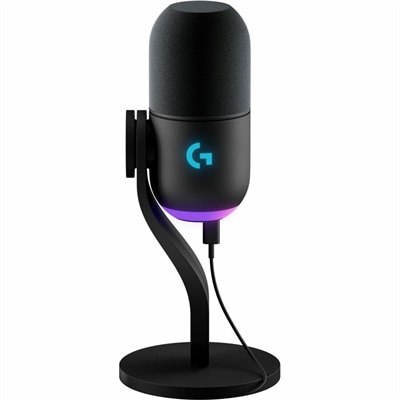
A black wired condenser microphone with AI noise cancellation, studio-grade tuning, and LED level monitoring.
Elevate your gaming experience with top-quality USB gaming microphones, designed to deliver crystal-clear audio and seamless communication. Whether you're streaming your gameplay, coordinating with your team, or simply enjoying a solo adventure, these microphones ensure your voice is heard loud and clear. Discover the perfect blend of performance and convenience with USB connectivity that makes setup a breeze. Dive into the world of immersive sound and take your gaming sessions to the next level with our selection of USB gaming microphones.
A black wired condenser microphone with AI noise cancellation, studio-grade tuning, and LED level monitoring.
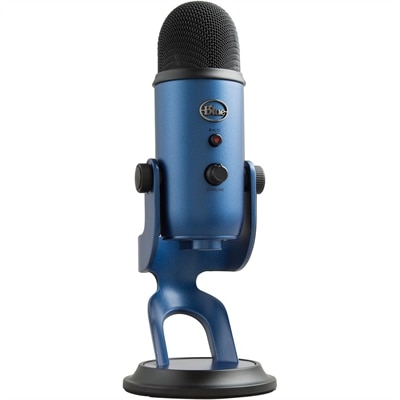
A black dynamic USB microphone with RGB lighting, noise rejection, and customizable vocal effects for streaming.
USB gaming microphones make it easier to add clear, natural-sounding communication to a computer or console setup without requiring a separate audio interface, mixer or complicated cabling. Most models connect directly through USB, allowing the microphone to send audio to a compatible laptop, desktop or gaming console with a straightforward plug-and-play setup. They are useful for multiplayer voice chat, Discord conversations, livestreaming, podcasting, recording gameplay commentary and keeping in touch with friends and family. A dedicated microphone can sound fuller and more consistent than the built-in microphone on a headset or computer, helping teammates hear callouts, stream viewers follow commentary and collaborators understand every word. When choosing among USB gaming microphones, check the connection type and compatibility first. Some use USB-C on the microphone with a USB-A cable for the computer, while others include USB-C connectivity for newer laptops and desktops. Console compatibility can vary, so review the supported platforms before purchasing. A compact desktop stand is convenient for a clean setup, while a boom arm can position the microphone closer to the speaker and free up valuable desk space for a keyboard, mouse, monitor or notebook. If the microphone will be moved between rooms or used with more than one device, a sturdy build, detachable cable and simple controls can make everyday use more comfortable.
Sound quality depends on more than a microphone’s appearance or lighting. Condenser microphones are known for capturing crisp detail and a lively vocal tone, making them a popular choice for streaming, commentary and quiet gaming rooms. Their sensitivity can also pick up keyboard clicks, controller buttons, computer fans and nearby conversations, so placement matters. Dynamic microphones generally reject more surrounding noise and can be a better fit for shared rooms, busy homes or desks near a window or cooling fan. Pickup pattern is another important specification. A cardioid pattern focuses on sound in front of the microphone and reduces audio from the sides and rear, which works well for a single person seated at a desk. Other patterns may be useful for interviews or group conversations, but they can capture more room sound. A physical gain control helps adjust microphone sensitivity without opening software, while a tap-to-mute button or sensor provides a quick way to silence coughing, keyboard noise or a private side conversation. Headphone monitoring through a built-in 3.5mm jack lets users hear their own voice with minimal delay and can reveal problems such as excessive volume, background hum or plosive sounds. A shock mount helps isolate the microphone from desk bumps, and a pop filter or foam windscreen can soften strong “p” and “b” sounds. Software may add equalization, noise reduction, compression, voice effects or lighting controls, but useful hardware controls remain valuable when a game is running full screen or attention is focused on a live conversation. For creators recording video, an option such as USB Microphones For YouTube Videos can also help compare microphones suited to spoken presentations and recorded content.
USB gaming microphones suit a wide range of users, from someone joining occasional evening matches to a dedicated streamer building a polished home studio. A student can use one for online group projects and gaming with classmates, while a remote worker may appreciate the clearer voice quality during calls. Content creators can use a USB microphone to record introductions, tutorials, reviews and gameplay narration, then move it aside when the desk needs to serve another purpose. These microphones can also make thoughtful gifts for a gamer, streamer, podcaster or family member who enjoys creating videos, especially when the recipient is upgrading from a laptop microphone or basic headset. During the cooler months, when more time may be spent indoors, a comfortable microphone setup can make long sessions feel more connected, whether friends are coordinating a cooperative game from different homes or a creator is recording in a quiet corner after work. Look for a model that matches the space rather than simply choosing the most feature-packed option. A small desk may call for a compact microphone with a low-profile stand; a noisy room may benefit from a dynamic design and cardioid pickup; and a creator who records regularly may value headphone monitoring, mute control and adjustable gain. Place the microphone several inches from the mouth, angle it slightly toward the speaker and keep the front of the microphone facing the user according to its pickup pattern. Speaking toward the microphone at a consistent distance usually produces a steadier result than increasing gain from across the room. With the right placement and connection, USB gaming microphones can bring clear, expressive audio to games, streams, recordings and everyday conversations while keeping a desk setup easy to use.
Add the products you would like to compare, and quickly determine which is best for your needs.