$254.99
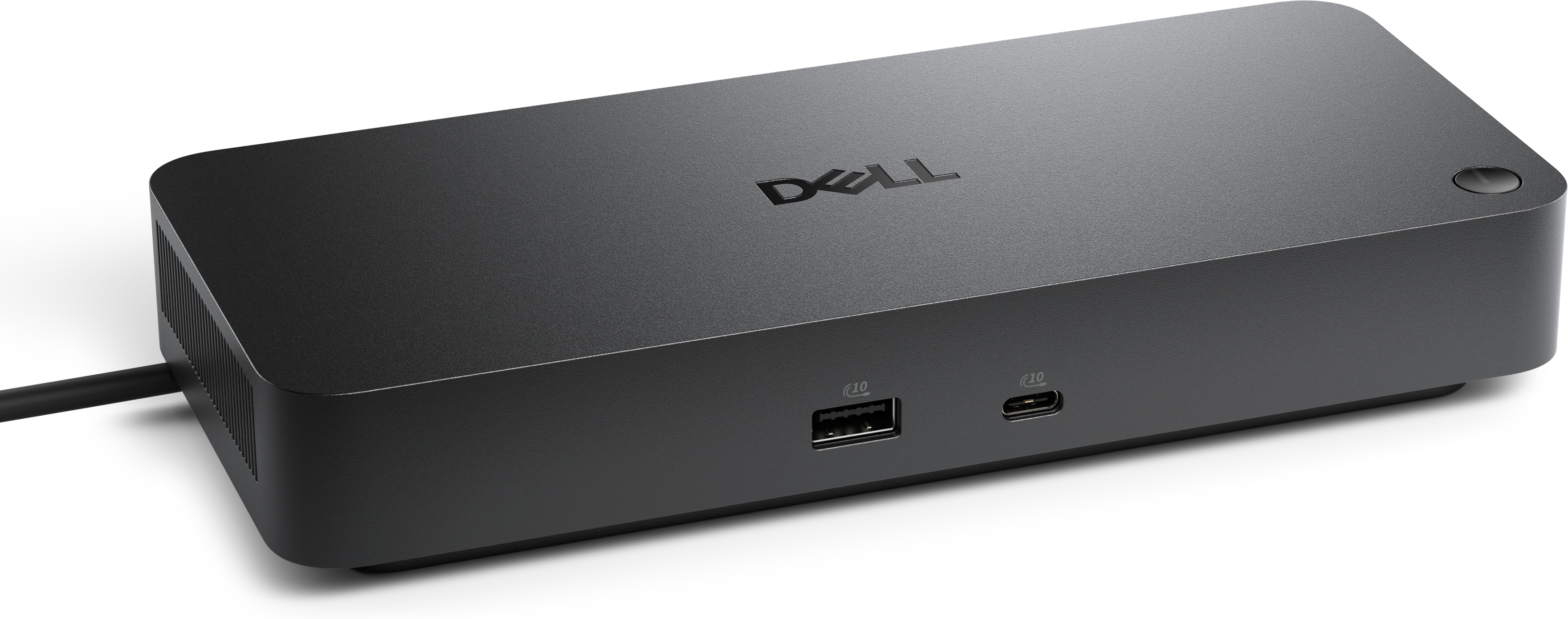
A Thunderbolt 4 dock delivering up to 130W of power for a powerful, streamlined workspace.
Expand your laptop’s connectivity and streamline your workspace with USB hubs for laptops. Ideal for students, professionals, and anyone on the go, these versatile accessories make it easy to connect multiple devices and peripherals to your laptop. Whether you need extra ports for storage, displays, or charging, USB hubs for laptops offer a convenient solution to enhance your productivity and keep all your essential devices connected. Discover a wide selection designed to suit any setup or requirement.
A Thunderbolt 4 dock delivering up to 130W of power for a powerful, streamlined workspace.
A versatile Thunderbolt 5 smart dock delivering up to 300W power with remote management capabilities.
USB hubs for laptops provide a practical way to expand the connections on a slim, modern computer without replacing the laptop or carrying a collection of separate adapters. A hub can turn one available port into several, making room for a wired mouse, keyboard, flash drive, headphones, printer, camera, or other everyday accessories. This is especially useful on lightweight laptops that prioritize portability and may include only a few built-in connections. Before choosing a hub, check which ports your laptop has and compare them with the devices you plan to use. USB-A ports have a familiar rectangular shape and remain common on many established accessories, while USB-C ports are smaller, reversible, and increasingly standard on newer laptops. A USB-C hub may include additional USB-A ports for older accessories, along with HDMI for connecting an external monitor, an SD or microSD card reader for moving photos, and USB-C power delivery pass-through for charging the laptop while the hub is connected. The right combination depends on your setup: someone using a laptop at a kitchen table may need only extra USB ports, while someone building a home office may value display connectivity, fast data transfer, and charging from a single compact accessory. For more options focused on newer laptops, explore USB-C Hubs for Expanding Laptop Connectivity.
Port selection is only one part of the decision. Consider the speed, shape, cable length, and power requirements that fit your routine. A portable hub draws power from the laptop, so it can be convenient for travel, classrooms, shared workspaces, and coffee-shop tables where an outlet may not be nearby. Its small footprint can slip into a laptop sleeve beside a charging cable, and a short attached cable helps keep the setup tidy when space is limited. A powered hub connects to a wall outlet and can be a better choice for a permanent desk where several accessories need dependable power at the same time. This arrangement may be helpful when using multiple peripherals, charging compatible devices, or connecting equipment that draws more power than a basic portable hub is designed to provide. HDMI support can extend the laptop display to a monitor or television for larger documents, creative projects, video calls, or a more comfortable viewing arrangement. Keep in mind that the laptop, hub, cable, and display must all support the desired resolution and refresh rate. Likewise, a hub’s advertised transfer speed is useful only when the laptop and connected accessory support that standard. A simple inventory of your current equipment can prevent mismatched connections: note whether each accessory uses USB-A or USB-C, whether you need a card reader, whether a display connection is important, and whether the laptop must charge while everything remains plugged in. Build quality also matters. A sturdy housing, secure connectors, clear port labels, and a cable that bends without feeling fragile can make a noticeable difference when the hub is connected and disconnected every day.
USB hubs suit a wide range of people because they solve an ordinary problem in a compact, easy-to-share format. A remote or hybrid worker can leave a keyboard, mouse, webcam, and monitor arranged at a desk, then disconnect one hub cable when it is time to move the laptop to another room. A student can connect a presentation display, USB accessories, and removable media without crowding the laptop’s built-in ports. A photographer or content creator may appreciate a card reader and additional connections for reviewing images, while a frequent traveler can keep a lightweight hub in a carry-on for unfamiliar workspaces and hotel desks. Families may find them useful for keeping shared laptops ready for schoolwork, video calls, printing, or personal projects. They can also make thoughtful gifts for someone setting up a first home office, returning to campus, upgrading a workspace, or switching to a laptop with fewer built-in ports. During the cooler months, when more work, study, and entertainment may happen indoors, a hub can help create a comfortable station with fewer cables spread across a desk or side table. As laptops continue to become thinner and more portable, a USB hub offers a straightforward way to preserve the convenience of full-size accessories while maintaining a clean, flexible setup. Choose a model based on the laptop’s port type, the number and type of accessories in regular use, the need for display output or charging pass-through, and whether portability or wall-powered performance matters most.
Add the products you would like to compare, and quickly determine which is best for your needs.


