$169.99
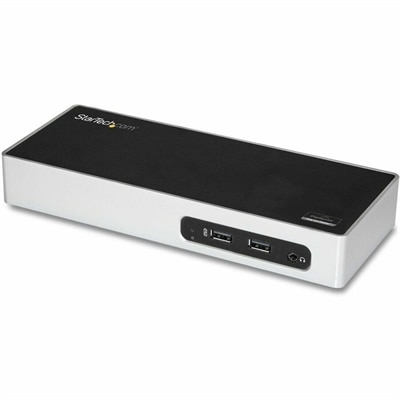
A professional docking station delivering 130W power and versatile connectivity for streamlined productivity.
Laptop hubs are essential accessories for anyone looking to expand connectivity and streamline their workspace. With a laptop hub, you can easily connect multiple devices, transfer data, and enhance productivity whether you're at home, in the office, or on the go. Explore a wide selection of laptop hubs designed to support your everyday computing needs and help you make the most of your setup.
A professional docking station delivering 130W power and versatile connectivity for streamlined productivity.
A smart docking station offering up to 130W USB-C power delivery and remote management capabilities.
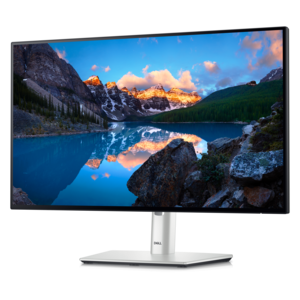
A TÜV-certified USB-C hub monitor offering 4-star eye comfort, enhanced productivity and extensive connectivity.
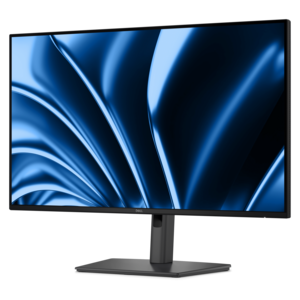
A Full HD hub monitor with extensive connectivity, 100W power delivery and TÜV-certified 4-star eye comfort.
Laptop hubs provide a practical way to expand the capabilities of a laptop without adding much bulk to a daily setup. Designed to connect through a single compatible USB-C port, these compact accessories can add useful connections such as HDMI for an external monitor, USB-A for older peripherals, USB-C for compatible accessories, and an SD or microSD card reader for moving photos and video files. Some also include an Ethernet connection for a wired internet connection, which can be helpful when wireless service is inconsistent. Because a hub is typically lightweight and powered through the laptop, it fits easily into a computer bag, backpack or desk drawer, making it a convenient companion for work, school, travel and flexible home computing. Before choosing a laptop hub, check the ports on the computer and consider which connections are used most often. A newer laptop with several USB-C ports may need a different arrangement than a thin model with only one available port. It is also worth checking whether the laptop supports video output through USB-C, since an HDMI port on a hub can only send a display signal when the computer’s USB-C port has the appropriate capability. Reviewing the hub’s maximum resolution and refresh rate helps set expectations for an external monitor, projector or television, especially when displaying detailed creative work, presentations, streaming content or fast-moving visuals.
The right Laptop Hubs can help create a more comfortable workspace by turning a single laptop connection into a central point for everyday accessories. A student may use one to connect a monitor, keyboard, mouse and flash drive at a study desk, then unplug one cable and carry the laptop to class. Someone working from home may connect a larger display for a wider view of documents, a full-size keyboard for a more relaxed typing position and a wired internet connection for dependable video meetings. A photographer, designer or content creator may appreciate a card reader that makes it easier to move images and footage from a camera, while a frequent traveler may prefer a slim hub with only the essential connections. For presentations, an HDMI-equipped hub can make it simpler to connect to a meeting-room display without carrying a collection of separate adapters. When several accessories will be connected at once, look closely at the total number and type of ports, as well as the data-transfer speed listed for each one. USB-A ports may support different speeds from USB-C ports, and a card reader may have its own performance limits. A hub can also be a thoughtful gift for a college student, remote worker, creative professional or anyone moving between a portable laptop and a more complete desk setup. For additional ways to match a computer with compatible connectivity accessories, explore Laptop Adapters.
Laptop hubs and full docking stations serve related but different purposes. A hub is generally smaller, easier to carry and designed for quick expansion when a laptop needs a few extra connections. It commonly draws power from the computer and works well for travel, classrooms, shared workspaces and occasional monitor use. A docking station is usually larger, may require an external power adapter and is better suited to a permanent desk arrangement with several accessories or multiple high-resolution monitors. Some hubs support pass-through charging, allowing a compatible laptop charger to connect through the hub while the computer is in use. This can reduce cable changes at a desk, but the hub’s power-delivery rating should be compared with the laptop’s charging requirements, and the available power may be shared with connected accessories. Physical design matters as well: a short integrated cable can keep a travel setup neat, while a longer cable may provide more flexibility around a monitor stand or laptop riser. Metal and other durable housings may offer a solid feel for frequent packing, while a lighter design can be preferable for commuters. During the cooler months, when work and study routines often shift indoors, a dependable hub can help turn a kitchen table, guest room or quiet corner into a capable workstation without permanently changing the space. Selecting a hub based on laptop compatibility, needed ports, display support, power delivery, transfer speeds and portability creates a setup that feels organized and ready for the way the computer is actually used.
Add the products you would like to compare, and quickly determine which is best for your needs.