DisplayPort Hubs
Expand your connectivity and streamline your workspace with DisplayPort hubs. Ideal for professionals, gamers, and anyone seeking efficient multi-device setups, these versatile solutions make it easy to connect multiple displays and peripherals to your computer or laptop. Discover a wide selection of DisplayPort hubs designed to support seamless productivity and entertainment, ensuring you get the most out of your devices.
This product is not available
Check out the following recommendations.
Related Products
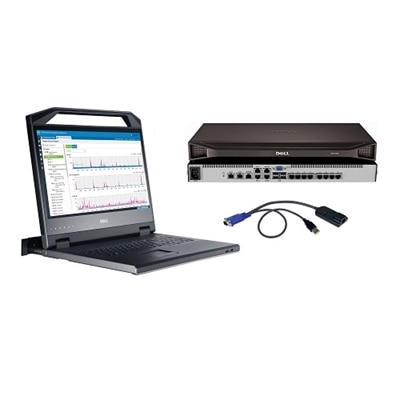
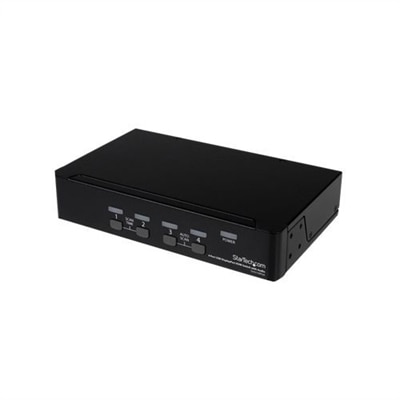
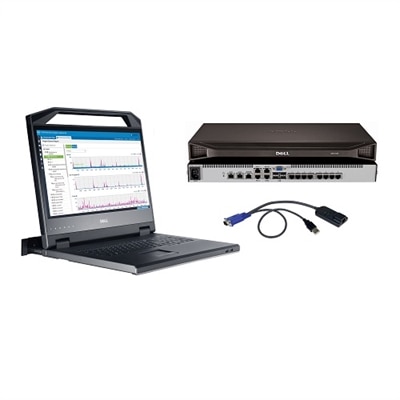
DisplayPort Hubs
DisplayPort hubs make it easier to build a multi-monitor workspace from a compatible laptop or desktop without running a separate video cable from every screen directly to the computer. A hub receives a video signal through a DisplayPort or compatible USB-C connection and distributes it to two or more DisplayPort outputs, often using Multi-Stream Transport (MST) technology. With MST, one source connection can carry multiple display streams, allowing supported Windows computers to extend the desktop across separate monitors. This can be useful for keeping email, documents and communication tools visible at the same time, arranging reference material beside creative software, or monitoring several applications without repeatedly switching windows. A typical home office may use one display for a calendar and messages and another for focused work, while a compact workstation can place a laptop beside a larger monitor for a more comfortable viewing area. DisplayPort hubs can also help simplify a shared desk used by family members, students or remote professionals, especially when the goal is to reduce cable clutter around a small desk. Before choosing a hub, count the monitors you plan to connect and confirm the video ports available on the computer. Some hubs connect to a full-size DisplayPort output, while others use USB-C with DisplayPort Alt Mode. A USB-C port does not automatically support video, so check the computer’s specifications for DisplayPort Alt Mode or a compatible Thunderbolt connection. It is also important to distinguish a video hub from a basic passive splitter. A splitter may duplicate one image, whereas an MST hub is designed to create separate extended displays when the computer, operating system and monitor configuration support that feature. Mac computers can have different behavior with standard MST hubs than Windows computers, and many configurations mirror the same image across connected screens instead of extending one independent desktop to each display. Reviewing operating-system support before purchase helps set realistic expectations and prevents surprises after the hub arrives.
Resolution and refresh rate are equally important because all connected displays share the available bandwidth of the main connection. A computer with DisplayPort 1.2 may support a different combination of resolutions and refresh rates than one with DisplayPort 1.4, and the total capacity is divided as more screens are added. For example, a setup with two high-resolution monitors may need a faster DisplayPort standard, shorter or higher-quality cables, and a computer with sufficient graphics capability to maintain the desired refresh rate. A single display may run at a higher resolution or refresh rate than two or three displays connected through the same hub. Look beyond the maximum resolution printed in a product description and consider the full arrangement: the number of monitors, the resolution of each screen, the refresh rate needed for smooth motion, and whether features such as high dynamic range or content protection matter for your use. The monitor itself must also support the selected resolution and refresh rate through its DisplayPort input. For a dependable connection, use cables rated for the video standard and length required by the setup; browsing DisplayPort Cables can help match the hub and monitors with suitable connections. Cable management is worth planning at the same time. A hub positioned near the laptop can keep several monitor cables together, while the computer connects to the hub with one longer cable. In a narrow workspace, this arrangement can leave more room for a keyboard, notebook or charging accessories. In a larger office, labeling each cable by monitor position makes it easier to move the setup or troubleshoot a blank screen later. Pay attention to whether the hub is bus-powered or requires an external power adapter. Small, straightforward hubs may draw power from the computer, while configurations with multiple outputs, higher resolutions or additional functions may benefit from dedicated power. An externally powered design can provide a steadier connection in demanding setups, though it adds another item to place near an outlet.
DisplayPort hubs are a practical choice for professionals, students, creators, gamers and anyone who works more comfortably with additional screen space. A spreadsheet user can keep source figures on one monitor and a report on another; a designer can reserve one screen for a canvas and the other for palettes and reference images; and a gamer or entertainment enthusiast can use a larger display while retaining a second screen for chat or system information, subject to the computer’s graphics capabilities. They can also be a thoughtful accessory for someone setting up a first home office, refreshing a study area during the cooler months, or organizing a shared workspace before spending more time indoors. The best fit depends less on the number of outputs alone and more on the entire chain of devices. Confirm the computer’s DisplayPort version, USB-C video support if applicable, operating system, graphics hardware and available bandwidth. Then check the hub’s output arrangement, supported resolutions, refresh rates, power requirements and any need for software. Standard DisplayPort MST connections generally work through the computer’s built-in video support, while universal USB display accessories may rely on additional drivers or software and can behave differently across operating systems. If a screen is not detected, common checks include reseating each cable, selecting the correct input on the monitor, testing one display at a time, confirming that the computer supports MST, and installing approved system or graphics updates. It is also wise to consider physical placement: a compact hub can travel between a home desk and an office, while a powered model may be better suited to a permanent workstation. By matching the hub to the computer, monitors and intended workflow, shoppers can create a cleaner multi-display arrangement that feels natural to use, whether the goal is productive multitasking, creative work, distance learning or a more organized everyday desk.
FAQs:
A DisplayPort hub allows you to connect several monitors to a single device, creating a more efficient and organized workspace. This is ideal for multitasking, as you can run different applications on separate screens, making it easier to compare data, participate in video conferences, and manage complex workflows.
Yes, most DisplayPort hubs are designed to be compatible with both laptops and desktops that have a DisplayPort output. They provide a flexible solution for expanding your display setup, whether you’re working in a home office or on the go.
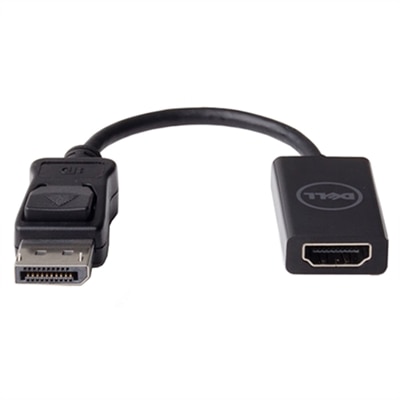
Many DisplayPort hubs offer a variety of output options, including additional DisplayPort, HDMI, and sometimes even VGA. This makes it easy to connect to different types of monitors or projectors, and you can also use a converter display port to HDMI if your monitor requires it.
DisplayPort hubs are particularly useful for professionals who need to manage multiple tasks at once, such as graphic designers, financial analysts, and software developers. They also make a great addition for gamers seeking an immersive multi-monitor experience, or students who need to reference multiple documents simultaneously.
To guarantee optimal performance and compatibility, it's best to use high-quality cables that match the specifications of your hub and monitors. For more information and to find suitable options, you can visit our page for DisplayPort Cables.