$17.99
A compact dual-band Wi-Fi adapter offering fast, secure connections with easy setup and automatic roaming.
Upgrade your connectivity with usb wi-fi adapters for Windows 10, designed to provide a seamless wireless experience for your desktop or laptop. Perfect for home, office, or on-the-go use, these adapters offer an easy solution to access reliable internet without internal Wi-Fi hardware. Explore a variety of options to find the right usb wi-fi adapter that meets your needs and enhances your device’s wireless capabilities on Windows 10.
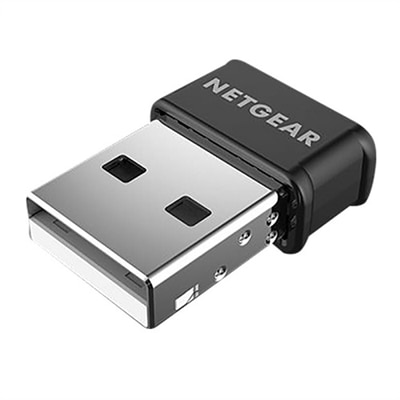
A compact dual-band Wi-Fi adapter offering fast, secure connections with easy setup and automatic roaming.
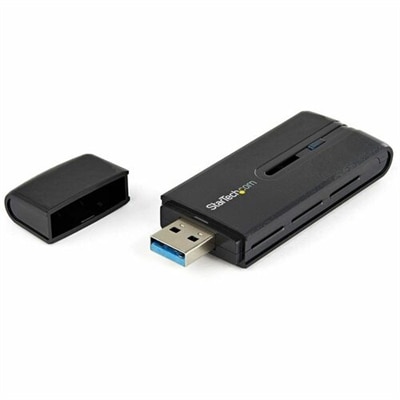
A black dual band USB 3.0 adapter delivering fast AC1200 WiFi with secure WPS and LED indicator.
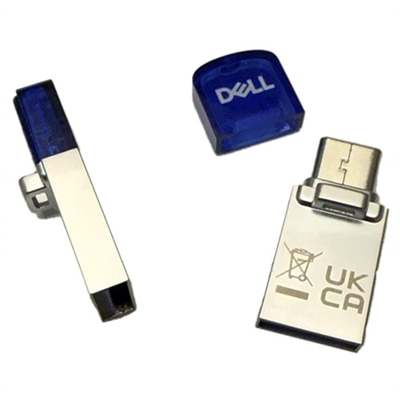
A compact dual-band USB Wi-Fi adapter providing reliable 802.11ac wireless connectivity for laptops and desktops.
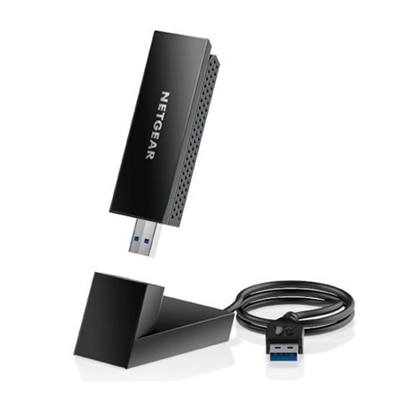
An external USB Wi-Fi adapter offering tri-band connectivity and enhanced speed for seamless internet access.
USB Wi-Fi adapters for Windows 10 provide a practical way to add or improve wireless connectivity on a compatible laptop or desktop. They are especially useful when a computer does not have built-in Wi-Fi, when an older internal wireless component no longer performs reliably, or when a desktop is positioned too far from a router for a convenient wired connection. Most adapters connect through a USB port and are designed for straightforward installation, making them useful for home offices, shared family computers, dorm rooms, media areas and workspaces where running a cable across the floor is inconvenient. Before choosing one, check the computer’s available USB ports, operating system requirements and the adapter’s driver support for Windows 10. A USB 3.0 connection is generally preferable for higher-throughput adapters because it offers more bandwidth than USB 2.0, although actual results depend on the computer, wireless standard, router, internet plan and surrounding conditions. Compact models sit close to the port and travel easily with a laptop, while adapters with an external antenna or adjustable positioning can make it easier to place the receiver where the signal is clearer. This can be helpful in rooms separated by thick walls, on desktops tucked beneath a desk, or in homes where the computer is several rooms away from the router. Dual-band support allows a compatible computer to use both 2.4 GHz and 5 GHz connections: 2.4 GHz can reach farther and pass through obstacles more effectively, while 5 GHz may offer faster performance with less congestion at shorter distances. Some newer adapters support Wi-Fi 6, which can be a strong match for a modern Wi-Fi 6 router and multiple connected devices, while Wi-Fi 5 remains a suitable option for many everyday homes. Wireless ratings such as AC1300 or AX1800 describe theoretical maximum throughput across supported bands, not the speed a user will necessarily see during a download or video call. Real-world performance is shaped by distance, interference, router placement, other devices sharing the connection and the quality of the broadband service. A USB Wi-Fi adapter can help a computer make better use of an existing connection, but it cannot raise the speed beyond what the internet service and home network can provide.
When comparing USB Wi-Fi adapters for Windows 10, consider how the computer is used as well as the specifications on the package. A basic dual-band adapter may be well suited to email, web browsing, online learning, cloud applications and occasional streaming. A faster adapter with a well-positioned antenna can be more appropriate for high-resolution video, large file transfers, video conferencing, online gaming and households where several people connect devices at the same time. For gaming, the adapter’s advertised speed matters, but stable signal quality, low interference and a sensible distance from the router are just as important; placing a desktop in an open position and avoiding crowded USB ports can help. If a laptop will travel between rooms or locations, a small low-profile design may be more convenient than a larger model with a protruding antenna. For a desktop that stays in one place, an adapter with an extension cradle or movable antenna can provide more flexibility. Installation usually involves connecting the adapter, allowing Windows 10 to identify it, and installing the appropriate driver if one is not already available. Download drivers only from a trusted manufacturer or support source, and review the product’s security compatibility before setup. Support for WPA2 and, where available, WPA3 helps a compatible router and computer use stronger wireless protection; the adapter, router and operating system must all support the selected security mode. It is also wise to confirm whether the computer runs a 32-bit or 64-bit version of Windows 10 when a manual driver is required. These adapters can make useful gifts for students setting up a study desk, remote workers refreshing an older desktop, family members who need a dependable connection in a spare room, or anyone assembling a compact entertainment setup. They can also complement other Windows 10 accessories, including Controllers Compatible With Windows 10, when a computer serves as a place for both productivity and play. For the best fit, compare the adapter’s wireless standard with the router’s capabilities, choose a USB connection suited to the computer, and select the antenna style that matches the room and daily routine. A thoughtfully matched adapter can reduce cable clutter, extend the useful life of an older Windows 10 computer and make everyday wireless tasks feel more consistent during the cooler months, when work, study and entertainment often move indoors.
Add the products you would like to compare, and quickly determine which is best for your needs.