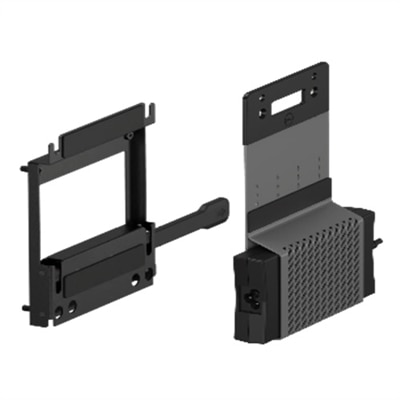
VESA Adapters
VESA adapters are essential components for enhancing the versatility and functionality of your display setups. Designed to facilitate seamless compatibility between various monitors and mounting systems, these adapters ensure that your screens are securely and efficiently mounted, whether in a home office, gaming station, or professional workspace. With VESA adapters, you can easily customize your viewing experience to achieve the perfect ergonomic setup, optimize space, and maintain a clean, organized environment. Explore our selection of VESA adapters to find the ideal solution for your mounting needs and elevate your display configuration to new heights.
This product is not available
Check out the following recommendations.




VESA Adapters
VESA adapters help bridge the gap between a display and the stand or wall mount you want to use when their mounting points do not match. A VESA pattern refers to the horizontal and vertical spacing of the threaded holes on the back of a compatible screen, measured in millimeters. Common patterns include 75 x 75, 100 x 100, 200 x 200, and larger configurations, although some displays use less familiar dimensions. An adapter can convert one hole pattern to another, extend a smaller mounting interface to fit a larger bracket, or provide a mounting solution for a screen that has no built-in VESA holes. This makes an adapter useful when a replacement display is a different size than an existing mount, when a compact monitor needs to join a more widely spaced bracket, or when a slim screen has a smooth back with no visible mounting points. Instead of replacing a stand or wall mount that is otherwise sturdy and well positioned, the right adapter can help you make better use of equipment you already own. A VESA adapter may be especially helpful in a home office, study area, gaming corner, classroom, reception space, or shared workspace where screen height and viewing angle affect comfort throughout the day. It can also support a cleaner setup by moving a display off a crowded desk, leaving more room for a keyboard, notebook, speakers, or other everyday accessories. For a more flexible desktop arrangement, browse VESA Stands alongside compatible mounting accessories.
Compatibility should be the first consideration when choosing a VESA adapter. Start with the exact screen model number, then check the display’s weight, diagonal size, mounting-hole pattern, and the location of those holes in relation to the back panel. If the display has standard threaded holes, a pattern-conversion bracket may be appropriate; these adapters generally use a plate, arms, or extension rails to connect the existing holes to a stand or mount with a different spacing. If the screen has no mounting holes, a non-VESA adapter may use a carefully positioned frame or clamp around the display. These options require closer attention to the screen’s bezel width, rear contours, ventilation openings, button placement, and allowable clamping points. The adapter must rest securely without pressing against the panel or covering airflow paths. Confirm that the combined weight of the display and adapter remains within the capacity of the stand, arm, or wall mount, and verify that the mount supports the resulting screen size. Hardware is another important detail. Check thread size and length, spacer requirements, washer placement, and whether the included screws reach the mounting points without extending too far into the display. A screw that is too short may not hold securely, while one that is too long can damage internal components. When comparing options, look for clear compatibility information, a sturdy construction suited to the intended orientation, and instructions that explain how the adapter attaches. These details matter whether you are creating a single-screen workstation, aligning several displays, replacing an aging screen, or adapting a display for a room where the mounting position needs to be higher, lower, closer, or farther from the wall.
A well-chosen VESA adapter can make a practical difference in everyday comfort and organization. A display mounted at a natural eye level may help reduce the habit of leaning forward, while an adjustable arm can make it easier to turn the screen toward a colleague, shift between focused work and shared viewing, or clear the desk before writing. In a compact room, mounting can also open up valuable surface area and create a more orderly appearance, particularly when cables are routed behind the display and secured with suitable clips. Families may use an adapter to refresh a shared study area, remote workers may use one to improve a dedicated workspace, and small businesses may use several to create consistent stations without replacing every existing mount. It can be a thoughtful gift for someone setting up a first home office, refining a creative workspace, or reorganizing a room around a larger display, provided the recipient’s screen model and mount specifications are known. Before installation, place the display face down on a soft, clean surface, remove any original stand only as directed by the manufacturer, and keep small hardware organized so the correct screw and spacer are easy to identify. Tighten fasteners evenly and securely without forcing them, then test the finished setup gradually while checking for movement, tilt, cable strain, and contact with the wall or desk. When a mount or adapter is attached to a wall, use the appropriate anchors or fasteners for the wall material and attach only where the structure can safely support the load. Taking a few minutes to confirm the pattern, dimensions, weight rating, clearance, and hardware can help create a stable, comfortable display setup that remains useful through changing work routines and room layouts.
FAQs:
A VESA adapter allows you to mount your monitor on a wall, arm, or stand, helping you save desk space, improve ergonomics, and create a cleaner, more organized workspace. It also offers flexibility to adjust the monitor’s height, angle, and orientation for a more comfortable viewing experience.
VESA adapters are ideal for remote professionals, students, gamers, and creative enthusiasts looking to maximize their workspace. They’re also great for anyone who wants to set up multiple monitors or create a streamlined, modern look at home or in the office.
A Dell VESA adapter plate is designed to bridge the gap between monitors that do not have standard VESA mounting holes and VESA-compatible mounting solutions. This ensures a secure fit and broadens your options for mounting, whether you’re using a wall mount, desk arm, or stand.
Yes, VESA adapters are commonly used to mount multiple monitors in a variety of configurations. This makes it easier to arrange screens side-by-side or in a stacked layout, which is especially beneficial for multitasking, gaming, or creative work.
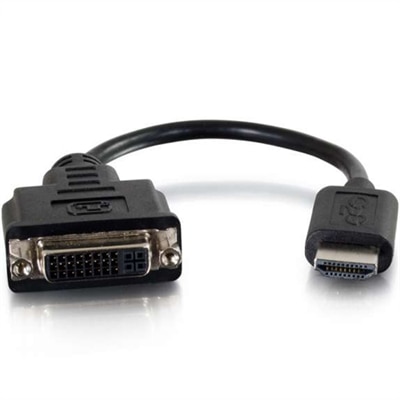
Complementary accessories include monitor arms, cable management systems, and connectivity adapters such as DVI Adapters. These can help you achieve a cleaner setup, reduce cable clutter, and ensure compatibility between different devices.