$570.00
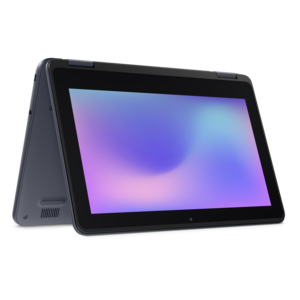
A durable, serviceable Chromebook designed specifically for education environments.
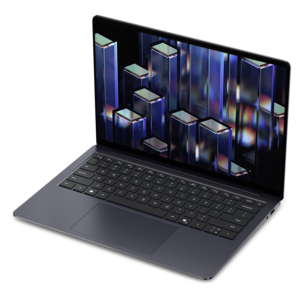
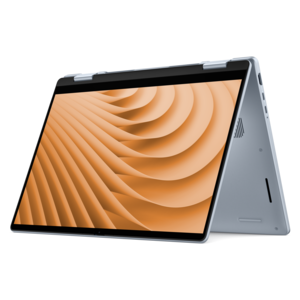
Finding the right laptop can make all the difference when it comes to efficient programming and coding. Dell offers a range of laptops under $2,000 designed to support everything from software development to complex coding projects. With powerful performance, reliable battery life, and sleek designs, these laptops offer the perfect balance of value and capability for both beginners and experienced programmers alike. Explore top choices that fit your budget while meeting the demands of modern coding environments.
A durable, serviceable Chromebook designed specifically for education environments.
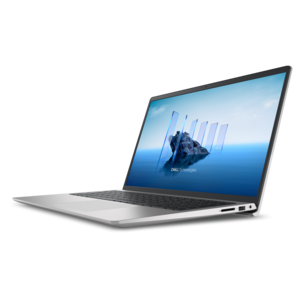
A laptop featuring an FHD camera, enlarged ergonomic keyboard, and AMD Ryzen™ processing.
A durable, serviceable laptop or 2-in-1 designed specifically for K-12 learning environments.
A durable, serviceable Chromebook laptop or 2-in-1 designed specifically for K–12 environments.
A durable, serviceable Chromebook designed specifically for education environments.
A laptop featuring Intel® 13th Gen processors, a built-in FHD camera, and an enlarged ergonomic keyboard.
A thin, lightweight laptop crafted from eco-friendly materials with Series 3 Intel Core processors for productivity.
A durable, serviceable laptop or 2-in-1 designed specifically for demanding education environments.
A durable, serviceable laptop designed specifically for demanding education environments.
A portable laptop with a sleek design, 16:10 display, and AI PC options for productivity anywhere.
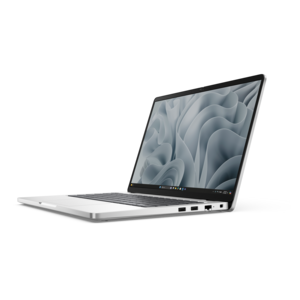
A remarkably thin, lightweight laptop designed for ultimate mobility.
A durable productivity laptop featuring an expansive 16:10 display and convenient numeric keypad.
A sleek, portable laptop with an expansive 16:10 display for reliable productivity anywhere.
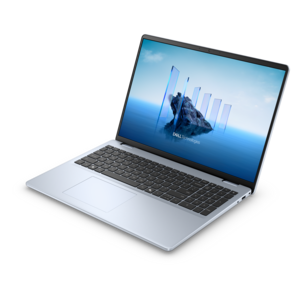
A modern laptop with AMD Ryzen™ processors, delivering effortless productivity and captivating entertainment in a design.
A slim, lightweight laptop with Intel® Core™ processors and graphics for productive work anywhere.
A versatile 2-in-1 laptop with multiple modes, Intel Core processors, and DDR5 memory for mobile creativity.
A modern laptop with Intel® Core™ processors and graphics for effortless productivity and captivating entertainment.
A lightweight AI-powered laptop designed for creative professionals and small businesses.
A durable, modular laptop with robust security, a spacious 16:10 display, and optional built-in AI.
A sleek laptop with a stylish design, delivering powerful performance for modern multitasking.
A stylish laptop with built-in AI and a spacious display for creators and developers.
A versatile 2-in-1 laptop designed for AI experiences and seamless multitasking on the go.
A sleek laptop powered by AMD Ryzen AI 400, designed for smooth, capable multitasking.
A sleek laptop powered by the latest AMD Ryzen AI 400 Series processors for demanding users.
Choosing among laptops under $2000 for programming and coding starts with understanding how the computer will be used from one working session to the next. A student building a first portfolio, a software developer maintaining large applications, and a creative professional learning a new programming language may all value different features, but a strong processor, ample memory, fast storage, and a comfortable keyboard form the foundation for nearly every coding setup. Look for at least 16GB of RAM, which gives an integrated development environment, browser documentation, terminals, testing tools, and communication apps room to run together without constant slowdowns. Moving to 32GB can be worthwhile for people who use several development environments at once, work with large datasets, run virtual machines, or compile complex projects frequently. Processor performance matters when code must be built, tested, or packaged repeatedly, yet sustained performance is just as important as a brief burst of speed. A well-designed laptop should remain responsive during long work sessions rather than feeling quick only for the first few minutes. A solid-state drive of 512GB provides a practical starting point for operating system files, programming tools, source code, project assets, and local backups, while a 1TB drive offers welcome breathing room for multiple projects and large development libraries. Storage capacity is easy to overlook when a laptop is new and empty, but folders can fill quickly once software development kits, container images, design files, and testing environments begin accumulating.
The keyboard deserves particular attention because programming involves hours of typing, editing, navigating, and revising lines of code. A firm, comfortable key response, useful spacing, and dedicated function controls can make a noticeable difference during a long afternoon of debugging. Backlighting is helpful in a dim room, while a precise touchpad makes it easier to move between windows when a separate mouse is not available. Screen size is another meaningful choice. A compact display makes a laptop easier to carry between classrooms, offices, libraries, and living rooms, while a larger display gives code, documentation, terminal windows, and previews more space to coexist. A high-resolution panel can make small text and interface elements appear cleaner, although scaling options should be considered so that code remains comfortable to read. Brightness and viewing angles are important for people who work near windows or move between locations, and a matte finish may help reduce distracting reflections. Developers who spend time reviewing visual interfaces may also appreciate accurate color and a smooth refresh rate, while those focused mainly on text-based work may prefer to prioritize keyboard comfort and battery life. Battery capacity, charging speed, weight, and build quality all shape the everyday experience. A sturdy chassis can withstand a commute in a backpack, and a reasonably light design is easier to carry when a project requires working away from a desk. Port selection should also match the intended workspace: USB connections, a display output, audio support, and modern wireless connectivity can reduce the need for adapters when connecting an external monitor, development accessories, or presentation equipment.
Operating system compatibility should be decided before choosing a configuration. Developers creating applications for a particular mobile or desktop platform may need that platform’s native tools, while people building websites, cross-platform applications, scripts, or business software often have more flexibility. A Unix-based environment can be especially comfortable for command-line workflows and tools that mirror common hosted development environments, while Windows provides broad compatibility with business applications, programming utilities, and hardware accessories. Linux distributions may appeal to experienced developers who want extensive control over the software environment. Before purchasing, check that the languages, frameworks, databases, emulators, and code editors used most often support the selected operating system. It is also wise to verify upgrade options, because some thin laptops have memory or storage that cannot be replaced later. A dependable webcam and microphone benefit remote classes, team meetings, and technical interviews, while a clear speaker system makes instructional videos and recorded presentations easier to follow. For people who work with graphics programming, game development, machine learning experiments, or 3D tools, a dedicated graphics processor may be useful; for web development, automation, scripting, and many general software projects, investing in processor quality, memory, and battery life may provide more practical value. These laptops can make thoughtful gifts for a college student entering a computing program, a career changer building new skills, or a family member who wants a capable computer for both coding and everyday tasks. Consider the recipient’s desk setup, preferred operating system, travel habits, and experience level rather than focusing only on benchmark numbers. Developers who usually work at a fixed desk and need several large displays may prefer a desktop; compare the options in What Is the Best Desktop Under $2000 for Programming and Coding? before making a final choice. A laptop remains the more flexible option for anyone who values mobility, whether that means moving from a home office to a classroom, bringing projects along during travel, or settling into a quiet corner during the cooler months.
Add the products you would like to compare, and quickly determine which is best for your needs.