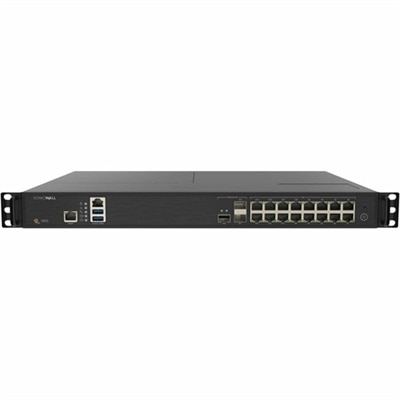
Wireless Network Protection
In today's interconnected world, safeguarding your digital environment is more crucial than ever. Wireless network protection stands at the forefront of securing your online activities, ensuring that your personal data and devices remain shielded from potential threats. As you explore the essentials of wireless network protection, you'll discover a range of solutions designed to enhance the security of your home or business network. Whether you're looking to prevent unauthorized access or protect sensitive information, investing in robust wireless network protection is a vital step towards maintaining peace of mind in an increasingly digital age.
This product is not available
Check out the following recommendations.




Wireless Network Protection
Wireless network protection helps safeguard the laptops, desktops, and personal information that depend on Wi-Fi every day. It combines secure connection settings with device-level defenses, helping reduce exposure to unauthorized access, malicious software, and attempts to intercept sensitive information. Effective protection starts with long, unique passwords for both the wireless network and its administrative account, WPA3 encryption where supported, and WPA2 with AES encryption when compatibility requires an alternative. Disabling Wi-Fi Protected Setup, commonly called WPS, removes a connection shortcut that can introduce security weaknesses. Current software and firmware, restricted remote administration, and a properly isolated guest connection add further layers of protection. These measures serve different purposes: encryption protects information traveling over the wireless connection, while security software helps defend the computer using it. Neither replaces the other. For someone paying household bills at the kitchen table, attending a video appointment from a bedroom, or reviewing work documents in a shared apartment, that layered approach is more useful than relying on a single security feature. Relevant software categories may include endpoint protection, firewall tools, and virtual private network services, with suitability depending on the device, operating system, and intended use. A firewall can help control incoming and outgoing connections; endpoint protection can detect certain harmful files or suspicious activity; and a virtual private network can encrypt traffic between a device and the service’s endpoint. A VPN does not make every website trustworthy, prevent every phishing attempt, or guarantee anonymity. The strongest fit is protection that addresses the way a computer is actually used without adding unnecessary complexity. A family desktop used by several people has different management needs from a laptop carried between college classes, and a remote worker may need to follow employer requirements rather than choose independent security settings. Clear controls, understandable alerts, and compatible features help make those distinctions manageable.
Compatibility matters as much as the length of a feature list. Wireless security capabilities depend on both the computer and the connection it joins, so support for newer encryption should be considered alongside operating system requirements and wireless adapter capabilities. WPA3 offers stronger protections than older wireless standards, but some devices require WPA2 compatibility. Older WEP and original WPA security are not appropriate substitutes for current protection. For security software, a suitable fit includes support for the installed operating system, enough computing resources for background scanning, and licensing that matches the number of eligible devices. Someone editing large photo libraries or joining frequent video calls may place particular value on configurable scanning schedules and a light performance footprint. A household sharing one desktop may benefit more from straightforward status information and settings that do not require repeated attention. Software maintenance is the equivalent of ongoing care: current threat definitions, operating system patches, supported application versions, and firmware updates help address weaknesses discovered after installation. Automatic updates can reduce missed maintenance, although restart requirements and update timing still matter during a busy workday. Long-term usefulness depends less on physical durability than on continued developer support, compatibility with future system updates, and a clear support lifecycle. Account security also deserves attention, particularly when protection settings can be managed online. A unique account password and multifactor authentication, where offered, help reduce the risk that a compromised login becomes a way to change those settings. Recovery options should be understandable and accessible to the authorized account holder. Practical protections also distinguish between trusted private connections and unfamiliar public ones. A laptop connecting in a hotel lobby should not automatically expose shared folders as though it were on a private household connection. Public-network profiles, controlled file sharing, and sensible firewall permissions can help keep routine travel from creating unnecessary access to the device.
Everyday situations make the value of wireless network protection easier to see. A visitor checking email should not need the same access as the person whose desktop holds tax documents and family photographs. A guest network with appropriate isolation can separate visitors and connected household devices from primary computers, although the actual separation depends on its configuration. Long, unique Wi-Fi passphrases help limit unwanted access, while changing default administrative credentials protects the settings that govern the connection. Remote management that is not needed can remain disabled, reducing exposure of administrative controls from outside the local network. These background safeguards are especially relevant in shared homes, home offices, and other spaces where several people connect throughout the day. Away from home, confirming the correct network name with the venue can help avoid look-alike hotspots, while disabling automatic connections to unfamiliar networks reduces accidental connections. Encrypted websites remain important, but a padlock alone does not establish that a business or message is legitimate. Protection against suspicious downloads and fraudulent sign-in pages therefore complements wireless encryption rather than duplicating it. For households that use both wireless laptops and desktops connected by cable, Wired Network Security provides a related area of protection to consider; a cable connection does not eliminate the need for updates, access controls, or device security. The most useful combination supports ordinary routines without encouraging a false sense of certainty. A student moving between a residence hall and a library needs protection that remains active across changing connections. A freelancer handling client files needs dependable access controls and compatibility with required work applications. Someone helping a family member maintain a home computer may prioritize readable notifications, simple recovery procedures, and clearly defined permissions for assistance. Across these uses, wireless network protection works best as a maintained set of complementary defenses: secure Wi-Fi settings, supported devices, appropriate software, and careful account access. Together, those elements help make connected computing more resilient while preserving the convenience that makes wireless access useful in the first place.
FAQs:
When considering wireless network protection products, look for features such as advanced encryption protocols (like WPA3), multi-factor authentication, automatic firmware updates, real-time threat monitoring, the ability to create guest networks, and options for device-specific access controls. These features help ensure your network remains private and protected against unauthorized access.
Yes, wireless network protection products are designed for a variety of environments, including homes, small businesses, and larger corporate settings. Many solutions offer scalable features, allowing you to tailor security settings and network segmentation based on the number of users, devices, and the level of sensitivity required for your data.
It’s recommended to check for firmware updates regularly—ideally once a month or whenever you receive a notification from the manufacturer. Keeping firmware up to date ensures your devices have the latest security patches and performance enhancements, helping to protect your network from emerging threats.
Many wireless network protection products allow you to set up a separate guest network. This feature enables visitors to access the internet without gaining access to your main devices or sensitive data, adding an extra layer of security and convenience for both you and your guests.
Real-time monitoring allows your wireless network protection device to continuously scan for unusual activity, such as unauthorized login attempts or unfamiliar devices trying to connect. This proactive approach enables you to quickly identify and respond to potential threats, helping to maintain the integrity and reliability of your network.
FAQs:
When choosing wireless network protection accessories, consider features such as advanced encryption support, compatibility with your existing devices, automatic firmware updates, and user-friendly management interfaces to help secure your home or office network.
Wireless network protection devices are typically designed to work seamlessly with laptops and desktops by connecting via Wi-Fi or Ethernet. Many offer dedicated apps or web portals for easy setup and ongoing management from your computer.
Yes, most wireless network protection solutions are designed to safeguard all devices connected to your network, including laptops, desktops, monitors with smart features, and accessories that use Wi-Fi or Bluetooth connectivity.
Many wireless network protection accessories are compatible with both Windows and Mac operating systems. Always check the product specifications to ensure compatibility with your specific setup.
Yes, it’s important to keep your wireless network protection devices updated with the latest firmware or software releases. Many modern devices offer automatic updates to help maintain optimal security and performance.