Workgroup Color Laser Printers
This product is not available
Check out the following recommendations.




Workgroup Color Laser Printers
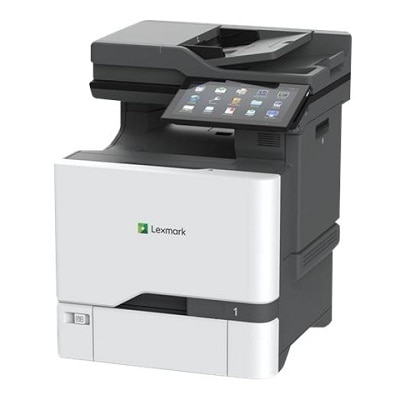
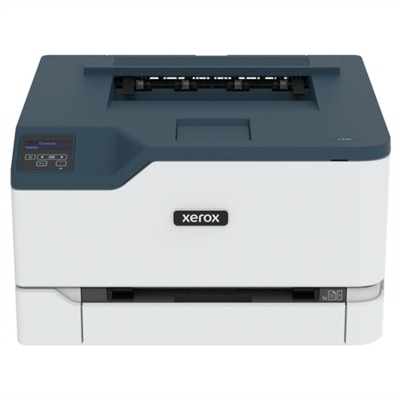
Workgroup color laser printers are built for offices where printed pages support real work every day: proposals waiting in a conference room, branded forms at a reception desk, project schedules pinned beside a shared workspace, and presentation handouts that need to look polished when they reach a client. Compared with a personal printer, a workgroup model is designed to serve several people efficiently, with faster print speeds, larger paper supplies and features that help keep routine tasks moving. Color laser printing is especially useful for documents that rely on visual organization, such as charts, invoices, classroom materials, marketing sheets, floor plans and reports with highlighted data. Text typically appears crisp and easy to read, while color can add emphasis without requiring a separate trip to a print shop. When comparing options, begin with the number of people who will use the printer and the amount of paper the office produces during a typical month. A compact model may suit a small team with occasional printing, while a higher-capacity workgroup printer can be a better fit for a busy department that regularly handles large batches. Look beyond the maximum pages-per-minute figure, too. Real-world productivity is influenced by how quickly the printer wakes, processes a job and begins producing pages, as well as whether it can handle multiple print requests without lengthy pauses. A model with a generous standard input tray means fewer interruptions for paper refills, and expandable capacity can help an office adapt as its workload grows. Automatic two-sided printing can reduce paper use and make multi-page documents easier to handle, while a bypass or multipurpose tray is convenient for envelopes, letterhead and other specialty media.
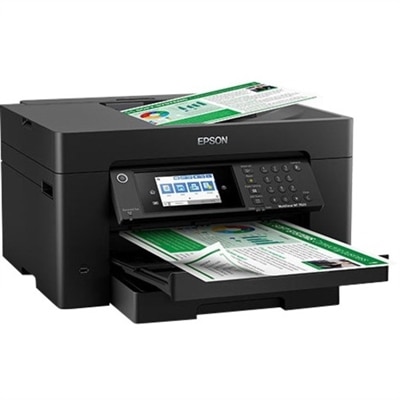
The right configuration depends on how your team works. Print-only models can be a straightforward choice when the office already has a separate scanner or when the main need is dependable document output. Multifunction color laser printers combine printing with scanning and copying, which can be valuable in a shared office where employees frequently digitize signed paperwork, duplicate forms or send scanned documents to a computer. Some models also support faxing for workplaces that still exchange official records that way. An automatic document feeder can save considerable time when scanning or copying several pages, particularly when those pages are double-sided. Consider the size and layout of your workspace as well. A printer that fits neatly on a nearby table may be ideal for a small office, while a larger unit with multiple paper drawers may deserve a dedicated location where everyone can reach it without blocking a walkway. Wireless connectivity can make placement more flexible, and wired connections may be preferred for a stable shared-office setup. Support for computers, laptops and mobile devices allows employees to print from the equipment they already use, while compatibility with common document formats helps prevent unnecessary conversion steps. A clear control panel, straightforward setup and easy access to toner and paper areas can make a noticeable difference over months of use. For a broader look at options suited to shared office printing, visit Office Color Laser Printers.
Security and ongoing operating costs deserve the same attention as speed and color quality. In a shared environment, printers may handle contracts, personnel documents, customer information or financial records, so features such as secure release printing, user authentication and encrypted communication can help limit access to sensitive pages. Administrative controls may also allow an office to manage who can print in color, monitor usage or apply device updates. Check whether the printer supports automatic firmware updates and whether the manufacturer provides clear security guidance over the expected service life. Consumable costs are another important part of the ownership picture. Review the rated yield of standard and high-capacity toner cartridges, and consider how often your team prints color-heavy pages, since graphics and photographs can use toner more quickly than ordinary text. A long recommended monthly duty cycle indicates that a printer is designed for regular activity, but it should be compared with your actual volume rather than treated as a target to reach. Leaving comfortable headroom can help the printer perform reliably during busy stretches, such as a proposal deadline or the preparation of materials for a company presentation. Also look for a practical paper-handling path, accessible toner compartments and a design that makes routine maintenance less disruptive. Workgroup color laser printers can support everyone from a small professional office to a larger department coordinating shared projects, provided the chosen model matches the team’s volume, document types, available space and connection preferences. By balancing print speed, paper capacity, multifunction features, security, color needs and long-term running costs, it becomes easier to select a dependable shared printer that produces professional-looking pages without complicating the workday.
FAQs:
Workgroup color laser printers are designed to handle high-volume printing and multiple users simultaneously, making them ideal for shared office spaces. They deliver fast print speeds, vibrant color output, and advanced networking features, which help streamline workflows and ensure that all team members can easily access the printer from their devices.
Most modern workgroup color laser printers support a wide range of connectivity options, including USB, Ethernet, and wireless networking. They are generally compatible with major operating systems such as Windows, macOS, and Linux. Checking the printer’s specifications for supported platforms and connection types will help ensure seamless integration with your office devices.
If your team often prints graphics or presentations, consider a workgroup color laser printer with high print resolution, advanced color management tools, and support for various media types. Features like duplex printing, large paper trays, and finishing options such as stapling or booklet-making can also enhance the quality and professionalism of your printed materials.
Yes, many workgroup color laser printers offer mobile and cloud printing capabilities, allowing users to print directly from smartphones, tablets, or cloud storage services. Look for models that support popular solutions like Apple AirPrint, Google Cloud Print, or manufacturer-specific mobile apps for added convenience.
A workgroup color laser printer boosts office productivity by delivering fast print speeds, reducing wait times, and supporting multiple users with advanced network features. Its reliability, high-capacity paper trays, and efficient toner usage allow teams to focus on their work without frequent interruptions, making it easier to meet deadlines and manage large projects.