Xbox Controllers
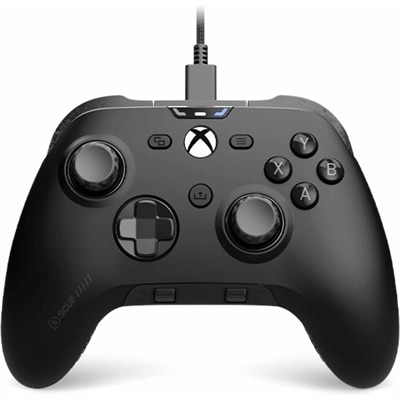
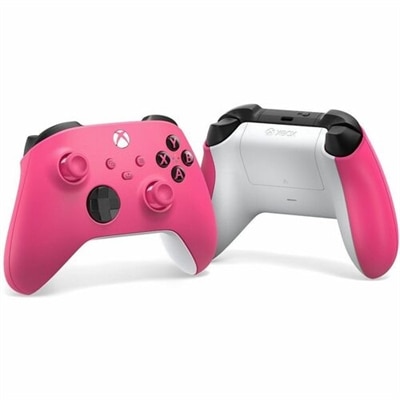
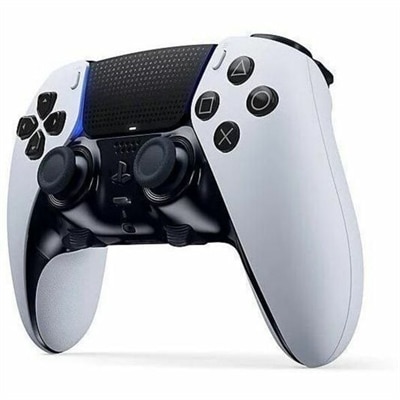
Elevate your gaming experience with our extensive selection of Xbox controllers. Whether you're a casual player or a competitive gamer, finding the right controller can make all the difference in your gameplay. Our range of Xbox controllers offers something for everyone, ensuring comfort, precision, and durability. Explore various designs and functionalities to discover the perfect fit for your gaming style. Get ready to enhance your performance and enjoy endless hours of immersive gaming with top-quality Xbox controllers.
This product is not available
Check out the following recommendations.




Xbox Controllers
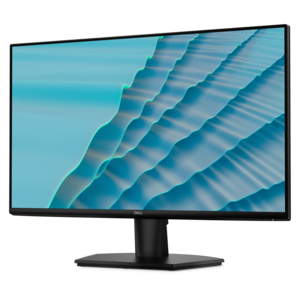
Xbox controllers bring a familiar, comfortable way to play to living rooms, bedrooms, home offices and gaming spaces, giving players responsive control without requiring a keyboard and mouse. While they are designed with Xbox gaming in mind, many controllers can also support compatible PC games, cloud gaming services and other supported devices, making them a flexible choice for households with more than one gaming setup. A controller can be useful for everything from fast-paced competitive matches and open-world adventures to racing games, sports titles, platformers and relaxed indie games played from the couch. During the cooler months, it can turn a laptop or desktop into a more inviting place to play, with the freedom to settle in away from a desk and enjoy a larger screen when connected to a compatible monitor or TV. Controllers are also popular gifts for players who are expanding a game collection, replacing a worn accessory or creating a second-player setup for family and friends. A spare controller can make a noticeable difference when guests visit, allowing a cooperative game to begin without passing one device around or interrupting the action. For players who use Xbox Game Pass, exploring Xbox Game Pass Compatible Controllers can help identify options suited to a broad library of games and supported play environments.
When choosing an Xbox controller, comfort should be just as important as appearance. Consider the shape and weight of the controller, the reach between the thumbsticks, the placement of the triggers and the texture of the grips, especially for long sessions. A compact-feeling design may suit younger players or anyone with smaller hands, while a fuller shape can provide a reassuring fit for larger hands and extended play. Button response, directional pad feel and the smooth movement of the thumbsticks can affect how natural a controller feels in different genres. Racing and sports games often benefit from precise trigger control, while action and multiplayer games may place greater emphasis on quick thumbstick movement and easy access to shoulder buttons. Wired models can provide a straightforward connection without battery changes, while wireless models help reduce cable clutter and make it easier to play from a sofa, lounge chair or bed. For wireless use, check how the controller connects, whether a separate adapter is needed for a particular device and how charging or battery replacement is handled. Cable length also matters for wired play; a longer cable can provide more room to move, while a shorter one may keep a compact desk tidy. Compatibility is another key consideration, since support can vary between Xbox consoles, Windows PCs, mobile devices and cloud gaming platforms. It is helpful to review the controller’s supported systems and connection requirements before adding it to a setup, particularly when one controller will be shared across several devices. Players who use headsets should also consider whether the controller includes the connection features they prefer, and families may appreciate easy-to-reach controls, durable construction and a finish that can be wiped clean after shared use. With the right fit, an Xbox controller becomes more than an accessory: it is the part of the setup held through every tight finish, late-night discovery and friendly rematch, helping each player feel connected to the game from the first press of a button.
FAQs:
Yes, most modern Xbox controllers are compatible with Dell laptops and desktops, allowing you to enjoy your favorite PC games with the same comfort and precision as on your Xbox console. Simply connect via Bluetooth, USB cable, or with a wireless adapter for a seamless gaming experience.
To update your Xbox controller, connect it to your Xbox console or Windows PC. On Xbox, go to Settings > Devices & connections > Accessories, select your controller, and follow the prompts to update. On Windows, use the Xbox Accessories app to check for and install firmware updates. Keeping your controller updated ensures optimal performance and access to the latest features.
Many controllers are designed with ergonomics in mind, featuring contoured grips, textured surfaces, and lightweight materials to reduce hand fatigue during extended play. Look for models that offer adjustable triggers and customizable button layouts to further personalize your comfort and control.
Wireless Xbox controllers provide greater freedom of movement and reduce cable clutter around your gaming area. They connect quickly to your console or PC via Bluetooth or a wireless adapter, and many models offer long battery life and fast recharging options for uninterrupted gameplay.
For a curated selection of controllers optimized for Xbox Game Pass, visit our Xbox Game Pass Compatible Controllers page. These controllers are tested for compatibility and performance, ensuring you get the best experience across a wide variety of games.