Xbox Controllers With Paddles
Elevate your gaming experience with Xbox controllers with paddles, designed to offer enhanced control and customization for every play style. Discover a range of options that cater to both casual and competitive gamers, providing an edge in fast-paced action or immersive adventures. Find the perfect Xbox controllers with paddles to match your setup and take your gameplay to the next level.
This product is not available
Check out the following recommendations.




XBOX Controllers With Paddles
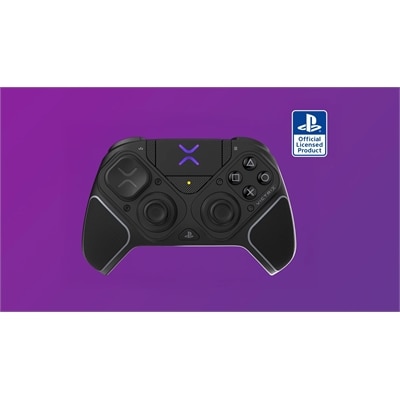
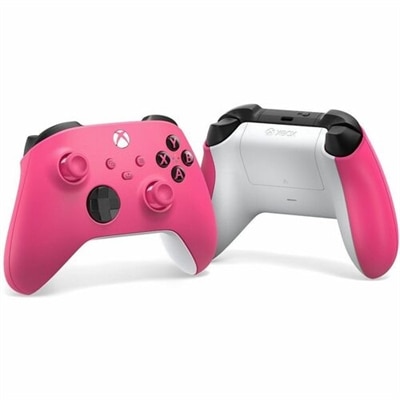
Xbox controllers with paddles give players another way to reach important controls without lifting a thumb from the stick. Built into the back of the controller, these paddles can often be assigned to face buttons, bumpers, stick clicks or other commands through a companion app or console settings. That extra access can make a noticeable difference in games where movement and quick reactions happen at the same time. A player might keep a thumb on the right stick while tapping a rear paddle to jump, reload, crouch or change equipment, reducing the need to move a hand across the controller. The result is a control layout that can feel more natural after a short adjustment period, especially for fast-paced shooters, racing games, sports titles and action adventures. Paddle configurations vary, so consider whether a controller has two, four or another arrangement of rear controls, along with whether the paddles can be removed, repositioned or assigned independently. Some players prefer a pair of paddles for a simple setup, while others appreciate four paddles for a broader set of commands. The shape and placement matter just as much as the number: paddles should be easy to press deliberately, but not so close together that an accidental touch interrupts a carefully timed move. Anyone comparing Xbox Controllers can use the available specifications to narrow the selection by paddle layout, connection type, customization options and comfort features.
Connection style is one of the most important choices. A wired controller offers a direct connection and avoids the need to charge a battery, which can suit a desk setup, a gaming monitor or long sessions where a cable is easy to manage. Look for a generous cable length and a detachable connection when convenient storage or replacement flexibility matters. Wireless models provide a cleaner setup and more freedom to play from a sofa or chair, though they require attention to battery life, charging options and connection compatibility. Internal rechargeable batteries can reduce the need for disposable batteries and keep the controller ready between sessions, while models that accept replaceable batteries may appeal to players who want to swap in a fresh set without pausing to recharge. Check whether the controller connects directly to an Xbox console, uses a wireless adapter or supports Bluetooth for compatible Windows devices. Compatibility details are especially important when one controller will be shared between a console and a gaming laptop. Other performance features can help shape the experience as well. Adjustable thumbstick tension lets players choose a lighter or firmer feel, while interchangeable stick tops can change the height or shape under the thumbs. Trigger locks shorten the distance needed to activate a trigger, which may feel responsive in games that use quick shots, while a full trigger pull can remain useful for driving, flying or other situations that benefit from gradual control. Hall-effect or other contact-reducing stick designs may be appealing to players who place a high priority on long-term stick consistency, although every controller should still be handled and maintained with care.
Comfort becomes more noticeable as a session stretches from a quick match into an evening of play. Textured or rubberized grips can help the controller feel secure when hands warm up, and a balanced shape can reduce pressure around the wrists and fingers. Pay attention to the controller’s size, weight and paddle reach, particularly for younger players, smaller hands or anyone who prefers a relaxed grip. Clicky buttons and triggers can provide a crisp response, while quieter, softer controls may be a better fit for shared living spaces. Customization software can add value when it is straightforward to use, allowing players to save profiles for different games and switch between layouts without remapping every control. A profile for a competitive shooter might place crouch and reload on the rear paddles, while a racing profile could leave the paddles unused or assign them to camera and shifting functions. For a family room, a paddle controller can be a thoughtful gift for an experienced Xbox player who enjoys refining a setup, competing with friends or exploring new genres, provided the recipient’s console compatibility and preferred connection type are known. It can also be a practical addition for players who find traditional button placement uncomfortable or want more flexibility in how they hold the controller. New users should begin with one or two simple paddle assignments and practice in a low-pressure game mode before changing several controls at once. As familiarity grows, the paddles can become an unobtrusive extension of the hands rather than a distraction, helping each player create a setup suited to their favorite games, playing position and everyday routine.
FAQs:
Controllers with paddles provide additional programmable buttons on the back, allowing players to execute in-game actions more quickly and efficiently. This design helps maintain thumb placement on the analog sticks, improving reaction time and offering a competitive edge in fast-paced games.
A controller with paddles makes an excellent gift for avid gamers, esports enthusiasts, streamers, or anyone looking to enhance their gameplay experience. It’s especially appreciated by players who enjoy competitive multiplayer games and want to personalize their controls.
Yes, most controllers with paddles offer customizable button mapping. This allows users to assign different in-game functions to the paddles, tailoring the controller to their preferred playstyle and the specific demands of their favorite games.
Absolutely. While often associated with competitive gaming, controllers with paddles can benefit casual players as well by providing greater comfort, flexibility, and ease of use during extended gaming sessions.
Most modern controllers with paddles are designed to be compatible with a wide range of Xbox consoles and Windows PCs. However, it’s always a good idea to check the compatibility details for your specific device before making a selection.