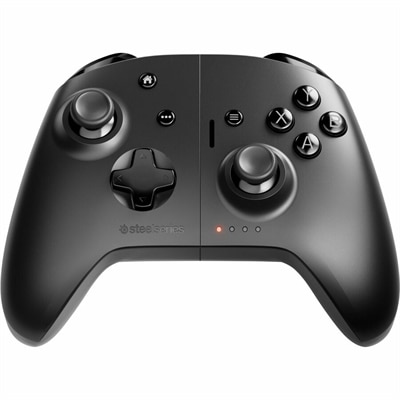
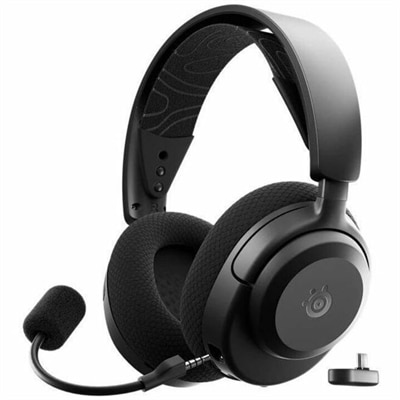
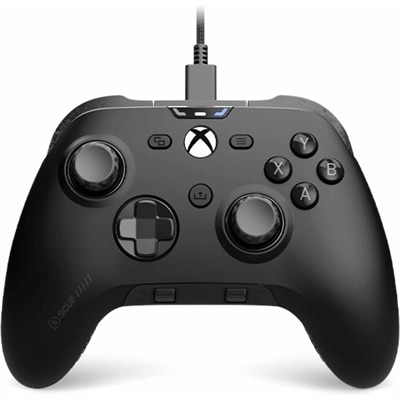
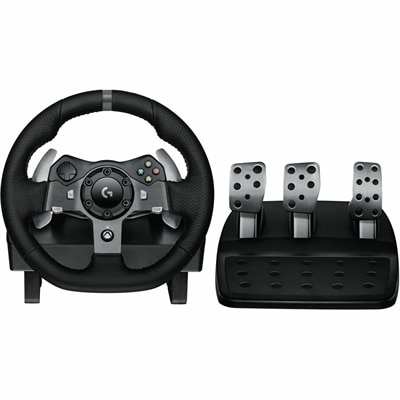
Xbox Game Pass Compatible Controllers
Elevate your gaming experience with Xbox Game Pass compatible controllers designed to seamlessly connect with your favorite titles. Whether you're playing at home or on the go, these controllers offer reliable performance and comfort for every session. Explore a wide selection tailored to suit various play styles, ensuring you find the perfect match for your Xbox Game Pass adventures. Find the ideal controller to enhance your gameplay and enjoy hours of immersive entertainment.
This product is not available
Check out the following recommendations.




Xbox Game Pass Compatible Controllers
Xbox Game Pass compatible controllers make it easier to enjoy a broad library of games across an Xbox console, Windows PC, and supported mobile devices. The right controller can turn a quick session into a comfortable evening of play, whether you are exploring a story-driven adventure from the sofa, competing in a fast multiplayer match at a desk, or streaming a game to a phone while traveling. Compatibility depends on the device and the way the controller connects, so it is helpful to start by considering where the controller will be used most often. For Xbox consoles, look for a controller made for Xbox or officially licensed for the platform, with the familiar button layout and support for wireless pairing or a wired connection. A wireless controller keeps the area around the television clear and makes it easy to settle into a favorite chair, while a USB connection can be useful when you want a direct link, a dependable connection, or the convenience of charging while playing. On Windows PCs, controllers that support XInput generally offer the smoothest experience with Game Pass titles because XInput is the input standard used by many modern PC games. Most standard Xbox-style controllers connect through Bluetooth, a USB cable, or a dedicated wireless adapter, giving you flexibility when moving between a desktop, laptop, and console. Before choosing, check the controller’s listed compatibility, connection method, included cable or adapter, and whether any features require a separate app or firmware update. The Xbox Series Accessories collection can also help shoppers find equipment designed to complement console gaming setups, including useful additions for play, charging, and everyday convenience.
Comfort matters just as much as platform support, particularly for people who spend several hours in a game. A full-size controller may feel natural in larger hands and provide room for textured grips, responsive triggers, and well-spaced controls, while a more compact design can be easier for children or players who prefer a lighter feel. Pay attention to the shape of the handles, the reach to the thumbsticks and shoulder buttons, the weight distribution, and whether the face buttons are easy to distinguish by touch. Vibration feedback and impulse-style trigger effects can add physical detail to racing, action, and sports games, though they may be less important to someone who prefers a quieter, simpler setup. Some controllers include remappable buttons, adjustable thumbsticks, rear paddles, or sensitivity controls that let players tailor the layout to their preferences. These features can be especially useful for competitive play, accessibility needs, or anyone who has developed a particular control style over years of gaming. A controller with external switch support may accommodate additional accessibility equipment, while a wired model can remove battery concerns and reduce the number of wireless devices in a crowded room. For families, a durable, easy-to-clean surface and a straightforward setup may be more valuable than advanced customization. For a gift, consider the recipient’s primary gaming platform, hand size, favorite genres, and whether they play at a desk or from a distance. A versatile controller can be a thoughtful choice for a student returning to a dorm, a friend building a first PC gaming setup, or a family member who enjoys relaxing with cloud games on a tablet during cooler months.
Game Pass play also extends beyond a traditional console or computer. Supported cloud gaming lets players stream selected titles to compatible phones and tablets, where the experience is often improved by a controller rather than touch controls alone. Bluetooth models are convenient for mobile use because they avoid a cable stretching across a lap, while USB connections may provide a stable alternative when the device and adapter support the required connection. Compact controllers that hold or connect directly to a phone can create a more console-like feel for travel, waiting rooms, or a quiet afternoon away from the television. Check the phone or tablet’s operating system, port type, case clearance, and controller requirements before purchasing; a thick protective case may prevent a direct-connection accessory from fitting properly, and some mobile devices require an adapter. Battery life, charging time, storage space, and the ability to switch between paired devices are also worth considering for anyone who moves between home and mobile play. On PC, most controllers built around XInput should work with Game Pass games with little configuration, while older DirectInput-only gamepads or controllers designed for another console ecosystem may require third-party mapping software and may not work natively with every title. Native support can vary by game, even when the controller connects successfully, so reviewing the game’s requirements is sensible when a particular title is the main reason for the purchase. A dependable controller should feel familiar within minutes, respond consistently during a tense match, and remain comfortable after the initial excitement fades. With the right combination of platform support, connection options, ergonomics, accessibility features, and battery or cable preferences, a compatible controller can make the Game Pass library feel welcoming wherever play takes place.
FAQs:
When selecting a controller for Xbox Game Pass, consider features such as wireless or Bluetooth connectivity, ergonomic design for comfortable extended play, responsive triggers and buttons, and compatibility with multiple devices like PC, mobile, and console. Additional features like customizable button mapping, textured grips, and built-in rechargeable batteries can further enhance your gaming experience.
Yes, many controllers that are compatible with Xbox Game Pass can be used seamlessly across both Xbox consoles and Windows PCs. Look for controllers that offer Bluetooth or USB connectivity for easy switching between devices, allowing you to enjoy your Game Pass library wherever you choose to play.
Yes, there are controllers specifically designed for mobile gaming with Xbox Cloud Gaming. These controllers often feature compact, portable designs and may include clips or cradles to securely hold your smartphone, providing a comfortable and integrated gaming experience when playing on the go.
An Xbox Game Pass compatible controller makes a thoughtful gift for gamers of all ages, whether they enjoy playing on console, PC, or mobile. It’s especially appreciated by students, friends, or family members who love discovering new games, participating in multiplayer sessions, or gaming on the move.
You can find a wide selection of accessories, including charging docks, controller cases, and more, by visiting the Xbox Series Accessories page. These accessories can help you customize and enhance your gaming setup for an even better experience.