Xinput Controllers
Discover the ultimate gaming experience with xinput controllers, designed to elevate your gameplay across a variety of platforms. These controllers offer seamless compatibility and precision, ensuring you stay in control whether you're battling through intense action sequences or exploring vast virtual worlds. Perfect for both casual gamers and competitive players, xinput controllers provide the responsiveness and comfort needed for long gaming sessions. Explore our selection to find the perfect fit for your gaming style and take your performance to the next level.
This product is not available
Check out the following recommendations.




Xinput Controllers
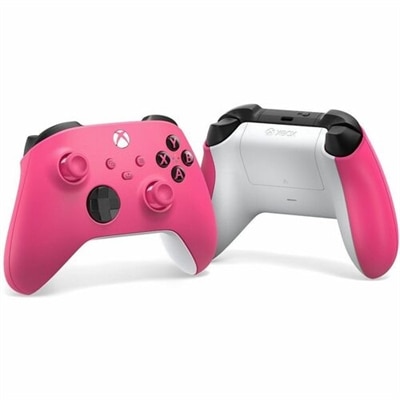
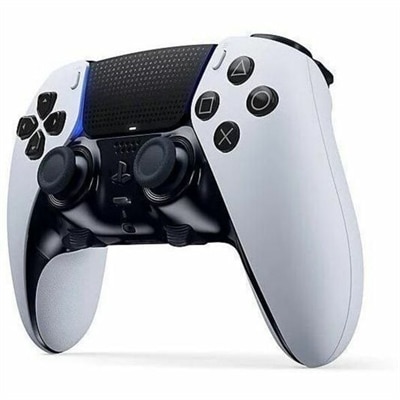
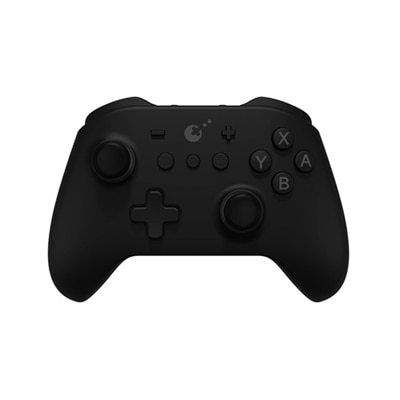
XInput controllers are gamepads designed to communicate with Windows PCs through Microsoft’s XInput API, giving compatible games a familiar, standardized control scheme with little or no manual configuration. When a controller supports XInput, Windows and many modern PC games typically recognize it as an Xbox-style gamepad, allowing the two analog sticks, directional pad, face buttons, shoulder bumpers and analog triggers to work as intended. Native support can also include vibration feedback, independent trigger input and automatic assignment to a player slot. This plug-and-play approach is especially useful for anyone who wants to connect a controller to a gaming laptop or desktop and begin playing without searching for custom drivers or mapping every button by hand. XInput is commonly preferred for modern PC gaming because developers can build around a consistent layout, while older DirectInput devices may identify as generic joysticks and require additional setup. A controller that supports XInput can be a practical choice for action games, platformers, sports titles, racing games and local multiplayer sessions where precise analog movement and comfortable access to every button matter. It can also make a PC feel more like a living-room gaming system when connected to a larger monitor, allowing you to settle into a chair with the controller close at hand rather than remaining at a desk with a keyboard and mouse. For a broader selection of gamepads intended for console play, explore Console Controllers.
When comparing XInput controllers, begin with compatibility and connection type. Wired models are straightforward: connect the cable to a compatible USB port, allow Windows to recognize the device and check the game’s control settings before starting. They can be a strong fit for a desk setup, especially when you prefer uninterrupted play and do not want to monitor battery levels. Wireless models can provide more freedom to move around the room, but it is important to confirm how they connect, whether through a dedicated wireless receiver or Bluetooth, and whether your computer supports the required connection. Battery design also deserves attention. Rechargeable options reduce the need for disposable batteries, while replaceable-battery designs can be convenient when you want to keep playing without waiting for a recharge. Look closely at cable length for wired controllers, receiver placement for wireless models and the distance between your seating area and the computer. Comfort is just as personal. A controller should rest naturally in your hands, with analog sticks that are easy to reach, triggers that offer smooth resistance and buttons that do not require excessive force. Textured grips can help during long sessions, while a lighter design may be preferable for younger players or anyone who finds larger gamepads tiring. Pay attention to the directional pad if you enjoy fighting games or classic platformers, and consider the sensitivity and travel of the analog triggers for racing or driving games. Extra buttons and configurable controls may be useful, but they are not essential for every player; a simple, responsive layout is often easier to learn and share.
XInput controllers can suit a wide range of players, from someone moving from console gaming to PC gaming to an experienced player who wants a dependable alternative to keyboard and mouse controls. They are also useful in households where several people play together, since XInput supports up to four concurrently connected controllers assigned to distinct player slots, provided the game and connection method support that arrangement. Before buying several controllers for local multiplayer, verify the game’s player-count limit, available USB ports, wireless receiver requirements and whether all players can connect at the same time. For a gift, a controller is a thoughtful choice for a PC gamer who enjoys relaxed play during the cooler months, family game nights or cooperative sessions with friends. It can be particularly helpful for someone who already owns a capable gaming laptop or desktop but has not yet added a comfortable gamepad to the setup. Keep in mind that XInput compatibility does not guarantee that every title will use every feature; some games may offer separate control options, and older PC games may rely on DirectInput instead. If a game accepts only DirectInput, the controller may need software-based input conversion or manual remapping, while a game built for XInput should generally provide the smoothest experience. Checking the game’s supported input standards, the computer’s operating system, connection requirements and return compatibility before purchase can prevent surprises. A well-matched controller should feel natural after only a few minutes, letting you concentrate on the changing scene on screen, the rhythm of a cooperative match or the satisfying precision of a carefully timed move rather than on technical setup.
FAQs:
An Xinput controller uses Microsoft’s Xinput API, providing plug-and-play compatibility with most modern Windows PC games. It features standardized button layouts, analog sticks, triggers, and vibration support. Dinput controllers use an older API, which may require manual configuration and may not be automatically recognized by newer games. Xinput controllers are generally recommended for seamless gaming experiences on Windows.
Xinput controllers are ideal for a wide range of users, including casual gamers, competitive players, families, and anyone who enjoys a console-like gaming experience on their PC. They are also a great gift option for students, tech enthusiasts, and anyone looking to enhance their gaming setup with reliable and responsive controls.
Yes, many Xinput controllers offer both wired and wireless connectivity options. Wired controllers are preferred for low-latency, competitive gaming, while wireless models provide greater flexibility and convenience, making them suitable for living room setups or gaming from a distance.
Xinput controllers are compatible with most modern PC games, especially those available through platforms like Steam. Some older games may require additional configuration or may only support Dinput controllers, but the majority of current titles are fully compatible with Xinput devices.
When selecting an Xinput controller, consider factors such as ergonomic design, button layout, trigger responsiveness, vibration feedback, and connectivity options. Some controllers also offer customizable buttons, textured grips, or additional programmable features to enhance your gaming experience.