Latitude 7400 2-in-1 Dell Proximity Sensor unable to unlock the screen when near the laptop
Summary: Follow the workaround to resolve the issue with Latitude 7400 2-in-1 not waking using the Proximity Sensor.
This article applies to
This article does not apply to
This article is not tied to any specific product.
Not all product versions are identified in this article.
Symptoms
Latitude 7400 2-in-1 Proximity Sensor will not wake from sleep
When you use the Latitude 7400 2-in-1 in Clamshell or Stand mode without physically touching the laptop (such as while using wireless headphones), the screen automatically locks by following the setting of the lock screen timeout in Windows power management. The screen locks regardless if you are present near the laptop. Once the screen is locked, you cannot unlock the screen by using the Proximity feature.
Note: Tablet and Tent mode do not support Dell Proximity Sensor wake up.
Also, the Dell Proximity feature does not support wake from hibernation(S4) or power off(S5).
Also, the Dell Proximity feature does not support wake from hibernation(S4) or power off(S5).
Proximity features:
Supported hinge angle:
Clamshell Mode:
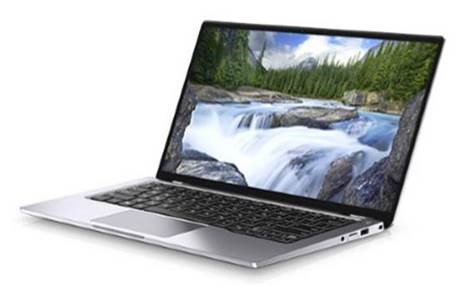
Stand Mode:
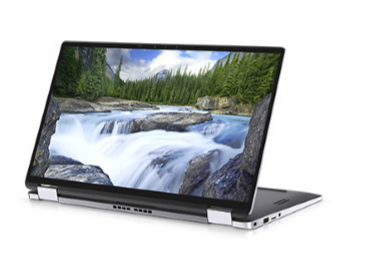
Unsupported hinge angle:
Tablet Mode:
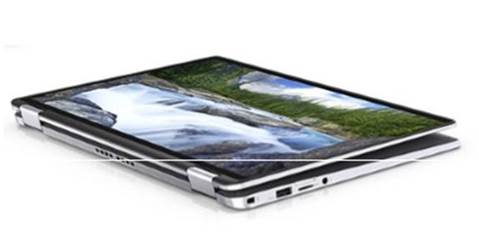
Tent Mode:
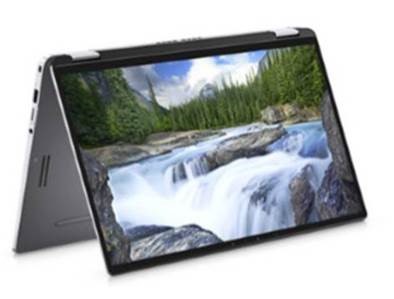
Cause
No cause information
Resolution
Workaround
This behavior is working as designed. The operating system triggers the screen lock instead of the proximity feature; the proximity is not yet ready to trace the user's absence. Unlock the screen by following the workaround below:
- Unlock the screen by using the keyboard
- Step away from the FOV (field of view) of the laptop for at least 10 seconds
Note: The proximity feature is automatically disabled while the laptop is running in DC mode and the remaining battery of the laptop is under 30 minutes. Reference to the Dell Latitude 7400 2-in-1 Setup and specifications guide for more details on the Proximity Sensor.
Affected Products
Latitude 7400 2-in-1Article Properties
Article Number: 000123934
Article Type: Solution
Last Modified: 01 Oct 2025
Version: 5
Find answers to your questions from other Dell users
Support Services
Check if your device is covered by Support Services.