PowerVault ME5: Web Graphical User Interface Stops at Zero Percent Loading
Summary: On a PowerVault ME5 series array, accessing the PowerVault Manager user interface through a browser may cause the user interface to stop responding at 0% loading after a prolonged period of inactivity. ...
This article applies to
This article does not apply to
This article is not tied to any specific product.
Not all product versions are identified in this article.
Symptoms
While launching the PowerVault Manager user interface console of a ME5 series array, it may stop at 0% loading after entering the array login credentials as shown below:
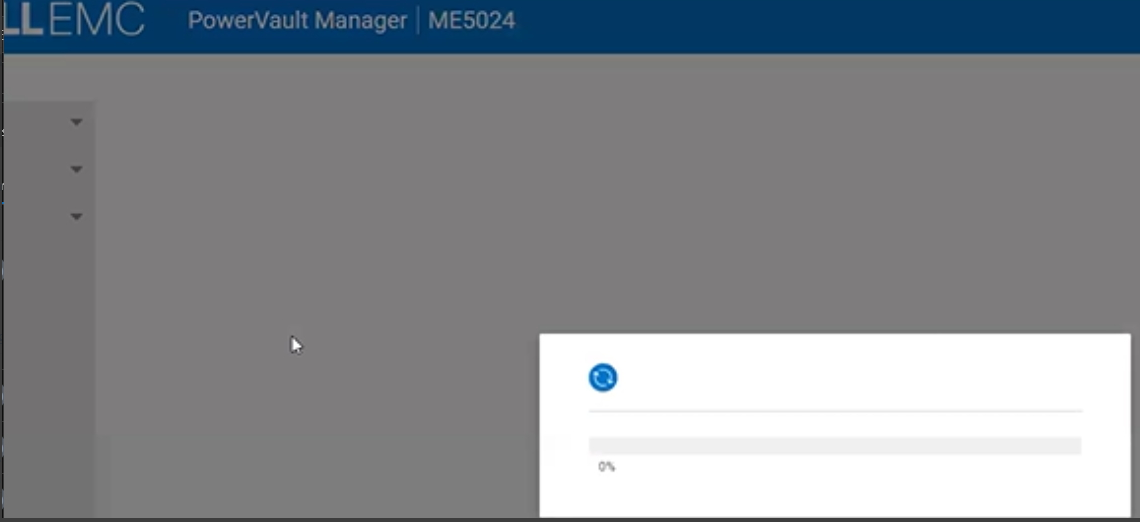
The issue may also arise when tested with different browsers and various ME5 firmware versions.
The issue may also arise when tested with different browsers and various ME5 firmware versions.
Cause
The command becomes unresponsive indefinitely, potentially resulting in the web session becoming unresponsive.
Resolution
FIX:
Issue fixed in ME5.1.2.2.1 or later firmware.
Workaround:
Restarting the management service on one of the controllers can help to access the Web user interface. This action does not impact production.
Open an SSH session to the PowerVault controller management interface and run the following command:
restart mc full
Additional Information
Refer to the following video:
PowerVault ME5: Web Graphical User Interface Stops at 0%
Duration: 00:01:36 (hh:mm:ss)
When available, closed caption (subtitles) language settings can be chosen using the CC icon on this video player.
You can also view this video on YouTube.
Affected Products
PowerVault ME5012, PowerVault ME5024, PowerVault ME5084Products
PowerVault ME5212, PowerVault ME5224, PowerVault ME5284Article Properties
Article Number: 000226042
Article Type: Solution
Last Modified: 21 May 2026
Version: 9
Find answers to your questions from other Dell users
Support Services
Check if your device is covered by Support Services.