$314.99
A 24-inch FHD monitor with USB-C hub and 90W power delivery for enhanced productivity and eye comfort.
USB-C docking monitors offer a streamlined solution for connecting your devices and maximizing productivity at home or in the office. With a single USB-C cable, these monitors simplify your workspace by reducing clutter and making it easier to connect laptops, peripherals, and accessories. Explore a range of USB-C docking monitors designed to enhance efficiency and support flexible work environments. Find the ideal display to suit your setup and enjoy seamless connectivity for all your daily tasks.
A 24-inch FHD monitor with USB-C hub and 90W power delivery for enhanced productivity and eye comfort.
A 27" QHD monitor with USB-C connectivity, 99% sRGB color gamut, and ComfortView Plus technology.
A 27-inch FHD monitor with USB-C hub and 90W power delivery for enhanced productivity.
A 34-inch WQHD curved monitor with USB-C, 120Hz refresh rate, and dual 5W speakers for immersive entertainment.
A 27-inch QHD monitor with Thunderbolt 4 connectivity, offering superior eye comfort and productivity.
A 34-inch curved monitor with 3440 x 1440 resolution and 120Hz refresh rate for enhanced comfort.
A 31.5-inch 4K monitor with extensive connectivity and TUV-certified eye comfort technology.
A 27-inch QHD monitor with extensive connectivity and TUV-certified eye comfort technology.
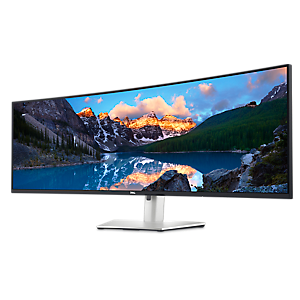
An immersive 34.1-inch ultrawide curved monitor with WQHD resolution and USB-C power delivery up to 90W.
A 40-inch curved monitor with a 5K display, 120Hz refresh rate, and Thunderbolt hub connectivity.
A Full HD 24-inch monitor offering enhanced eye comfort, productivity, and extensive USB-C connectivity.
A 23.8-inch QHD monitor with extensive connectivity and TUV-certified eye comfort technology.
A 27-inch 4K monitor with extensive connectivity and TUV-certified eye comfort technology.
A 31.5-inch QHD monitor with extensive connectivity and TUV-certified eye comfort technology.
An immersive 49-inch dual QHD monitor with IPS Black panel and eco-friendly, arsenic-free glass.
A 27-inch 4K USB-C monitor with 120Hz refresh rate, dual speakers, and eye comfort technology.
A 16:10 USB-C hub monitor with 4-star eye comfort and 90W power delivery.
A 24-inch FHD monitor offering enhanced visual comfort and seamless connectivity with USB support.
A 37.5-inch WQHD+ curved monitor with IPS Black panel and 21:9 aspect ratio for immersive viewing.
A 23.8-inch touch screen monitor with superior connectivity and an articulating stand for productivity.
A 24-inch FHD monitor with USB-C hub, eye comfort technology, and 90W power delivery.
A 42.5'' 4K monitor with multi-PC connectivity and four unique FHD partitions for enhanced productivity.
A 75-inch 4K touch monitor with 20-point InGlass Touch and USB-C power for seamless collaboration.
A 55-inch 4K monitor designed for seamless team collaboration with USB-C power delivery and eco-friendly features.
As the modern workplace continues to evolve, the demand for streamlined, clutter-free desk setups has never been higher. USB C docking monitors are at the forefront of this transformation, offering a seamless blend of connectivity and performance that suits professionals, students, and home office users alike. These innovative displays, such as a dell monitor with docking station, are designed to simplify your workspace by integrating a hub of essential ports—USB-A, Ethernet, audio, and more—directly into the monitor itself. With just a single USB-C cable, you can connect your laptop, transfer data, charge your device, and even extend your display to multiple screens, all while reducing cable chaos. This is especially valuable for those who frequently transition between remote work and the office, or for anyone who needs a quick, reliable way to dock and undock their laptop without fuss. During the winter months, when homes are filled with the buzz of holiday activity and shared workspaces, a dell docking monitor can make it easy to reclaim your desk and stay productive, whether you’re tackling year-end reports or video chatting with loved ones.
When considering a USB C docking monitor, it’s important to think about your specific needs and workflow. For creative professionals who juggle high-resolution imagery and multiple applications, choosing a monitor that supports 4K resolution at 60Hz ensures crisp visuals and smooth performance. If you’re working with limited space or prefer a dual-monitor setup, a 24 inch usb c monitor offers a compact yet versatile solution that fits comfortably in most home offices or dorm rooms. Dell monitors with built in docking station are a popular choice for their reliability and comprehensive connectivity, often including features like daisy chaining for multi-display setups, integrated speakers, and adjustable stands for ergonomic comfort. These monitors are not just for work—they’re also ideal for students who need to connect peripherals like external drives, webcams, or SD card readers, as well as for families sharing a central workstation for homework, streaming, and gaming. As the days grow shorter and the holiday season approaches, a dell hub monitor can be a thoughtful gift for anyone looking to upgrade their tech, whether it’s a recent graduate, a remote worker, or a tech-savvy family member.
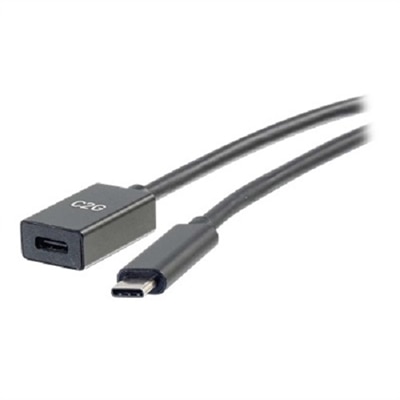
Selecting the right docking monitor goes beyond just the number of ports; it’s about creating a tailored experience that enhances productivity and reduces friction in daily tasks. Look for models that offer robust power delivery—typically up to 100W—so your laptop stays charged even during intensive use. Consider the types of peripherals you frequently use, from external hard drives to wired internet connections, and ensure the monitor’s built-in hub meets those requirements. Some users may benefit from monitors with multiple video outputs, allowing for flexible multi-monitor arrangements that can transform a single desk into a command center for multitasking, design, or data analysis. For those who require even more specialized connectivity, pairing your docking monitor with the right cables is essential; you can find a selection of USB C To DisplayPort Cables to ensure compatibility with a wide range of devices. Whether you’re setting up a new workspace for the new year or surprising a loved one with a practical, high-tech gift, USB C docking monitors offer a simple, elegant solution that adapts to the needs of any environment.
Add the products you would like to compare, and quickly determine which is best for your needs.