4K HDMI Switches
4K HDMI switches provide a convenient way to connect multiple devices to your display, making it easy to manage your home entertainment or workspace setup. Perfect for streamlining connections between gaming consoles, streaming devices, and computers, 4K HDMI switches help eliminate the hassle of constantly swapping cables. Explore a range of options designed to support seamless transitions and efficient organization for all your high-definition needs.
This product is not available
Check out the following recommendations.




4K HDMI Switches
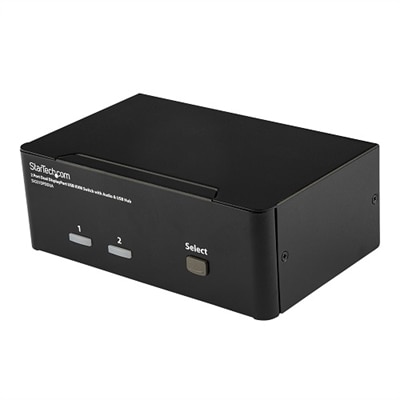
A 4K HDMI switch connects multiple HDMI source devices to a single HDMI input on a television, monitor, or projector, allowing one selected source to appear on the screen at a time. It is a practical accessory for a desk where a desktop computer and a laptop share one monitor, or an entertainment setup with a gaming console, streaming device, and disc player connected to one display. Instead of reaching behind the screen to exchange cables, the user changes the active input through a button, remote control, or automatic switching function, depending on the design. A switch differs from an HDMI splitter: a switch selects among several sources for one display, while a splitter sends one source to multiple displays. Most switches do not combine several pictures on the screen or extend a computer desktop across multiple monitors. The 4K designation generally refers to support for video at 3840 × 2160 pixels, the resolution commonly used by consumer 4K displays; support for other resolutions, including 4096 × 2160, depends on the stated specifications. Resolution alone does not describe the full viewing experience. A switch rated for 4K at 30Hz has different capabilities from one rated for 4K at 60Hz or 120Hz, particularly when displaying scrolling text, fast camera movement, or responsive gameplay. For everyday productivity, compatible 4K at 60Hz support can keep cursor movement and window transitions looking fluid while preserving fine detail. Higher refresh rates can benefit gaming when the source and display also support them. An HDMI switch passes a compatible signal between devices rather than automatically improving its resolution, sharpness, or frame rate. Its intended role is to make existing connections more convenient while preserving the picture and sound formats the connected equipment can deliver. That makes this category useful for shared home offices, compact entertainment centers, and multipurpose rooms where the same screen handles work during the day and entertainment in the evening.
Compatibility depends on the entire signal path, including the source device, switch, cables, and display input. A useful specification describes not only 4K resolution and refresh rate but also supported bandwidth, color formats, and high dynamic range features. For example, 4K at 60Hz with RGB or YCbCr 4:4:4 can matter when a monitor displays small text and detailed desktop interfaces, since reduced chroma resolution may soften colored edges. Support for that combination does not necessarily mean the switch supports every color depth or HDR format at the same refresh rate. HDR pass-through allows compatible high dynamic range content to reach a compatible screen, but the supported formats should match across the connected equipment. HDCP compatibility also matters for protected streaming video and other protected content; an incompatible link can prevent playback even when an ordinary computer desktop appears correctly. Gaming setups may have additional requirements, such as explicitly stated support for 4K at 120Hz, variable refresh rate, or automatic low latency mode. A general 4K label is not enough to establish those capabilities. Audio follows similar rules. Basic HDMI switching can carry supported audio along with video, while surround sound and higher-bandwidth audio formats depend on the switch and the other connected devices. Audio extraction, when provided, offers a separate audio output, but optical or analog connections do not carry every format that HDMI can handle. ARC and eARC support are separate considerations for systems that return television audio to compatible sound equipment, and neither should be assumed from the presence of HDMI ports alone. Cable capability is equally important: 4K Cables with an appropriate bandwidth rating and practical length help complete a connection that matches the intended resolution and refresh rate. Each cable segment needs to support the required signal, including the connection from the switch to the screen. Short, neatly routed cable runs also reduce excess loops behind a monitor and make individual connections easier to identify when equipment changes.
Physical design and control options shape how comfortably a 4K HDMI switch fits into daily use. Input count should reflect the devices that will remain connected, with an additional port offering flexibility for a visiting laptop or another source later. A laptop without an HDMI output may need a compatible video adapter, whose capabilities become part of the same connection chain. Port placement matters on a shallow shelf or crowded desk: connectors on opposite sides can require more clearance than the enclosure dimensions suggest, and stiff cables need space to curve without pulling against their sockets. Plastic housings are generally lightweight, while metal enclosures can provide a sturdier feel and help dissipate heat, although material alone does not establish signal quality or long-term reliability. Stable placement, secure connectors, and adequate ventilation are useful durability considerations for either construction. Externally powered designs can provide consistent operating power when used with the specified supply, but power requirements vary. A front-panel selection button is convenient within arm’s reach; remote operation suits a screen viewed from across the room. Infrared remotes typically require a clear path to the receiver. Automatic switching can simplify moving between devices, although a source that wakes for an update may unexpectedly take over on some systems. Manual input selection is useful when predictable control matters more than automatic behavior. A brief blank screen during a change can occur while the equipment establishes the new HDMI connection, so switching is not necessarily instantaneous. Everyday care is straightforward: keep ventilation openings clear, dust the enclosure with a soft, dry cloth, and avoid liquid cleaners around ports. Supporting cable weight and gripping connector bodies rather than tugging on cords helps protect the connections. For remote workers, students, and gaming enthusiasts, the appeal is a screen that serves several devices without repeated unplugging. As a gift, this accessory is most useful when the recipient’s input needs, display capabilities, and existing audio arrangement are known, turning a small addition to the setup into a genuinely practical convenience.
FAQs:
A 4K HDMI switch allows you to connect multiple HDMI sources to a single display, making it easy to switch between devices like game consoles, streaming players, and computers. A 4K HDMI splitter, on the other hand, takes a single HDMI source and sends the signal to multiple displays, which is useful for setups where you want to show the same content on more than one screen.
Yes, a 4K HDMI switcher for monitor setups is ideal for connecting multiple devices—such as a desktop PC, gaming console, and laptop—to a single high-resolution monitor. This makes it easy to switch between work and play without needing to unplug and replug cables.
An HDMI KVM switch lets you control multiple computers using one keyboard, mouse, and monitor. This is especially useful in environments where you need to manage several systems at once, such as for IT professionals, content creators, or anyone running both a work and personal computer from the same desk.
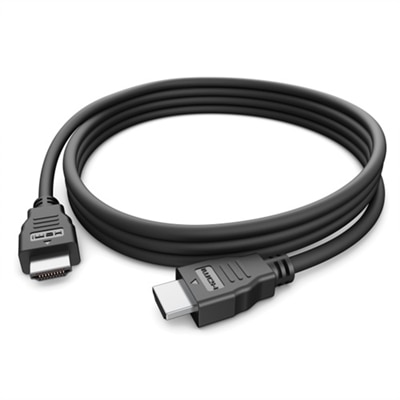
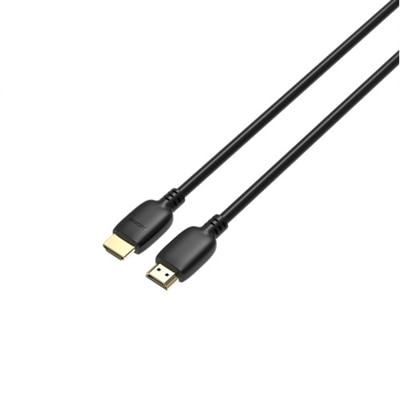
To ensure the best picture quality and reliable performance at 4K resolution, it’s important to use high-quality HDMI cables that are rated for 4K at 60Hz. For optimal results, consider pairing your switch with cables from the 4K Cables selection.
A Dell HDMI splitter for dual monitors is perfect for professionals, students, and anyone who needs to extend or duplicate their display across two screens. This setup is great for multitasking, giving presentations, or collaborating on projects where more screen space is essential.