$259.99
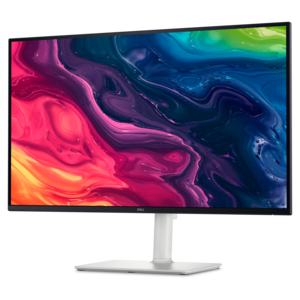
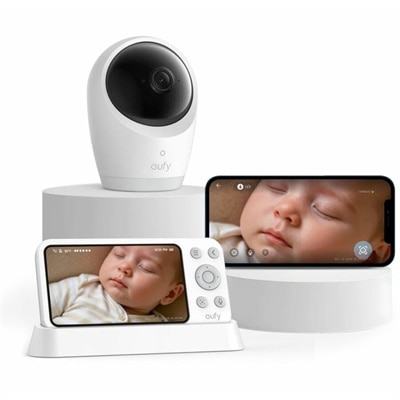
A 4K baby monitor with night vision, pan-tilt-zoom, encrypted local storage, temperature alerts, and noise reduction.
Discover the perfect blend of stunning visuals and budget-friendly prices with our collection of affordable 4K monitors. Ideal for both work and play, these high-resolution screens offer crystal-clear images that enhance your viewing experience without breaking the bank. Whether you're a professional seeking precise color accuracy or a gamer craving immersive graphics, our range of affordable 4K monitors ensures you can enjoy top-tier performance at a price that suits your wallet. Explore the selection and elevate your display setup with exceptional quality and value.
A 4K baby monitor with night vision, pan-tilt-zoom, encrypted local storage, temperature alerts, and noise reduction.
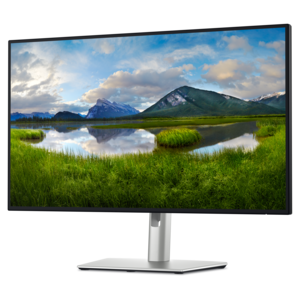
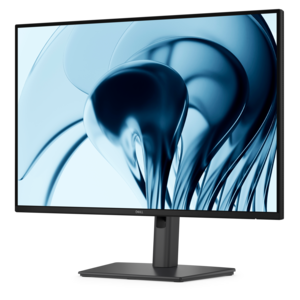
A 4K monitor with up to 120Hz refresh rate and dual 5W speakers for elevated entertainment.
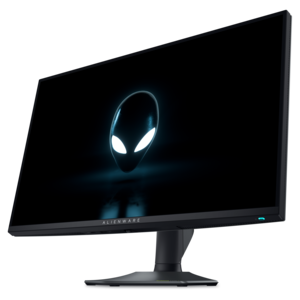
A dual-resolution IPS gaming monitor switching between 4K 180Hz and FHD 360Hz, with G-SYNC compatibility.
A 4K monitor brings fine detail into everyday computing, from the thin lines of a spreadsheet to the texture in a landscape photograph. Most desktop 4K monitors use a resolution of 3840 x 2160 pixels, also called 4K UHD, with four times as many pixels as a 1920 x 1080 Full HD display. That higher pixel count can make text look smoother, photographs more detailed, and compatible video noticeably sharper. Screen size determines how densely those pixels are packed: a 27-inch 4K display presents a compact, crisp workspace, while a 32-inch screen gives documents, editing timelines, and entertainment more physical room. Operating system scaling lets text and interface elements appear larger without lowering the display’s native resolution, although the resulting workspace depends on the scaling level selected. For someone moving between email, reference documents, and a video meeting, the benefit is often the ability to keep several windows visible without constantly switching tabs. Students can place research beside an assignment, remote workers can review presentations alongside notes, and photography enthusiasts can inspect small details that might be less apparent on a lower-resolution screen of similar size. A larger display also needs an appropriate viewing distance and enough desk depth to keep the entire screen comfortable to scan. Screen measurements run diagonally, so the monitor’s actual width, height, and stand footprint matter when fitting it between a desk lamp and a laptop. Slim bezels can reduce the visual interruption between adjacent displays, but the overall dimensions still determine whether a setup fits. A 4K monitor does not require every activity to involve 4K content; ordinary applications benefit from the additional pixels too. Lower-resolution video is scaled to fill the screen, however, and does not automatically gain the detail of footage originally captured and delivered in 4K. The clearest results come from native-resolution output, suitable scaling, and content that can take advantage of the display.
Picture quality depends on more than resolution alone. Panel technology, contrast, brightness, color performance, and screen finish all influence how a 4K display looks in a real room. IPS panels typically maintain consistent color and visibility across wider viewing angles, which can be useful when sharing a document with someone seated nearby. VA panels commonly provide higher native contrast, helping darker scenes look deeper, though motion handling and viewing angles vary by display. For shoppers comparing display technologies, 4K OLED Monitors offer another approach, using self-emissive pixels that can turn off individually for deep blacks and strong contrast. OLED displays also have different care considerations, including the potential for image retention or burn-in with prolonged static content. Across display types, a matte or antiglare finish can soften reflections from nearby windows, while a glossier surface may show reflected objects more distinctly. Placement still matters: a bright window directly behind the viewer can interfere with visibility even on an antiglare screen. HDR support means a monitor can accept compatible high dynamic range content, but support alone does not guarantee bright highlights or detailed shadows. Those results depend on the panel’s brightness, contrast, dimming capabilities, and the content itself. For photo and design work, color gamut coverage and color accuracy are separate considerations; a wide gamut describes the range of colors a screen can reproduce, not how faithfully it reproduces them. Refresh rate matters for movement rather than pixel detail. A 60Hz screen refreshes 60 times per second and suits many document, browsing, and video tasks, while higher refresh rates can make scrolling and compatible games feel smoother. Adaptive sync can reduce visible tearing when supported by both the display and the connected device. Response time is a separate measurement related to pixel transitions, and a single advertised figure cannot fully describe motion clarity. For gaming at 4K, the computer or console must also deliver the desired resolution and frame rate; a sharper screen alone does not increase rendering performance.
The most comfortable 4K monitor setup combines a suitable picture with practical connections, stable construction, and adjustments that fit the person using it. HDMI and DisplayPort connections carry video, but supported resolution and refresh rate depend on the capabilities of the monitor, source device, and cable together. USB-C can simplify a laptop workspace when the monitor supports video input and sufficient power delivery through that connection; not every USB-C port provides those functions. A built-in USB hub can keep a keyboard, mouse, or webcam connected at the desk, while integrated speakers may be convenient for notifications and calls where supported. For a shared household workspace, a height-adjustable stand makes it easier to move between users, and tilt or swivel adjustments help position the screen without rearranging the entire desk. Portrait rotation can suit long documents or coding, provided the stand and software support that orientation. A compatible monitor arm can free up surface space, but its mounting pattern and weight rating need to match the display. Durability involves more than exterior appearance: a stable base, well-supported adjustment mechanisms, and connections that remain secure during normal use all contribute to a dependable setup. Plastic housings and metal stand components are common, with materials and construction varying by model. The screen surface deserves gentle care because pressure and unsuitable cleaners can damage its coating. With the display powered off and cool, a clean microfiber cloth can remove dust; any additional cleaning should follow the manufacturer’s instructions, with liquid kept away from openings and never sprayed directly onto the panel. Clear ventilation space and cables routed without sharp bends help keep the workspace orderly. For a college student establishing a study area, a family member working from home, or a creative hobbyist organizing photographs, a 4K monitor can be a thoughtful graduation, birthday, or new-job gift when its dimensions and connections suit the recipient’s equipment. Everyday usefulness comes from that fit: readable text, comfortable positioning, dependable connectivity, and enough room to work or unwind.
Add the products you would like to compare, and quickly determine which is best for your needs.