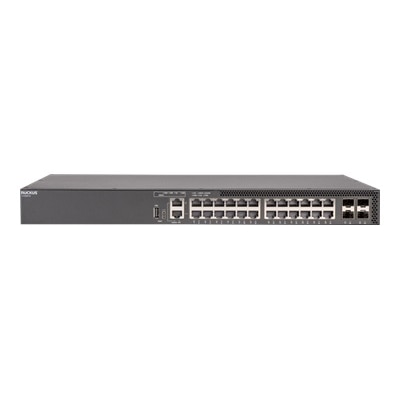
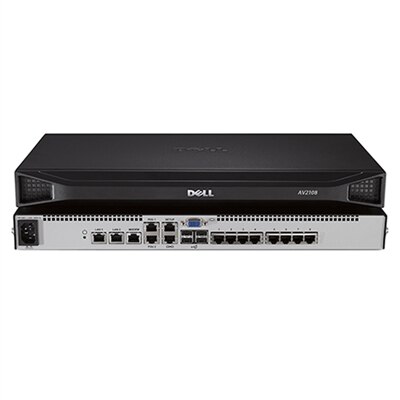
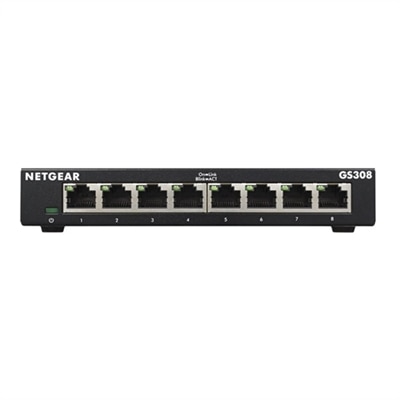
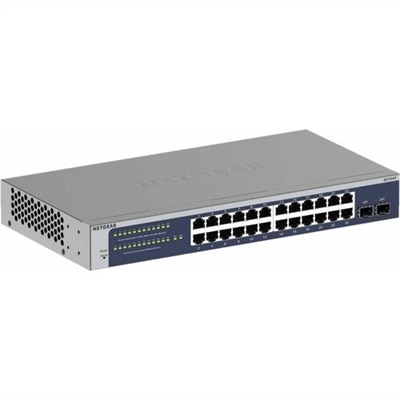
Backbone Switches
Backbone switches are the critical hubs in modern networking, providing seamless connectivity and robust data management for enterprises of all sizes. These pivotal components ensure efficient data flow across various network segments, enhancing overall performance and reliability. Whether you're upgrading an existing infrastructure or building a new one from the ground up, backbone switches offer the scalability and flexibility needed to support growing business demands. Explore our selection to find the ideal solution that meets your organization's specific networking requirements and future-proofs your operations.
This product is not available
Check out the following recommendations.




Backbone Switches
A backbone switch is a high-capacity device used to connect major sections of a business network and keep data moving efficiently between them. Rather than serving only a small group of nearby computers, it typically sits at the center of a larger architecture, gathering traffic from access or distribution switches and directing it toward other buildings, departments, wireless systems, internet gateways, or shared business applications. In a growing organization, this central role can make a noticeable difference: employees can move large files, join video meetings, access cloud services, and work with collaboration tools without every connection competing through a limited point of entry. Backbone switches are commonly used by businesses with multiple floors, offices, classrooms, clinics, retail locations, or connected facilities, as well as by IT teams responsible for keeping a busy environment organized. When comparing options, begin with the size and layout of the environment rather than choosing based on port count alone. Consider how many switches, devices, and uplinks the backbone must support today, then allow room for additional users, new work areas, security equipment, wireless access points, and higher-bandwidth applications. Port speed is another important consideration. Gigabit connections may be suitable for many everyday links, while 10G or faster uplinks can be valuable when several access switches, high-resolution media workflows, engineering files, virtualization platforms, or frequent backups create substantial traffic. It is also useful to review the number and type of uplink ports, since these connections carry aggregated traffic from multiple parts of the network. Fiber uplinks may help connect distant floors or separate buildings, while copper connections can be convenient for shorter runs and familiar installation environments. Compatibility matters as well: confirm that the switch works with existing cabling, transceivers, management tools, power requirements, and connected equipment. For a broader look at options that connect computers and other devices, visit Computer Switches.
A well-chosen backbone switch should match both the practical demands of the environment and the capabilities of the team managing it. Managed models can provide tools for monitoring traffic, separating departments or device groups, prioritizing voice and video, identifying unusual activity, and troubleshooting a slow connection before it affects an entire office. Features such as VLAN support, quality-of-service controls, link aggregation, redundant power options, and centralized administration may be especially useful in larger or more distributed workplaces. Redundancy deserves careful attention because a central switch can affect many downstream connections at once. Designs that support multiple paths or failover can help reduce disruption when maintenance is needed or a component experiences a problem. Buyers should also think about physical placement. A backbone switch may be installed in a communications room, equipment closet, or secure utility area, so dimensions, airflow, mounting style, noise level, and power draw can influence the experience long after installation. Keep ventilation clear, label connected cables carefully, and leave enough room for service access; a few minutes spent documenting ports can save considerable time during a hurried repair. For a smaller office, a high-capacity switch may provide room to consolidate connections and simplify expansion. For a multi-floor organization, it can serve as the central link between access layers and upstream resources. Schools and training facilities may use this type of equipment to handle simultaneous classroom connections, while creative studios and professional offices may value faster movement of large project files. It is generally not a casual gift item, but it can be a practical choice for an IT professional, systems integrator, small-business owner, or technically experienced home office user building a structured environment. Before purchasing, estimate peak traffic rather than relying only on the number of connected devices, check whether management features fit the administrator’s skill level, and consider the cost of compatible cabling and accessories. The right backbone switch should offer dependable capacity, straightforward visibility, and enough flexibility to support the way people actually work, whether that means a quiet office with predictable demand or a busy organization where dozens of conversations, files, applications, and services are moving at once.
FAQs:
A backbone switch is a high-performance network device designed to serve as the central hub in a backbone network, connecting multiple switches, routers, and network segments. Unlike standard switches, backbone switches are built to handle much higher data volumes, provide advanced redundancy features, and ensure seamless communication across large or complex environments such as enterprises, campuses, or industrial settings.
Backbone switches are most commonly used by IT professionals managing large organizations, educational campuses, healthcare facilities, and industrial environments. They are essential wherever high-speed, reliable data transmission between multiple network segments is required. Tech enthusiasts and advanced home users with extensive smart home or home office setups may also benefit from the robust capabilities of a backbone switch.
When selecting a backbone switch, consider features such as high bandwidth capacity, support for advanced redundancy and failover protocols, hot-swappable components, and scalability to accommodate growth. Depending on your environment, you may also want ruggedized models for harsh conditions or support for advanced management and security features.
A backbone switch enhances network reliability by centralizing and streamlining data flow, reducing bottlenecks, and supporting redundancy features like multiple power supplies and link recovery. This ensures continuous operation even during maintenance or unexpected hardware failures, minimizing downtime and maintaining seamless connectivity across the network.
Yes, backbone switches are designed to integrate with existing network infrastructures. They can connect to current switches, routers, and other devices, often enhancing overall network performance and reliability without requiring a complete overhaul. Proper planning and configuration can ensure a smooth transition and optimized network backbone.