Black Bezels
Enhance your tech setup with sleek black bezels that bring a modern and sophisticated touch to any device. Black bezels provide a seamless and stylish frame, ensuring your screens remain the center of attention while blending effortlessly into any environment. Whether you're upgrading your monitor, TV, or other electronic devices, choosing black bezels adds a timeless elegance that complements a wide range of aesthetics. Discover the perfect balance of form and function with our collection of black bezels designed to elevate your viewing experience.
This product is not available
Check out the following recommendations.




Black Bezels
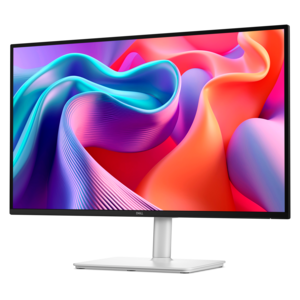
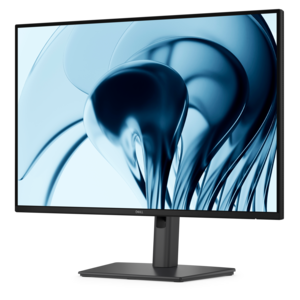
Black bezels are the dark frames surrounding the screens on monitors, laptops, and other display-equipped computers. They define the boundary between the active picture and the device’s outer housing, giving the screen a finished appearance while helping cover and protect its edges. On a desk, a black bezel creates a neutral outline around everything from a spreadsheet to a landscape photograph, keeping the frame visually understated without competing with the content. That dark surround can influence how bright or vivid an image appears, but bezel color alone does not change a display’s contrast ratio, color accuracy, or resolution. Those qualities depend on the screen technology and its settings. The appeal of black screen bezels is therefore both practical and visual: they coordinate easily with keyboards, mice, desk lamps, and other everyday accessories while maintaining a consistent look across different workspaces. A slim frame can make a monitor feel less imposing on a compact desk, while a wider frame may provide room for controls, a camera, or other components, depending on the design. Some displays combine a narrow physical bezel with a small inactive border inside the panel, so the visible edge around an image may be wider than the outer trim suggests. This distinction matters when comparing screen layouts, especially for a pair of monitors positioned side by side. Black bezels suit home offices, shared study areas, creative workspaces, and gaming setups because their restrained appearance works with a broad range of furniture and lighting. Against a pale wall, the outline provides a clear visual boundary; beside dark accessories, it blends into the surrounding equipment. For someone moving between documents, video calls, and evening entertainment, that versatility can make the same screen feel appropriate throughout the day. The frame is a small part of the overall device, yet its proportions and finish contribute noticeably to how the entire setup looks and feels.
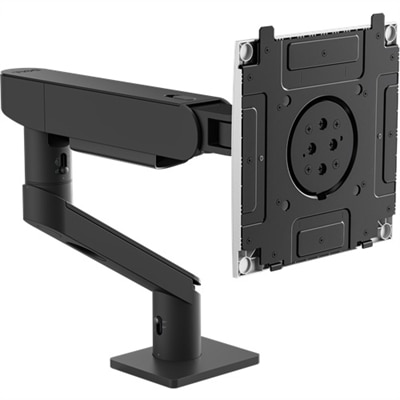
Bezel width, surface texture, and construction are useful considerations alongside screen size and intended use. A matte black finish generally produces fewer distinct reflections than a glossy finish, which can matter when a monitor sits near a window or beneath an overhead light. Glossy trim has a more reflective appearance and may show fingerprints more readily, particularly around frequently used buttons or a laptop’s opening edge. Depending on the device, the frame or surrounding housing may use molded plastic, metal, or a combination of materials. Plastic can keep weight down and accommodate shaped edges, while metal can add rigidity to parts of the enclosure; neither material, by itself, establishes the durability of the finished device. Fit, assembly quality, hinge construction on laptops, and everyday handling also matter. A narrow bezel does not necessarily mean a fragile screen, just as a broad border does not guarantee impact protection. For a laptop carried between a kitchen table, classroom, and office, the strength of the complete lid assembly matters more than the color or width of its trim. For a desktop monitor that stays in one place, overall dimensions, stable support, and viewing position usually have a greater effect on daily comfort. Screen size is measured diagonally across the display area, not across the full outer frame, so the enclosure’s width and height deserve attention when fitting a monitor beneath a shelf or between desk accessories. In a dual-monitor arrangement, thin adjoining bezels reduce the physical interruption between screens, although separate displays still leave a visible dividing line. Matching screen heights and adjusting their angles can help make that arrangement feel more coherent. Coordinating accessories such as Black Monitor Stands can carry the same dark finish through the workspace, but support compatibility depends on mounting specifications, weight limits, and the monitor’s design rather than appearance. A comfortable setup leaves space for the keyboard and mouse, keeps cables from pulling against connections, and positions the display where text is readable without leaning forward.
Everyday use gives the finer details of a black bezel their significance. Someone editing photos may appreciate a quiet, neutral frame, while still needing to evaluate the display’s color performance separately. A student reading articles beside a document may prefer narrow borders that leave more of a small desk’s visual footprint devoted to the screen. A person working across two monitors might place the most frequently used application directly ahead and use the second screen for reference material, rather than centering the seam in the main line of sight. For video calls, the upper bezel may house a camera and microphones, making camera placement and any integrated privacy shutter worth considering. Gaming and watching movies bring attention to the frame in a different way: an unobtrusive border can keep the surrounding hardware from drawing the eye, but motion clarity, response time, and picture quality remain separate display characteristics. Care is straightforward when matched to the device’s materials and manufacturer instructions. Dust can collect along the junction between the bezel and screen, and a clean, soft microfiber cloth helps remove it without abrasive scrubbing. Turn the device off before cleaning, avoid spraying liquid directly onto the display or frame, and use only cleaning methods approved for that surface. Excess moisture can enter seams, while harsh chemicals may discolor plastic or damage coatings. Lift a monitor by its designated support points rather than gripping the thin upper border, and avoid pressing on the panel when adjusting its position. Close a laptop with small objects clear of the keyboard so that nothing presses against the screen or surrounding trim. For a graduation gift, a college workspace, or a newly arranged home office, a display with a black bezel offers an adaptable appearance without requiring a distinctive decorating style. The most useful choice still depends on the recipient’s space, connections, and daily tasks. With those needs accounted for, the black frame provides a simple, consistent finishing detail around the screen at the center of the workspace.
FAQs:
Devices with a black bezel offer a sleek, modern look that complements virtually any décor. The dark frame draws less attention to itself, helping you focus on the display and creating a seamless, professional appearance whether at home, in the office, or in creative studios.
Black bezel devices make excellent gifts for students, professionals, gamers, and anyone setting up a new workspace. Their neutral design ensures they fit easily into a wide range of environments, making them a thoughtful choice for graduations, birthdays, or new job celebrations.
A black bezel minimizes distractions and creates a sense of continuity when arranging multiple monitors side by side. This is particularly beneficial for multitaskers and content creators who need an uninterrupted visual flow across screens.
Yes, accessories such as cable organizers, keyboard trays, and black monitor stands are popular choices. These items help create a cohesive and organized workspace, enhancing both the function and appearance of your setup.
Dell parts people often suggest black bezel products because they offer a timeless, versatile design that integrates well with various setups. Their durability and ability to blend with different accessories make them a reliable choice for anyone updating or expanding their workspace.