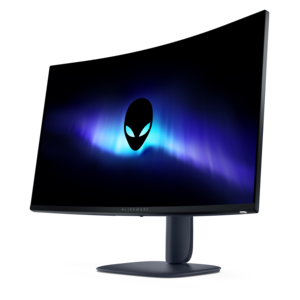
$249.99
A color-critical gaming monitor with DisplayHDR True Black 500, anti-glare, built-in colorimeter, and remote calibration tools.
Elevate your computing experience with our selection of black monitors, designed to seamlessly blend into any workspace while providing exceptional visual clarity. These sleek and stylish displays are perfect for both professional environments and home offices, offering a sophisticated look that complements any setup. Whether you're working on detailed projects, enjoying multimedia entertainment, or simply browsing the web, our range of black monitors delivers a versatile solution to meet your needs. Discover the ideal monitor that combines performance and aesthetics in one elegant package.
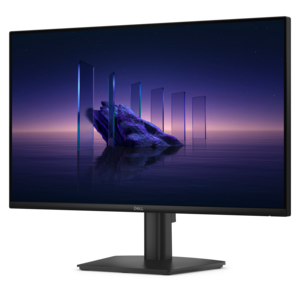
A color-critical gaming monitor with DisplayHDR True Black 500, anti-glare, built-in colorimeter, and remote calibration tools.
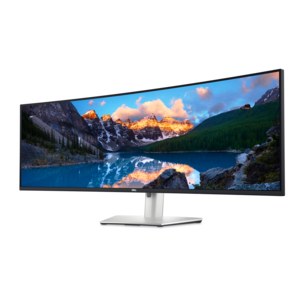
A curved dual-QHD productivity monitor featuring IPS Black technology and a convenient USB-C hub.
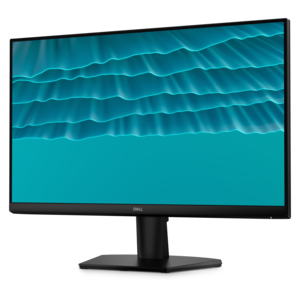
A smooth 144Hz monitor with 1ms MPRT and TÜV 3-star eye-comfort certification for everyday tasks.
A productivity-focused fixed-stand monitor certified by TÜV Rheinland for 3-star eye comfort.
A crisp FHD monitor with smooth 144Hz visuals, built-in speakers, and TÜV 4-star eye comfort certification.
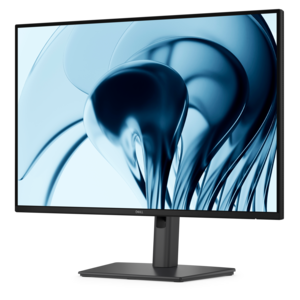
A productivity-focused 16:10 monitor with extensive connectivity, high refresh rate, and TÜV-certified four-star eye comfort.
Black monitors bring a clean, versatile look to a home office, gaming setup, classroom desk, or creative workspace. In most cases, the term refers to computer displays with a black bezel, stand, or housing rather than a separate type of screen technology. The dark finish blends easily with wood, glass, and metal desks, helping the display feel like part of the room instead of a bright visual distraction. It also pairs naturally with black keyboards, mice, webcams, speakers, and other desktop accessories. When comparing options, begin with the screen size and available desk space. A compact display can suit a dorm room, apartment workstation, or secondary screen, while a larger monitor gives spreadsheets, timelines, reference materials, and games more room to breathe. Resolution matters as well: Full HD can be a practical choice for everyday browsing, schoolwork, video calls, and office applications, while higher resolutions can make text, photographs, design work, and detailed game environments appear sharper when the computer supports them. Shoppers who want to compare related display types can also explore LCD Monitors to understand how common panel-based screens fit different workspaces and routines. A black monitor with a matte screen can help reduce distracting reflections near a window or under overhead lighting, while a glossy surface may produce a more vivid appearance in a controlled room. Neither finish is universally better; the right choice depends on where the display will sit and how much ambient light reaches the desk.
Panel type is another important consideration because it influences color, contrast, viewing angles, and motion handling. IPS-style displays are often valued for consistent colors across a wide viewing area, making them useful for photo organization, content creation, collaboration, and general productivity. Displays with stronger contrast can make dark scenes look more dimensional, which may appeal to people who play atmospheric games or watch films in a dim room. Faster refresh rates can make scrolling, cursor movement, and gameplay feel smoother, especially when paired with a computer capable of delivering higher frame rates. Response time is also relevant for fast-moving content, although advertised figures can vary by testing method and setting. Look closely at connectivity before choosing a display. HDMI is common for computers, game systems, and streaming devices, while DisplayPort is frequently used with desktop computers and graphics cards. USB-C connectivity can simplify a modern laptop setup by allowing video, data, and sometimes power to travel through one cable, depending on the monitor and computer. Built-in USB ports may keep a keyboard, mouse, storage accessory, or webcam within easy reach, and integrated speakers can reduce the number of items occupying a small desk, though separate audio equipment may provide a fuller listening experience. Ergonomics deserve equal attention: height adjustment, tilt, swivel, and vertical rotation can make a noticeable difference during a long workday. A screen positioned with its top edge near eye level may help create a more comfortable posture, while a VESA-compatible mounting pattern can support an arm or wall mount when desk space is limited. A neat cable path behind a black display is a small detail, but it can make the entire workspace feel calmer and more intentional.
These displays can serve a wide range of people. A student may use one for research, writing, online lessons, and a video call window kept beside class notes. A remote worker might appreciate a wide screen for keeping a document, calendar, and communication tools visible without constantly switching windows. A photographer, designer, or video editor may prioritize color consistency, resolution, and viewing angles, while a casual player may focus on refresh rate, response time, adaptive synchronization, and the size of the screen. A black monitor can also be a thoughtful gift for someone building a first home office, refreshing a study area, or replacing an aging display that has become dim or cramped. It is a particularly practical choice for a family member heading into a new academic term or creating a more comfortable work corner during the cooler months, because the recipient can use it for far more than one activity. Before ordering, measure the desk from front to back and side to side, allowing room for the stand, speakers, and comfortable viewing distance. Check the computer’s video outputs and graphics capabilities, then match the monitor’s resolution and refresh rate to the tasks that matter most. Consider warranty coverage, included cables, energy use, and whether the stand offers the adjustment needed for the intended setup. For dual-monitor arrangements, matching black finishes can create a cohesive appearance, while different sizes can be useful when one screen is dedicated to communication or reference material. Whether it becomes the centerpiece of a gaming desk, a dependable tool for daily productivity, or a simple way to make a laptop workspace more expansive, a black monitor combines understated design with the flexibility to support work, learning, entertainment, and creative projects throughout the year.
Add the products you would like to compare, and quickly determine which is best for your needs.