$49.99
A lightweight, twistable Bluetooth mouse with multi-device connectivity, designed for portable productivity on the go.
Browse Bluetooth mice for wireless control of a compatible laptop or desktop without a separate USB receiver. Compare size, power requirements, and operating system compatibility to choose a wireless mouse that fits your hand and works with your setup.
A lightweight, twistable Bluetooth mouse with multi-device connectivity, designed for portable productivity on the go.
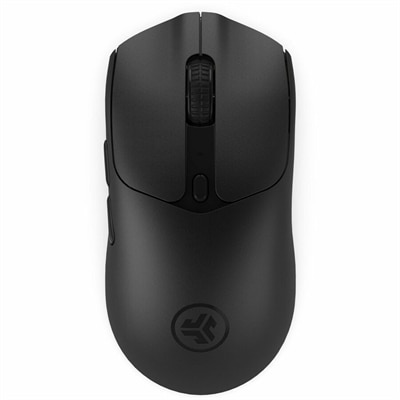
A compact black mouse with dual-mode connectivity, featuring 2.4GHz wireless and Bluetooth 5.0 connections.
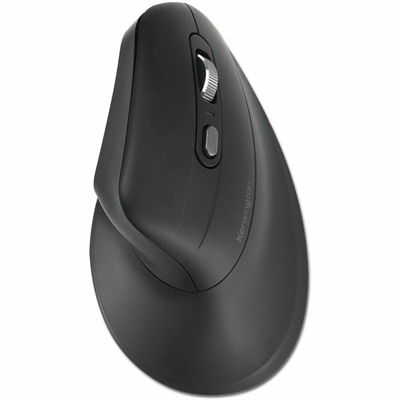
An ergonomic rechargeable vertical mouse with recycled plastic, Bluetooth 5.4, five buttons, silent switches, and encryption.
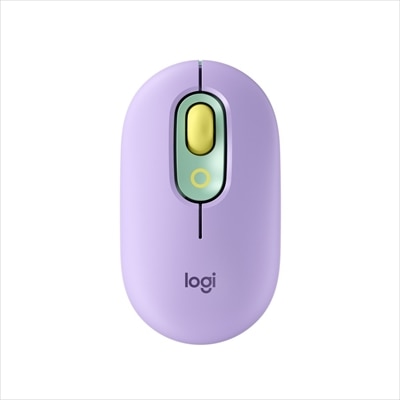
A lilac wireless Bluetooth mouse with quiet clicks, programmable emoji buttons, SmartWheel scrolling, and three-device connectivity.
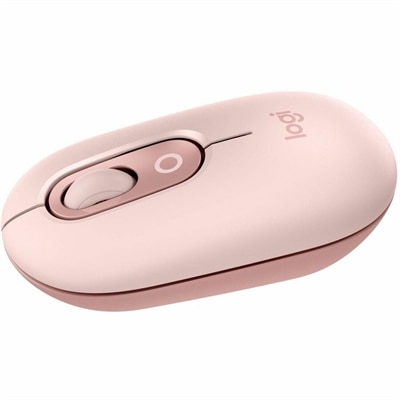
A rose compact wireless mouse with Bluetooth, programmable buttons, quiet clicks, and switching between up to three devices.
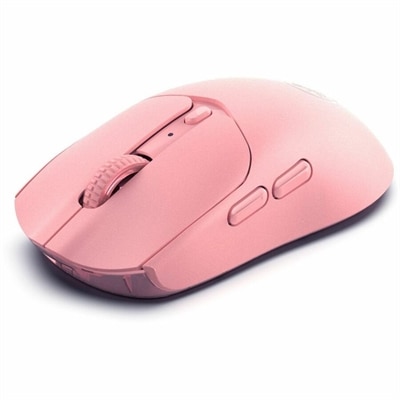
A pink wireless gaming mouse with a 12000 DPI optical sensor, six buttons, Bluetooth, 2.4GHz connectivity and rechargeable battery.
Bluetooth mice are wireless pointing devices that connect to compatible computers and other supported devices through Bluetooth, typically without a dedicated USB receiver. That direct connection keeps a USB port free for another accessory and eliminates a small receiver that could be misplaced between workspaces. A Bluetooth mouse can bring familiar, precise cursor control to a laptop at a kitchen table, a desktop in a home office, or a compatible tablet paired with a keyboard. Support depends on the device and operating system, so Bluetooth capability alone does not guarantee that every mouse function will work. Basic pointing and clicking may be supported while button customization or advanced scrolling requires compatible software. Some mice support both Bluetooth and a separate wireless receiver connection, while others use Bluetooth exclusively. The broader category of Wireless Laptop Mice includes different connection types, making the connection method an important distinction alongside size and shape. For everyday work, a Bluetooth mouse offers an alternative to a built-in trackpad when moving between documents, selecting spreadsheet cells, or arranging several windows across a monitor. Compact designs slip into a laptop bag for commuting, while fuller shapes can suit a desk where the mouse stays within easy reach throughout the day. Certain designs remember multiple paired devices and include a button for switching between them, which can simplify moving from a work laptop to a personal computer without pairing again each time. The number of remembered devices and the switching method vary. Bluetooth performance also depends on distance, nearby wireless activity, and obstacles between the mouse and computer. A clear, close connection is generally more useful than relying on a maximum advertised range. Sleep and wake behavior can matter during stop-and-start tasks, too, particularly when a mouse sits untouched during a meeting. For browsing, writing, coursework, and routine office tasks, practical connectivity and a comfortable fit often matter more than a long list of extra controls.
The feel of a Bluetooth mouse comes from the relationship between its dimensions, contours, weight, and the way a hand naturally rests on it. A low-profile mouse takes up little room in a bag, but someone who rests most of the palm on the shell may prefer a taller back and a longer body. Smaller hands can find oversized shapes difficult to control, while larger hands may feel cramped on travel-focused designs. Symmetrical shapes can accommodate different hand preferences, although side-button placement may still favor one hand. Sculpted and vertical designs change the resting position of the hand and forearm; comfort remains individual, and no shape guarantees relief from discomfort. A relaxed grip, nearby mouse placement, and regular changes in position remain important during extended computer use. Materials influence that everyday feel. Smooth plastic is easy to wipe down, matte finishes can feel less slick, and textured sides or rubberized grips can help maintain control. Soft-touch coatings and grip materials may show wear differently over time, especially where fingers repeatedly contact the surface. Weight is another practical consideration: a lighter mouse takes less effort to reposition, while a heavier design may feel steadier to some users. Sensor performance and the work surface also affect control. Many optical sensors work well on a clean, matte mouse pad, but glass, glossy finishes, and strongly patterned surfaces can cause inconsistent tracking unless the sensor is designed for them. Adjustable sensitivity changes how far the pointer travels in response to hand movement, allowing a different feel for detailed selections versus movement across a large screen. Higher sensitivity is not automatically more accurate. Scroll-wheel resistance, horizontal scrolling, and additional buttons can make long documents, wide worksheets, and repeated navigation more manageable. Quieter switches may be useful in shared offices or study spaces, though quieter does not necessarily mean silent. Extra functions are most useful when they suit familiar tasks and are supported by the connected computer.
Battery design shapes how a Bluetooth mouse fits into a routine. Rechargeable models reduce the need to keep replacement batteries on hand, while models with replaceable batteries can be refreshed without waiting for a charging cycle. Actual battery life varies with usage, connection settings, battery type, lighting features, and power-saving behavior, so published estimates are not a promise of identical results at every desk. An accessible power switch can be useful before placing a mouse in a bag, and a battery indicator can help prevent an interruption during a presentation or an afternoon of coursework. A charging port does not necessarily mean that a mouse supports wired pointing; charging and data capabilities depend on the design. Durability also comes down to ordinary details: secure battery covers, consistent button response, a stable scroll wheel, and feet that glide without catching on the desk surface. For travel, a separate pouch or padded compartment helps keep keys, loose objects, and pressure from bearing directly on the buttons. At home, keeping drinks away from the work area and removing dust from the underside can help preserve reliable operation. Cleaning should follow the manufacturer's directions, with the mouse turned off and disconnected from charging before care. A soft, lightly dampened cloth is often appropriate for the exterior when permitted, while excess moisture, abrasive cleaners, and unapproved solvents can damage finishes or enter openings. The sensor area and glide feet deserve attention when cursor movement becomes uneven, since dust and debris can affect tracking and movement. For students, remote workers, frequent travelers, and anyone setting up a more comfortable computer workspace, a Bluetooth mouse can be a practical everyday accessory. It can also make a thoughtful gift for someone starting a new job, heading to college, or replacing a worn desk essential, provided compatibility and hand preference are considered. The most useful choice is one whose connection, shape, controls, and power needs fit naturally into the recipient's daily routine.
Add the products you would like to compare, and quickly determine which is best for your needs.