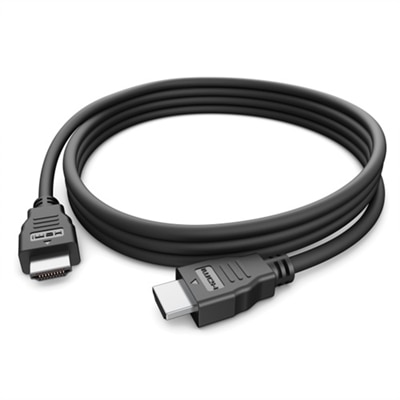
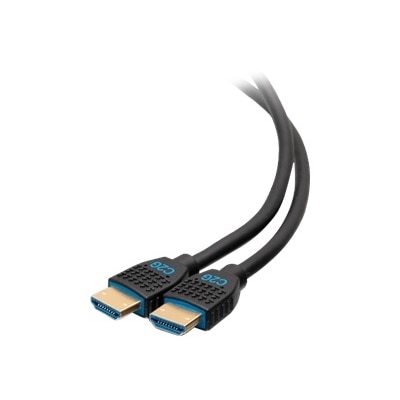
CL3 Rated HDMI Cables
Upgrade your home theater, office, or gaming setup with CL3 rated HDMI cables designed for reliable and secure in-wall installations. These cables are engineered to support high-quality audio and video signals, making them ideal for connecting your favorite devices while maintaining a clean and professional look. Explore a wide selection of CL3 rated HDMI cables to find the perfect solution for your entertainment or workspace needs.
This product is not available
Check out the following recommendations.




CL3 Rated HDMI Cables
CL3 rated HDMI cables are designed for audio and video installations where the cable may be routed inside a wall, ceiling, raceway or other enclosed building space. The CL3 designation refers primarily to the cable’s jacket and fire-resistance properties, not to a particular picture resolution or connector type. Its flame-retardant outer covering is intended to help limit the spread of fire and reduce smoke or fumes compared with ordinary general-purpose cords, making it a more suitable choice for permanent installations where local electrical and building codes call for a higher-rated cable. CL3 cable is commonly associated with circuits up to 300 volts, although an HDMI connection itself carries low-voltage audio and video signals. Requirements can vary by location and installation method, so checking local codes or consulting a qualified installer is important before placing any cable behind a finished wall. A standard HDMI cable that works perfectly when connected across a desk may not be appropriate for a concealed run. Choosing a cable with the correct in-wall rating helps support a safer, more orderly installation while reducing the need to reopen drywall or replace a cable after a room has been completed. These cables can be useful in a living room media wall, a classroom display, a conference room, a home office, a gaming setup or a ceiling-mounted projector. They are also helpful when a television is mounted above a mantel or on a wall opposite a media console, where a visible cable would interrupt the clean look of the room. For general, exposed connections, shoppers may also wish to compare options in High Speed HDMI Cables, while CL3 rated choices are especially relevant when the cable will become part of a permanent, concealed pathway.
Length is one of the most important details to settle before purchasing. Measure the actual route from source to display, then account for the distance needed to move around framing, reach wall plates and leave enough slack for connecting equipment without placing strain on the ports. A direct measurement from a laptop or media player to a monitor rarely reflects the path behind a wall. Runs that travel upward, across a room and down again can require considerably more cable than expected. Avoid choosing an excessively long cable simply to be safe, because extra length can make routing more difficult and may complicate signal performance, while a cable that is too short can leave connectors pulling against a television or desktop. Check the cable’s supported resolution, refresh rate and bandwidth alongside the capabilities of the connected devices. A display used for streaming movies may have different requirements from a gaming monitor, a work laptop connected to a dock or a desktop driving a high-resolution screen. Features such as high dynamic range, enhanced audio return channel, multichannel sound and higher refresh rates depend on the complete connection, including the source device, display, ports and settings. A CL3 rating does not automatically mean that a cable supports every newer HDMI feature, and a cable marketed for a particular installation rating should still list its performance specifications clearly. For longer runs, look for construction that helps preserve signal quality, such as effective shielding, carefully made connectors and conductors suited to the distance. Shielding can help reduce interference from nearby power cables, lighting equipment and other electronics, especially when several wires share a crowded pathway. Connector shape matters as well: right-angle designs may help in tight spaces behind a wall-mounted monitor, while standard straight connectors can be easier to service in an open media cabinet. Before installation, inspect the path for sharp bends, heat sources, plumbing and existing electrical wiring, and follow the cable maker’s minimum bend guidance. Do not staple through the cable, crush it beneath framing or pull it with enough force to damage the jacket. A pull string, flexible conduit where appropriate and accessible wall plates can make future replacement or troubleshooting much easier.
The right CL3 rated HDMI cable can make a thoughtfully arranged room feel noticeably calmer: the display sits flush against the wall, the desk remains clear, and the connection is tucked away rather than looped across the floor where it can catch on a chair or collect dust. Home users may choose these cables while remodeling a family room, finishing a basement, setting up a dedicated theater or creating a cleaner workspace for a laptop and monitor. They can also suit small businesses, educators and meeting spaces that need a dependable connection between a display and a computer without exposed wiring along a walkway. For gaming, the cable should be matched to the console or PC, the monitor or television and the desired resolution and refresh rate, with enough length to accommodate a comfortable seating or desk arrangement. For home theater, consider whether the installation will carry video to a display, return sound from the display to an audio device or connect several components through a receiver. Labeling both ends before the cable disappears into a wall is a simple step that saves time later, particularly when multiple connections enter the same media cabinet. Keep a record of the route and photograph the open wall before it is closed, then test the full connection at the desired resolution and audio setting before completing trim or mounting hardware. A CL3 rated HDMI cable can be a practical gift for someone moving into a new home, upgrading a gaming room or preparing a home office, especially when paired with thoughtful measurements and an understanding of the recipient’s equipment. It is less about adding another visible accessory and more about helping create a reliable, safe and polished connection that remains useful through changing room layouts, entertainment systems and work-from-home needs.
FAQs:
CL3 rated HDMI cables are compatible with a wide range of devices, including TVs, projectors, gaming consoles, streaming boxes, home theater receivers, and Blu-ray players. They are ideal for setups where the cable needs to be run behind walls or through ceilings for a clean, professional look.
Yes, CL3 HDMI cables are well-suited for both residential and commercial environments. Their in-wall rating and durable construction make them a popular choice for home theaters, conference rooms, classrooms, and other spaces that require discreet cable management.
Absolutely. CL3 HDMI cables are available in HDMI 2.0 and HDMI 2.1 standards, supporting high resolutions and refresh rates needed for 4K or 8K gaming on compatible consoles, ensuring smooth visuals and immersive gameplay.
Yes, CL3 HDMI cables can transmit both video and high-quality audio signals, making them suitable for connecting soundbars, AV receivers, and surround sound systems alongside your video setup.
CL3 HDMI cables are backward compatible with earlier HDMI versions, so you can use them with older devices that may not support the latest standards. This ensures flexibility as you upgrade or mix new and existing equipment in your setup.