$7.99
An OEM-grade replacement component tested for reliable compatibility and backed by a limited one-year warranty.
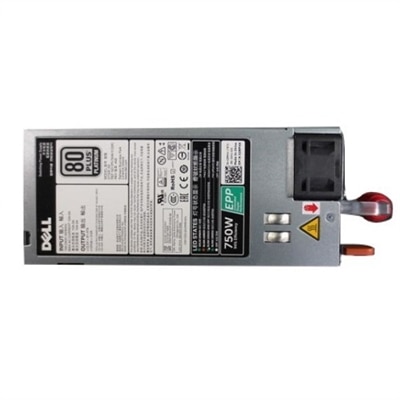
Computer power supply components are essential for ensuring reliable and efficient performance in your desktop or workstation. Whether you’re upgrading your existing system or building a new one from the ground up, choosing the right components helps maintain stable operation and supports your computing needs. Explore a wide selection of computer power supply components designed to meet various requirements, offering compatibility with different setups and helping you keep your devices running smoothly.
An OEM-grade replacement component tested for reliable compatibility and backed by a limited one-year warranty.
A replacement CPU voltage regulator heatsink assembly engineered for Aurora R11 and R12 desktop systems.
Computer power supply components help a desktop computer receive the steady, properly regulated electricity its internal hardware needs. A power supply unit, commonly called a PSU, converts high-voltage alternating current (AC) from a wall outlet into the lower-voltage direct current (DC) used by the motherboard, processor, graphics card, drives, cooling fans, and other compatible components. In a typical desktop system, the PSU supplies regulated 12V, 5V, and 3.3V power rails, directing energy through dedicated cables and connectors. This work happens quietly inside the chassis, but it has a direct effect on system stability, operating temperatures, and the ability to support demanding workloads. People upgrading a home office computer, assembling a custom desktop, refreshing an older system, or replacing a worn power unit can use this category to compare compatible options in one place. A dependable power supply can help a computer start consistently, handle normal changes in workload, and provide the capacity needed for installed hardware without unnecessary strain. Before choosing, check the desktop’s case size, motherboard connections, graphics hardware requirements, and available mounting space. The power supply must fit physically and electrically, and its cables should reach the components without being stretched across the case. Reviewing the manufacturer’s specifications for the computer or individual components is an important step, especially when replacing an existing unit. For a convenient starting point, browse Desktop Computer Power Supplies and compare the details that matter for the intended setup.
Wattage is one of the most visible specifications, but it should be considered alongside the computer’s complete power demand. A system used for email, documents, web browsing, streaming, and schoolwork may need considerably less capacity than a desktop built for advanced graphics, content creation, engineering applications, or intensive multitasking. The wattage rating indicates the maximum amount of power the unit is designed to deliver, with common desktop capacities ranging from approximately 500 watts to 1,000 watts or more. Choosing a unit with some headroom can accommodate brief increases in demand and leave room for a future component upgrade, while selecting an unnecessarily oversized unit may not provide a practical advantage for a modest configuration. Efficiency is another useful comparison point. Efficiency ratings, including the 80 PLUS system and its Bronze, Gold, and Platinum levels, describe how effectively a PSU converts incoming electricity into usable power, with less energy lost as heat at higher efficiency levels under the conditions measured. A more efficient unit can contribute to a cooler, quieter desktop environment and may be appealing to people who leave a computer running for long work sessions. Noise preferences also matter: users in a quiet study, bedroom, or shared workspace may appreciate a design that manages fan speed according to temperature and load. It is wise to consider the computer’s airflow, room conditions, and typical workload rather than relying on a single specification. During warmer weather or in a compact desk area, efficient operation and sensible ventilation can be especially noticeable; during cooler months, the same considerations help maintain a comfortable, orderly workspace.
Cable design influences installation, maintenance, and the way air moves through a desktop case. With a non-modular power supply, all cables are permanently attached, including leads that may not be needed in a particular build. This arrangement can be straightforward and economical, but unused cables may add clutter and make it more difficult to route wiring neatly. A semi-modular design keeps essential connections attached while allowing selected auxiliary cables to be added only when required. A fully modular design lets each cable be detached from the power supply and connected as needed, which can simplify installation, improve cable management, and make future maintenance less cumbersome. Whichever design is selected, use only the cables intended for that specific power supply because connectors that appear similar may have different wiring. Never force a connection, and disconnect the computer from the wall outlet before opening the case or handling internal components. People with limited hardware experience may prefer a clearly labeled arrangement and straightforward documentation, while experienced desktop builders may value the flexibility of modular cabling when working in a compact chassis. These components can also be a thoughtful gift for a computer enthusiast, student, remote worker, or family member who is planning a desktop upgrade, provided the recipient’s system requirements are known. A power supply is not usually chosen for appearance alone; compatibility, capacity, efficiency, connector availability, physical dimensions, and warranty coverage all deserve attention. Taking a few minutes to match those details can make installation smoother and help the finished desktop feel clean, capable, and ready for everyday work, creative projects, entertainment, and demanding applications.
Add the products you would like to compare, and quickly determine which is best for your needs.