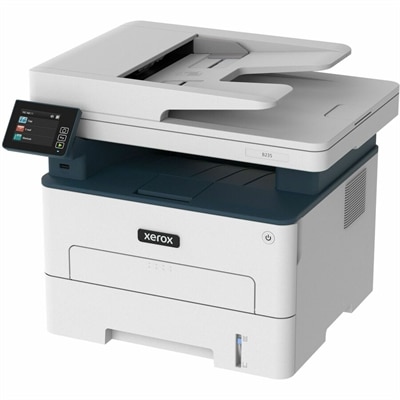
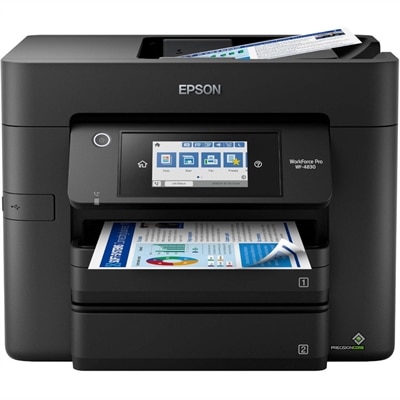
Copy Scan Fax Printers
Discover the ultimate solution for your office needs with our diverse range of copy scan fax printers. These versatile machines are designed to streamline your workflow, combining multiple functions into one efficient device. Whether you're managing a bustling workplace or setting up a home office, our selection of copy scan fax printers offers the perfect balance of performance and convenience. Explore top-quality options that cater to all your printing, scanning, and faxing requirements, ensuring you stay productive and organized in any environment.
This product is not available
Check out the following recommendations.




Copy Scan Fax Printers
Copy, scan and fax printers bring several everyday office tasks together in one desktop device, making them a practical choice for home offices, small businesses, classrooms and shared workspaces. Instead of keeping separate equipment for printing paperwork, making duplicates, digitizing signed forms and sending documents by fax, a multifunction printer can handle these jobs from a single control panel or mobile app. That convenience is especially useful during the cooler months, when a well-organized work area can make remote work, household administration and small-business routines feel more manageable. A copy scan fax printer may be used to reproduce invoices, prepare forms, scan receipts for digital records, send authorization pages or print shipping documents. It can also help families keep important paperwork together, from school forms and insurance documents to travel confirmations and home-maintenance records. For shoppers comparing Printers With Fax, the right choice depends on how often the device will be used, what types of documents it will handle and where it will be placed. Compact models can fit comfortably on a shelf or a corner of a desk, while larger office-oriented designs may offer faster output, bigger paper capacity and controls suited to several users. Consider the complete workflow rather than a single specification: a printer that produces pages quickly is helpful, but a dependable document feeder, simple scanning controls and convenient connectivity may save more time over the course of a busy week.
Print technology is one of the first decisions to make. Laser printers are often a strong fit for users who primarily produce crisp black-and-white text, forms and business documents, particularly when the monthly workload is substantial. They are known for quick text output and clean, sharp lettering that remains easy to read on contracts, reports and multi-page packets. Inkjet printers can be a better match for households and offices that need color graphics, presentations, occasional photos or mixed document types. Color inkjet output can add clarity to charts and visual materials, while many models remain compact enough for a home workspace. Think about the documents you print most often, not only the occasional project. Someone who prints a few pages several times a week may value a smaller footprint and flexible color capability, while a busy office that prepares stacks of monochrome forms may benefit from a faster laser design and a higher recommended monthly duty cycle. Automatic two-sided printing can reduce paper use and keep handouts, statements and reports looking tidy. An automatic document feeder, often called an ADF, is equally important when copying, scanning or faxing multiple pages. It allows a stack of documents to move through the device without placing each sheet on the glass by hand, which is particularly helpful when digitizing receipts, copying signed agreements or sending a lengthy fax. Check the feeder capacity and whether it supports two-sided scanning if your work frequently involves double-sided pages. A flatbed scanner remains useful for books, photographs, identification cards and delicate originals that should not pass through rollers. Resolution, color depth and scan speed also deserve attention, although everyday office documents generally benefit most from accurate text capture and straightforward controls rather than extreme imaging specifications.
Connectivity and ease of use can shape the daily experience just as much as print speed. Wi-Fi makes it possible to place a printer in a convenient shared location and send jobs from laptops, desktops and compatible mobile devices without running a cable across the room. Dual-band wireless support may help maintain a dependable connection in a busy household or office, while Ethernet can be useful for a shared workspace that prefers a wired network. Mobile printing and scanning support can be valuable when a document arrives on a phone and needs to be printed quickly, or when a signed page must be scanned and sent electronically without first moving it to a computer. Look for a clear display, logical menus and easy access to maintenance tasks such as replacing cartridges, clearing paper jams and checking supply levels. Security features also matter when the printer handles financial records, customer information, medical paperwork or other private material. Password protection, secure wireless setup and controlled access can help reduce the chance of sensitive documents being viewed by the wrong person. Before choosing, measure the available area and leave room for the paper tray, scanner lid and ventilation. Review paper sizes, media compatibility, fax memory, address-book functions and the cost and yield of replacement supplies. A printer that appears compact may need additional clearance when its trays are extended, while a larger unit may repay its footprint through easier handling of substantial documents. These printers can be useful practical gifts for a new home office, a student managing forms and reports, or a small organization building a more capable administrative corner. The most satisfying choice is one that fits naturally into the user’s routine: easy to connect, comfortable to operate and prepared for everything from a single copied page to a full stack of scanned, printed or faxed documents.
FAQs:
For a home office, consider a printer with wireless connectivity, an automatic document feeder (ADF), duplex printing and scanning, and compatibility with mobile devices. These features streamline document handling and make it easy to print, scan, or fax from anywhere in your workspace.
An automatic document feeder allows you to scan, copy, or fax multiple pages at once without manually placing each page on the scanner glass. This is especially helpful for large documents or multi-page contracts, saving you time and effort.
Yes, many all-in-one printers support high-resolution color printing and specialty media, making them ideal for creative projects such as photo printing, crafting, and even producing custom stickers with models like an epson sticker printer.
Most modern all-in-one printers offer mobile printing and scanning capabilities through dedicated apps or cloud services. This allows you to print documents, scan images, and even send faxes directly from your smartphone or tablet for added convenience.
Duplex scanning enables a printer to automatically scan both sides of a document in a single pass. This feature is valuable for digitizing double-sided documents efficiently and is especially useful for businesses or individuals handling large volumes of paperwork.