Editing Software For Filmmakers
Editing software for filmmakers is essential for bringing creative visions to life, streamlining post-production workflows, and achieving professional results. Whether you’re working on independent projects or large-scale productions, the right tools can help refine footage, enhance storytelling, and ensure your final cut meets industry standards. Explore a curated selection of editing software for filmmakers designed to support every stage of the editing process, from organizing clips to adding finishing touches.
This product is not available
Check out the following recommendations.




Editing Software For Filmmakers
Editing software for filmmakers supports far more than trimming clips and arranging scenes on a timeline. It can serve as the creative workspace for organizing camera footage, shaping a story, refining performances, building soundscapes, adding titles, and preparing a finished project for its intended audience. The right choice depends on the kind of work being produced and the way a filmmaker prefers to work. A feature-film editor may need dependable media management, detailed timeline control, shared project access, and a workflow built for long-form production. An independent filmmaker may place greater value on a fast interface, flexible file support, built-in effects, and a smooth path from rough cut to finished export. Documentary creators often benefit from strong search, tagging, and dialogue-editing tools, while short-film directors, music-video creators, and online video producers may prioritize quick previews, motion graphics, vertical video support, and efficient publishing. Many applications combine editing, color correction, audio post-production, visual effects, and delivery tools in one environment, although some filmmakers prefer to move between specialized applications as a project develops. When comparing options, consider whether the software supports the camera formats being used, including high-resolution, HDR, and professional audio files, and check how easily it handles proxies for smoother editing. Compatibility with the computer’s operating system is equally important; filmmakers working within a Mac-based setup can explore Video Editing Software for MAC when narrowing down suitable options.
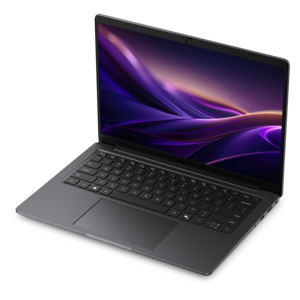
A filmmaker’s computer and surrounding workspace can have as much influence on the editing experience as the software itself. Editing high-resolution footage involves reading, writing, decoding, and displaying substantial amounts of data, so a capable laptop or desktop with a modern processor, generous memory, fast solid-state storage, and a suitable graphics processor can help keep playback responsive. More demanding projects, such as multi-camera productions, visual-effects sequences, or films with extensive color work, may benefit from additional memory and a larger internal or external working drive. Storage planning deserves special attention: camera originals, duplicate project files, audio recordings, graphics, render files, and finished exports can quickly fill a drive, especially when footage is recorded at high frame rates or in large formats. A high-resolution monitor with accurate color reproduction can make it easier to inspect shadows, highlights, skin tones, and subtle changes between shots, while a second display can keep bins, effects controls, audio meters, and timelines visible beside the preview window. Accessories such as a precision mouse, keyboard with customizable shortcuts, drawing tablet, headphones, speakers, card reader, and external drive can help create a more comfortable and dependable editing station. For mobile filmmakers, a laptop offers the flexibility to cut footage at a production location, in a studio, or during travel, while a desktop may provide more room for expansion and sustained performance. Quiet operation, battery life, port selection, display quality, and the ease of connecting additional monitors or drives are practical considerations that become especially noticeable during long editing sessions.
Editing software can be a thoughtful gift for a film student, aspiring director, family documentarian, content creator, or experienced editor building a more capable post-production workflow. Before choosing an option for someone else, consider their computer platform, experience level, preferred type of filmmaking, and whether they are learning the fundamentals or already accustomed to a particular editing style. Beginners may appreciate an uncluttered interface, guided tools, templates, and accessible ways to organize footage without sacrificing room to grow. More advanced editors may look for professional timeline features, collaborative workflows, color-grading controls, audio mixing, keyframing, compositing, and support for industry-standard delivery formats. It is also worth reviewing licensing terms, subscription or purchase structure, upgrade policies, project portability, and the availability of tutorials or community support. A filmmaker working on a quiet character study may spend an afternoon shaping a pause between lines, while someone assembling a fast-moving travel film may focus on rhythm, transitions, and music synchronization; both benefit from software that stays out of the way and responds predictably. During the cooler months, editing can become an especially satisfying indoor creative project, turning scattered clips from a weekend shoot, family gathering, school production, or neighborhood story into something polished and lasting. Whether the goal is a personal short film, a portfolio piece, a documentary, or a longer production, the best editing software is the one that fits the filmmaker’s equipment, creative habits, and path from captured footage to a finished story.
FAQs:
Filmmakers should prioritize features such as multi-track editing, advanced color grading, support for high-resolution formats, seamless audio integration, and robust export options. Additional tools like motion tracking, visual effects, and collaborative workflows are also valuable for complex projects.
Yes, modern editing software is versatile and commonly used for a wide range of projects, including video editing for podcast episodes, social media content, educational videos, and short-form digital productions. Many platforms offer templates and export presets optimized for different media formats.
Absolutely. There are several editing solutions specifically optimized for macOS, offering enhanced performance and integration with Apple hardware. You can explore recommended options on our Video Editing Software for MAC page.
Hardware compatibility is crucial, as editing software often requires significant processing power, memory, and graphics capabilities. Ensuring your computer meets or exceeds the software’s requirements will provide smoother performance and reduce the risk of crashes during intensive editing sessions.
Many professional-grade editing platforms offer guided tutorials, intuitive interfaces, and beginner-friendly modes, making them accessible to users with varying skill levels. Starting with basic features and gradually exploring advanced tools allows beginners to grow their editing skills over time.