$4211.00
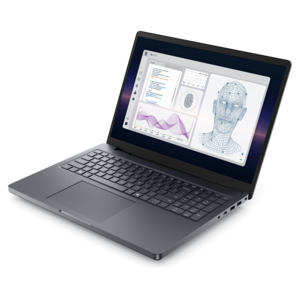
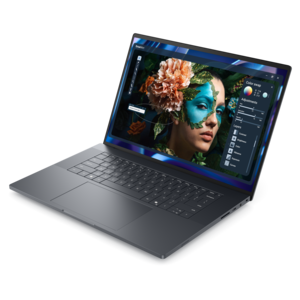
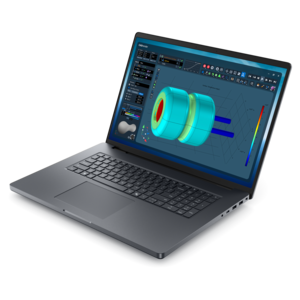
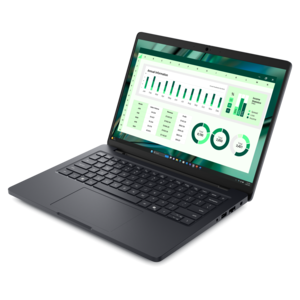
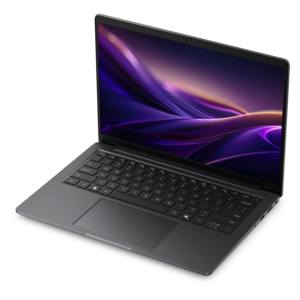
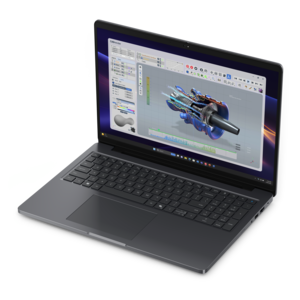
A modern workstation-class laptop delivering cost-effective performance for professional productivity.
Explore engineering workstation laptops for CAD, 3D modeling, and other technical workflows. Compare processor, graphics, and memory specifications alongside screen size and portability to find a mobile workstation that fits your engineering software requirements and how you work.
A modern workstation-class laptop delivering cost-effective performance for professional productivity.
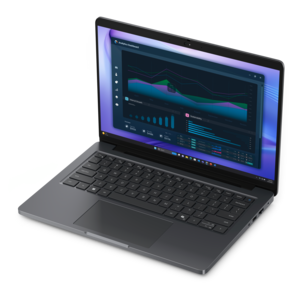
A powerful professional laptop delivering productivity, scalability, ease of use, and advanced on-device AI.
A cost-effective workstation laptop delivering professional performance in a modern-looking design.
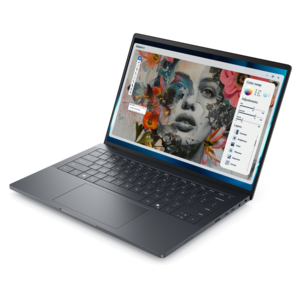
A sleek workstation delivering exceptional performance with advanced on-device AI and exuberant style.
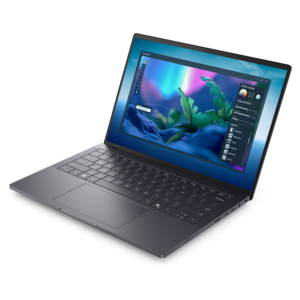
A sleek, high-performance laptop featuring advanced on-device AI for productive workflows wherever you go.
A sleek, lightweight laptop with Intel Core Ultra processors, NVIDIA graphics, and advanced on-device AI.
A powerful productivity laptop with scalable performance and advanced on-device AI capabilities.
A portable professional laptop designed for demanding office, design, and creative applications.
A Copilot+ PC combining powerful Intel® CPU, GPU, and NPU performance for productive everyday computing.
Engineering workstation laptops are portable computers designed for demanding technical work, including computer-aided design (CAD), 3D modeling, architectural visualization, and engineering analysis. Their value comes from the way the processor, graphics hardware, memory, cooling system, and software support work together, rather than from any single specification. A mechanical engineer rotating a detailed assembly needs a responsive viewport, while an analyst running a structural simulation may depend more heavily on processor performance and memory capacity. Many modeling operations benefit from strong performance on individual processor cores; rendering, certain simulations, and other parallel workloads can take greater advantage of additional cores. Dedicated professional graphics can support complex visual workloads and specialized application features, although the right graphics configuration depends on the software and project. Independent software vendor (ISV) certification is another important distinction: it indicates that a particular hardware and software configuration has been tested for compatibility with specified applications. Certification is application-specific, not a blanket promise that every engineering program will run equally well. For engineers working with large assemblies, dense meshes, or multiple technical applications at once, sufficient system memory helps keep active project data accessible without frequent transfers to the internal drive. Graphics memory serves a separate purpose, holding information used by the graphics processor, and can matter significantly with complex scenes or high-resolution visualization. Fast solid-state drives contribute to responsive startup, project loading, and file transfers, but they do not replace adequate memory or processing power. Together, these characteristics make engineering workstation laptops relevant to mechanical and civil engineers, product designers, architects, researchers, and students using professional technical software. The distinction becomes especially clear during an ordinary workday: a laptop might move from a morning design review to an afternoon modeling session, then handle drawing revisions before a project deadline. Suitability depends on the demands of those tasks, the application’s published requirements, and the scale of the files involved. A configuration suited to drafting individual components may have very different requirements from one intended for detailed assemblies, visualization, and sustained calculations.
The physical design of an engineering laptop influences how comfortably that work fits into daily life. A larger display can give drawings, timelines, tool palettes, and model views more room, while a smaller chassis is easier to carry between a studio, classroom, meeting room, and home workspace. Screen resolution affects how much detail can be displayed, but comfortable text size and application scaling matter just as much during hours of reviewing dimensions and annotations. A matte screen can reduce distracting reflections under overhead lights, and sufficient brightness helps maintain visibility in changing indoor conditions. Color accuracy is particularly relevant when engineering work overlaps with materials visualization, presentation graphics, or other color-sensitive tasks; it is less central to calculations that do not rely on precise color reproduction. Keyboard spacing, key feel, touchpad behavior, and palm-rest dimensions also influence comfort, especially when entering numerical values or navigating software shortcuts throughout the day. Chassis materials may include metal, reinforced composites, or combinations chosen to balance rigidity, weight, and heat management. Material alone does not establish durability: hinge construction, internal reinforcement, and the protection provided during transport also matter. A slim machine may feel convenient in a backpack, whereas a larger design can provide more space for cooling hardware and additional connections. Sustained engineering workloads generate heat, so cooling capacity and power settings influence how consistently a laptop maintains performance over a long rendering or analysis session. Fan noise can become more noticeable under those conditions, particularly in quiet classrooms or shared offices. Battery endurance also varies with workload, display settings, and graphics use; light document editing is substantially different from running a demanding simulation away from an outlet. The power adapter deserves a place in the portability equation because its size and weight contribute to the equipment carried each day. For mobile engineers, a comfortable fit means balancing screen space, carrying weight, input comfort, and sustained performance rather than treating thinness or maximum specifications as the only measure of usefulness.
Connections and workspace flexibility extend the usefulness of engineering workstation laptops beyond the built-in screen. External monitors can provide room for a full drawing alongside reference documents, while a separate keyboard and mouse can make extended desk sessions more comfortable. Docking compatibility depends on the laptop’s ports, supported display capabilities, and power requirements; a connector’s shape alone does not establish everything it can do. Some demanding systems still need their dedicated power adapter even when connected to a dock. Port selection also affects how easily a laptop works with presentation displays, measurement instruments, and other equipment used in technical environments. Within the broader category of Workstation Laptops, engineering-focused configurations are distinguished by how closely their capabilities match the intended applications and working conditions. A student carrying a laptop across campus may place particular value on manageable weight and everyday usability, while a design professional handling complex assemblies may put greater emphasis on graphics capability, memory capacity, and application certification. For work that grows in complexity over time, serviceability can also matter. Memory and internal drive replacement options vary by design, and some components may be integrated rather than replaceable, making the original configuration an important long-term consideration. Everyday care supports that investment without requiring elaborate routines. Keeping ventilation openings clear, using the laptop on a firm surface, and avoiding fabric that blocks airflow help the cooling system function as intended. A padded compartment limits movement during transport, while a protective sleeve can reduce contact with loose objects inside a bag. Screens and exterior surfaces benefit from gentle cleaning with appropriate materials, following the manufacturer’s care instructions rather than applying liquid directly to the device. Current application-compatible drivers, routine software maintenance, and regular project backups help preserve a dependable working environment. These practical details matter when a laptop carries drawings to a jobsite meeting, supports a final-year engineering project, or becomes the primary workspace for a traveling designer. The strongest fit is a system that supports the actual workload reliably while remaining comfortable to carry, connect, maintain, and use throughout the day.
Add the products you would like to compare, and quickly determine which is best for your needs.