$4157.00
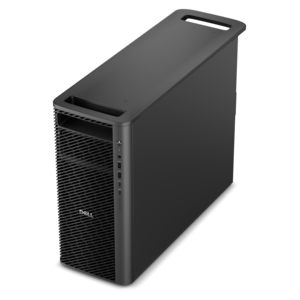
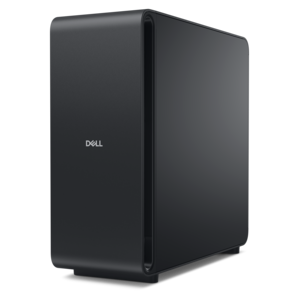
A dense, powerful rack-ready desktop engineered to optimize demanding computing environments.
In the rapidly evolving world of business technology, enterprise infrastructure stands as the backbone that supports seamless operations and drives innovation. Whether your organization is expanding its data capabilities, enhancing network reliability, or optimizing storage solutions, a robust enterprise infrastructure is essential for maintaining competitive advantage. Empower your business with cutting-edge solutions designed to scale with your needs, ensuring that you are always prepared to meet the demands of today's digital landscape. Explore a wide range of options tailored to enhance efficiency and performance, helping your enterprise thrive in a connected world.
A dense, powerful rack-ready desktop engineered to optimize demanding computing environments.
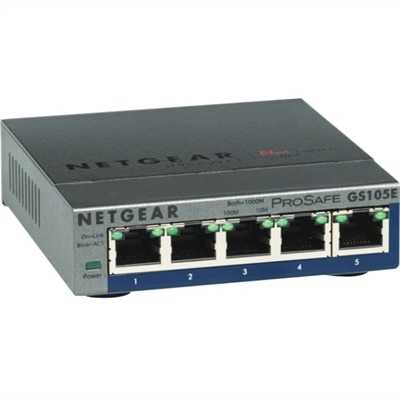
A 5-port Gigabit Ethernet switch featuring VLAN, QoS, IGMP snooping, link aggregation, and traffic monitoring.
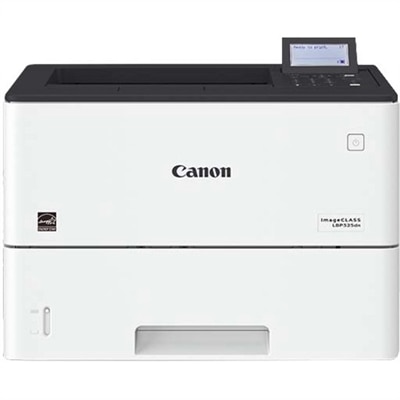
A monochrome laser printer delivering speedy performance, minimal maintenance, and expandable paper capacity for enterprise workgroups.
A scalable professional desktop delivering elite computing power with massive expandability.
A scalable, secure rack workstation engineered to power demanding professional applications.
Enterprise Infrastructure provides the foundation for productive, secure work across an organization. While large-scale technology environments can be complex, the experience of employees often begins with familiar tools: a dependable laptop or desktop, a clear monitor, comfortable accessories and the software that helps teams complete everyday responsibilities. Choosing the right equipment means looking beyond a single specification and considering how the full workplace fits together. A finance professional may need a responsive system for spreadsheets, reporting tools and video meetings, while a designer or engineer may place greater value on graphics capability, screen detail and sustained performance. A growing business may prioritize flexible equipment that can serve several departments, and an established organization may need consistent configurations that simplify deployment, support and replacement. IT teams can make these decisions easier by grouping users according to their work, documenting the applications each group relies on and setting practical standards for performance, security and manageability. A well-planned fleet can reduce interruptions, make onboarding more predictable and give employees confidence that their technology will keep pace through a busy day. It is also worth considering the physical setting. A compact desktop can help preserve valuable workspace, while a laptop can move from a quiet home office to a shared meeting room as responsibilities change. A larger or additional monitor can make long rows of figures, detailed designs and side-by-side documents easier to review, helping reduce the constant window switching that can slow concentration. Accessories such as keyboards, mice, webcams, headsets and docking solutions can add comfort and consistency, especially for employees who divide their time between locations. For broader guidance about how workplace devices connect within an organization’s technology environment, visit Enterprise Networking.
A thoughtful Enterprise Infrastructure refresh also considers the years after purchase. Reliability, service options, compatibility and manageability can matter just as much as headline performance, particularly when equipment will support many users with different habits and levels of technical experience. Look for systems that offer the ports, display support and collaboration features employees need today, while leaving room for changing work patterns. Compatibility with existing applications and accessories can prevent avoidable disruption, and consistent device families can help support teams diagnose issues more quickly. Security deserves equal attention. Features such as biometric sign-in, hardware-based protection, firmware safeguards and centralized policy management can help protect company information without making ordinary work feel cumbersome. Organizations should also establish clear practices for updates, access permissions and equipment retirement, since a device remains part of the business environment throughout its useful life. Ergonomics can have a quiet but meaningful effect: an adjustable display at eye level, a keyboard that feels natural beneath the hands and a headset that keeps conversations clear can turn a makeshift workstation into a place where people can focus. During the cooler months, when employees may spend more time indoors and teams often settle into concentrated planning and reporting cycles, dependable equipment becomes especially noticeable. A system that starts promptly, handles demanding applications smoothly and supports clear collaboration can remove friction from the day in the same way that a well-lit desk makes an early morning easier. These products are generally selected for practical business use rather than as gifts, though a well-chosen monitor or accessory can be a thoughtful addition for a home office, a new work setup or someone beginning a professional role. Whether outfitting a small team, standardizing devices across multiple departments or replacing aging equipment one workstation at a time, focus on the people using the technology, the tasks they perform and the support your organization can provide. That grounded approach helps create an adaptable foundation for everyday work, future growth and a more consistent experience across the enterprise.
Add the products you would like to compare, and quickly determine which is best for your needs.