$49.99
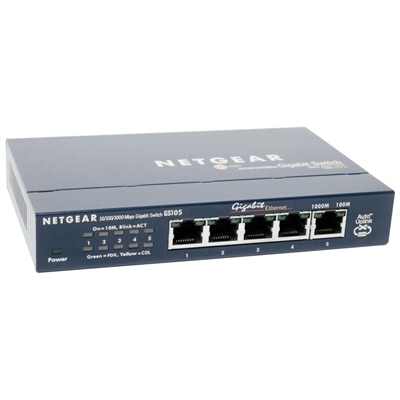
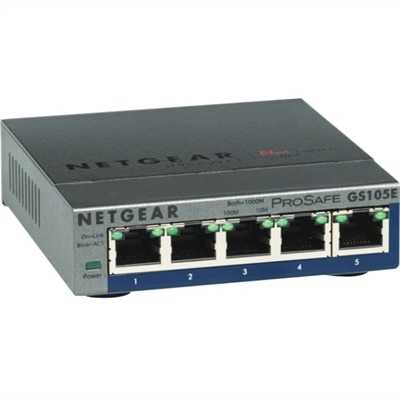
A 5-port Gigabit Ethernet switch featuring VLAN, QoS, IGMP snooping, link aggregation, and traffic monitoring.
Enhance your organization's connectivity and efficiency with top-tier network infrastructure solutions from Dell. Whether you're a small business looking to expand or a large enterprise seeking to optimize, our comprehensive range of networking products is designed to meet diverse needs. From robust routers and switches to cutting-edge wireless access points, our offerings ensure seamless communication and data transfer across all devices. Explore how Dell's network infrastructure can transform your IT environment into a powerhouse of productivity and reliability, supporting your growth every step of the way.
A 5-port Gigabit Ethernet switch featuring VLAN, QoS, IGMP snooping, link aggregation, and traffic monitoring.
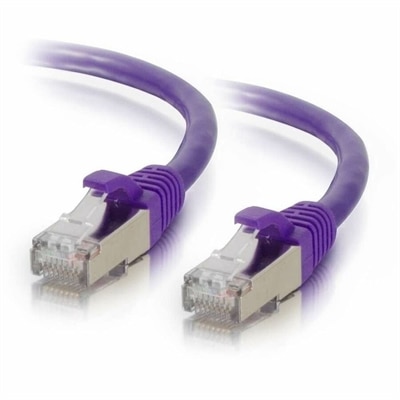
A purple shielded Cat6 network patch cable designed to reduce electromagnetic interference and crosstalk.
A black powder-coated steel lacer strip providing vertical cable management with tie posts and mounting holes.
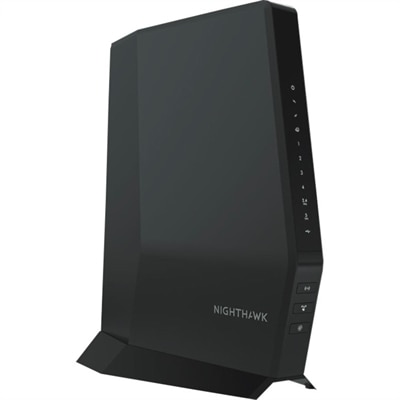
A Wi-Fi 6 cable modem router with DOCSIS 3.1, multi-Gigabit speeds, enhanced capacity, and reliable coverage.
Network infrastructure is the foundation that allows computers, displays, mobile devices, printers, applications, and people to communicate reliably. It brings together the physical connections, wireless access, security controls, management tools, and support services that move information from one point to another. In a small office, that foundation may support a handful of employees sharing internet access, communicating through cloud applications, joining video meetings, and accessing common resources. In a growing organization, it may connect multiple floors, offices, remote workers, guest devices, and specialized equipment while maintaining consistent performance and controlled access. The right setup helps everyday work feel effortless: a laptop connects promptly at the start of the day, a video call remains clear when several people are online, and a new workstation can be added without rewiring the entire workplace. When evaluating products in this category, begin with the environment rather than a single specification. Consider the number of people and devices that will connect today, the level of traffic created by video, large files, cloud applications, and collaboration platforms, and the physical layout of the space. Thick walls, long cable runs, multiple floors, and crowded wireless areas can all affect performance. Compatibility matters just as much as capacity, so check supported standards, connection types, operating requirements, management options, and whether the equipment can work with the technology already in place. A compact office may benefit from straightforward controls and an uncomplicated installation, while a larger organization may prioritize centralized visibility, user permissions, automatic updates, and the ability to separate employee, guest, and specialized traffic. Reliability should also be part of the initial decision. Look for dependable construction, clear status indicators, practical configuration tools, and manufacturer support that can help resolve issues before a brief interruption becomes a lost morning. For organizations comparing broader technology environments, Enterprise Infrastructure can provide useful context as needs expand beyond a single room or location.
Security deserves equal attention because every connected device creates another path that should be understood and managed. A well-planned infrastructure can help limit unauthorized access, protect sensitive information in transit, and give administrators a clearer view of unusual activity. Useful considerations include modern security standards, encrypted connections, separate access for visitors, user authentication, permission controls, automatic firmware updates, and management features that make it easier to apply consistent policies. It is also wise to think about resilience. Equipment placed in a busy office should have adequate ventilation and a sensible location, with cables labeled clearly so troubleshooting does not involve tracing a bundle by hand under a desk. A simple diagram of connection points, device names, and access credentials stored securely can save hours when something needs to be replaced or moved. Capacity planning is just as practical: leave room for additional users, new workstations, higher-resolution collaboration, and the gradual arrival of connected accessories. For a home office, the same principles apply on a smaller scale. A dependable connection can make the difference between a focused workday and repeated pauses while a meeting freezes or a file struggles to upload. Families may also appreciate a setup that keeps personal devices, work equipment, and visitors’ access appropriately separated. These products are generally chosen for a purpose rather than given as a traditional gift, but they can be a thoughtful option for someone opening a home studio, launching a small business, renovating an office, or improving a shared workspace. Before purchasing, measure the space, count current devices, estimate future growth, and identify where wireless coverage or wired connections are most important. Pay attention to installation requirements, warranty coverage, power needs, physical dimensions, and the level of technical management you are comfortable handling. A balanced choice does not simply promise the highest performance; it fits the room, supports the people using it, protects the information moving through it, and leaves enough flexibility for the next stage of work.
Add the products you would like to compare, and quickly determine which is best for your needs.