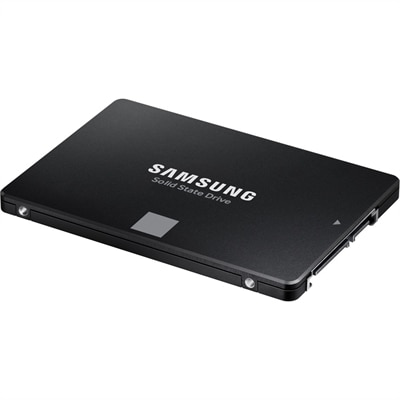
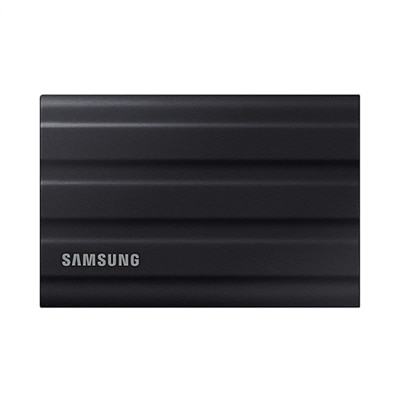
Gen 4 SSDs
Gen 4 SSDs deliver a new level of speed and efficiency for modern computing needs. Ideal for users looking to maximize performance, these advanced storage solutions are designed to handle demanding applications, from gaming to creative workflows. With Gen 4 SSDs, experience faster data access and improved responsiveness, making them a smart upgrade for any laptop or desktop setup. Discover the benefits of enhanced storage technology and find the right Gen 4 SSD to elevate your system’s capabilities.
This product is not available
Check out the following recommendations.




Gen 4 SSDs
Gen 4 SSDs are internal solid-state drives built around the PCIe 4.0 interface, giving compatible computers a substantial performance step above older PCIe 3.0 storage. Many models can reach sequential read speeds of up to about 7,000 MB/s, although actual results vary by capacity, controller, workload, system design and available cooling. In everyday use, that speed can make a computer feel more responsive from the moment the power button is pressed: the operating system loads with less waiting, large creative projects open more quickly and applications are ready sooner after a double-click. Game libraries can also benefit, with shorter loading screens and faster movement between detailed environments. A Gen 4 SSD is especially useful for people who regularly work with high-resolution photos, video, 3D files, music projects, large software installations or extensive game libraries. It can also be a practical upgrade for a family computer that has begun to feel sluggish, particularly when an older hard drive is still handling the operating system. Browsing, email and office work will not always use the drive’s maximum sequential speed, but the quick response of solid-state storage can still be noticeable when starting programs, searching files or moving between several open tasks. To explore storage options for different systems and capacities, visit Internal SSDs. When comparing Gen 4 SSDs, look beyond the headline speed. Read performance describes how quickly data can be retrieved in ideal conditions, while write performance matters when installing software, exporting a video or copying a large folder. Random read and write performance can have a greater effect on small everyday tasks, because computers constantly access many scattered files rather than one continuous block of data. Capacity is another important decision. A 1TB drive can suit general productivity, schoolwork and a moderate collection of games, while a 2TB or larger drive gives more room for media libraries, creative projects and future software without requiring frequent cleanup. Remember that usable capacity is lower than the number printed on the box because of formatting and system files.
Compatibility should come before performance claims. Most Gen 4 SSDs use a compact M.2 2280 form factor and an NVMe connection, but a computer must have an available M.2 slot that supports both the physical size and the PCIe generation. A drive can often operate in a system designed for an earlier PCIe generation, though it will be limited by that system’s interface speed; installing one in an older machine does not automatically create Gen 4 performance. Before purchasing, check the computer’s documentation for supported drive lengths, slot specifications, maximum capacity and whether a separate mounting screw or heatsink is needed. Desktop users generally have more flexibility for adding airflow or a motherboard heatsink, while laptop users should pay close attention to thickness, power behavior and available space beneath the cover. Some laptops have only one storage slot, making it wise to plan the operating system installation and file transfer before removing the original drive. A clean installation can provide a fresh start, while cloning can preserve applications, settings and familiar folders; either approach should be preceded by a verified backup. For a desktop used for demanding games or creative work, a Gen 4 SSD with strong sustained write performance and effective thermal management can help maintain a steady experience during long transfers. When a drive becomes hot, it may reduce speed to protect itself, so airflow and heatsink compatibility are worth considering rather than treating them as afterthoughts. Endurance ratings, warranty coverage and manufacturer software for monitoring health can also help shoppers compare otherwise similar options. A drive with a slightly lower peak speed may be the better fit if it offers dependable performance, sufficient endurance and the capacity needed for the way the computer is actually used.
Gen 4 SSDs can make thoughtful gifts for someone building a computer, refreshing a work-from-home setup or expanding a gaming system, provided the recipient’s device is checked first. They are particularly helpful for a student carrying a large collection of class files, a photographer returning from a trip with thousands of images, a creator managing video footage or a gamer who is tired of choosing which installations to remove. In a shared household, adding fast internal storage can turn one crowded computer into a more comfortable space for work, study and entertainment, with room for separate user files and larger applications. Compatible current-generation gaming consoles may also support PCIe 4.0 NVMe expansion drives, but console requirements can be specific: the drive may need a minimum read speed, a particular M.2 size and a properly fitted heatsink, and installation instructions should be followed carefully. Storage upgrades are not limited to dramatic workloads. Imagine opening a laptop at a kitchen table while rain taps against the window and finding a project folder ready almost immediately, or returning to a desktop after a long day and seeing a large game resume without the familiar stretch of loading screens. Those small reductions in waiting can add up across a busy routine. For the best fit, match the drive to the device first, then choose capacity based on the files and applications it will hold, and use performance specifications as a way to compare suitable options rather than as the only measure of quality. A Gen 4 SSD offers a balanced combination of speed, broad compatibility and practical capacity for many modern PCs, laptops and supported consoles, making it a strong choice for responsive storage through changing workloads.
FAQs:
Upgrading to a Gen 4 SSD provides significantly faster read and write speeds, which means quicker boot times, faster file transfers, and improved overall system responsiveness. This is especially beneficial for multitasking, gaming, and handling large files such as videos or high-resolution images.
Gen 4 SSDs are ideal for a wide range of users, including gamers, creative professionals, students, and anyone who needs high-speed data access and reliability. They are also great for those looking to extend the life and performance of their current devices without a complete system overhaul.
Gen 4 SSDs require a system with a compatible PCIe 4.0 interface. While many newer laptops and desktops support this standard, it's important to check your device's specifications before upgrading to ensure compatibility.
TLC (Triple-Level Cell) Gen 4 SSDs balance speed, capacity, and durability, making them a popular choice for both everyday use and demanding applications. They offer faster performance than traditional hard drives and earlier SSD generations, along with reliable storage for a wide variety of tasks.
Yes, installing a Gen 4 SSD can dramatically reduce game and application load times and speed up tasks like video editing, file transfers, and project rendering. This makes them an excellent choice for gamers and creative professionals who need top-tier performance.